
Vandaag of morgen in huis

Kwaliteit gegarandeerd

Welkomstaanbiedingen ontgrendelen: GRATIS bezorging | Tot 80% korting | Gratis 30 dagen JoyPlus-proefperiode
Download de app
A wireless headset may seem easy to choose at first glance. Yet terms such as “Hi-Res”, “AI microphone” and “noise cancellation up to -50 dB” often create unrealistic expectations. What matters most is not how many features appear in a product listing, but whether the headphones suit your phone, listening habits and everyday surroundings.
The stated battery life often applies to a specific situation, such as a particular volume level and with active noise cancellation switched off. With noise-cancelling headphones, playback time may be shorter when ANC is continuously enabled. Therefore, pay attention to the difference between:
A product with a long total battery life is not automatically more convenient if charging takes a long time or the charging case is relatively bulky.
Closed-back over-ear headphones already reduce some sound through their ear cushions. Active noise cancellation, also known as ANC, uses microphones and electronics to reduce ambient noise. Its effectiveness varies depending on the situation. Low, constant sounds such as train or aircraft noise are generally a different use case from voices or sudden sounds.
Brands may quote specific reduction figures. Treat these carefully: according to the brand’s own research, a model may, for example, reduce a certain number of decibels of ambient noise. Do not regard such a figure as a guarantee for every environment.
Before buying, check that the headphones work with your smartphone, tablet, laptop or games console. Bluetooth headphones are convenient for everyday use, but some models also offer a wired connection. This can be important when the battery is flat or when you are using a PC, aircraft entertainment screen or games console.
Also look out for:
A USB-C connection does not always mean that USB-C audio is supported. Check the product information for the specific model.
In-ear earbuds usually seal the ear more effectively and are compact. They are suitable for commuting, calls and travel, but the fit varies considerably from person to person. Check whether several ear tip sizes are included.
Open-ear earbuds or clip-on models leave the ear canal open. This can be useful when walking or working, as you remain more aware of your surroundings. Sound reproduction and bass response may differ from those of closed earbuds.
Over-ear headphones fully surround the ear. This design often offers greater comfort during long listening sessions, but takes up more space. Consider the weight, headband pressure and shape of the ear cushions.
For online meetings or phone calls, the number and positioning of the microphones are important. Some models use beamforming or software-based noise cancellation. According to a brand’s own research, this may improve speech clarity in noisy environments, but the final experience also depends on wind, traffic and the calling app you use.
If you mainly make calls, look specifically for headphones with a microphone. For gaming, an adjustable or flip-up microphone is often more practical than a small microphone built into an earbud.
An IP rating consists of numbers. The first number generally refers to protection against solid particles and the second to water. A rating such as IPX5 means protection against water jets according to the standard classification, but does not automatically mean protection against immersion. Therefore, use sports earbuds within the stated limits and only charge them once the charging contacts are dry.
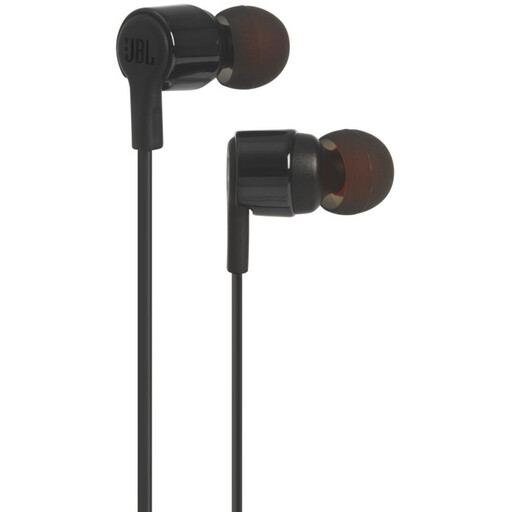
Why it suits this profile: If you do not need a battery or Bluetooth, these wired in-ear headphones offer a simple connection and built-in microphone for everyday use.
The 3.5mm connection works without pairing or charging. However, check that your device still has a suitable headphone socket.
Wired design, built-in microphone and stated 8.7mm drivers. No charging case or battery required.
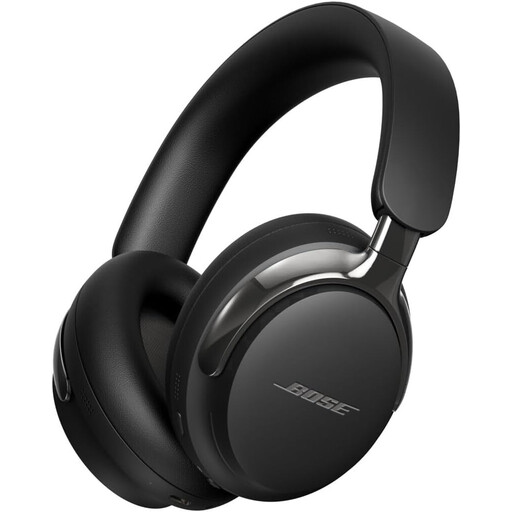
Why it suits this profile: These over-ear headphones focus on comfort, active noise cancellation and both wireless and wired listening.
The detachable cable provides an alternative when Bluetooth is unavailable or the battery is flat. The manufacturer states Bluetooth 5.4 and a range of approximately 9.14 metres.
Bluetooth 5.4, ANC, spatial audio and cable options via USB-C and 3.5mm, according to the product information.
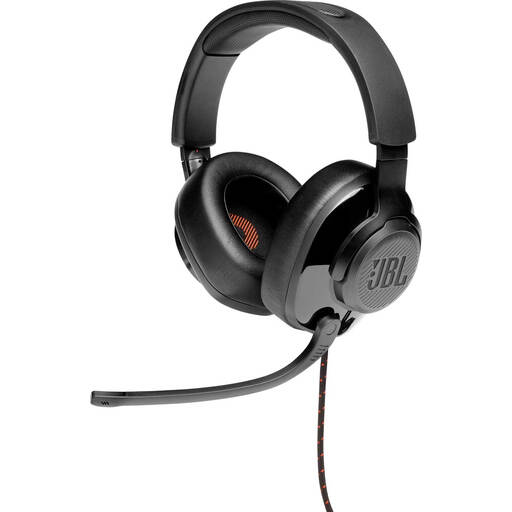
Why it suits this profile: For PC and console gamers, a wired gaming headset with over-ear cushions and an adjustable microphone is practical during long sessions.
The 3.5mm connection works with multiple platforms. According to the product information, certain surround features require a PC and JBL software.
50mm drivers, flip-up microphone, memory foam ear cushions and a stated weight of 245 grams.
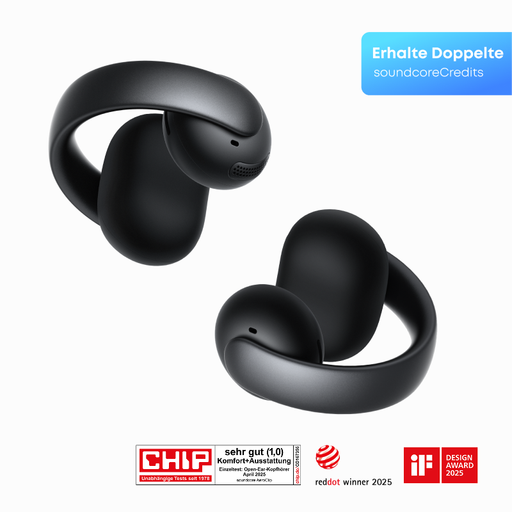
Why it suits this profile: The open-ear clip-on design is intended for walking, sports and everyday use when you want to stay aware of your surroundings.
The open design means you are not completely shut off from your surroundings. During intense movement, however, check that the clip remains secure and comfortable.
Open-ear design, four beamforming microphones and a flexible open-ring design, according to the product information.
We have compiled a complete, up-to-date list of products that fully meet these strict selection criteria and the applicable European safety regulations.
Use this quick checklist before placing your order:
Also remember to listen safely: keep the volume at a comfortable level, take breaks and do not use headphones while cycling, driving or in other situations where awareness of ambient sound is important.
First charge the headphones, activate pairing mode and open the Bluetooth settings on your phone. Select the product name from the list. With TWS earbuds, you may first need to remove both earbuds from the charging case. If pairing does not work, remove the old Bluetooth connection and try again.
Usage time per charge varies depending on the model, volume and features such as ANC. The service life of the built-in battery decreases over time. Keep the product dry, avoid extreme temperatures and use a suitable USB-C charger. Wired headphones do not have a battery, which can make them more practical for extended use without charging.
Power consumption while charging is generally limited, but varies depending on the battery, charging case and frequency of use. Fast charging mainly changes the charging time and does not automatically alter total energy consumption. If you want to charge as little as possible, you could also consider wired headphones with a microphone.
