
Vandaag of morgen in huis

Kwaliteit gegarandeerd

Welkomstaanbiedingen ontgrendelen: GRATIS bezorging | Tot 80% korting | Gratis 30 dagen JoyPlus-proefperiode
Download de app
Wireless headphones make listening to music, making calls and working easier. However, there is a lot of choice, from a Bluetooth headset with long battery life to compact wireless earbuds with ANC. A high price or a long list of features does not automatically mean that a model is right for the way you use it.
The most common purchasing mistakes usually arise from three misunderstandings:
First, choose between over-ear headphones, on-ear headphones and in-ear Bluetooth earbuds.
A good fit affects comfort, how clearly you can be heard during calls and the bass you perceive. So check which earbuds or cushions are included and whether the headband is adjustable.
Pay attention to the difference between the playback time of the earbuds themselves and the total playback time with the charging case. The Sony WF-C510, for example, states 22 hours including the charging case, while the individual earbuds weigh approximately 4.6 grams according to the product information.
For Bluetooth headphones, battery life is usually stated without a charging case. The Sony WH-CH520 is described as offering up to 50 hours of use, while the technical specifications on the product page also state a battery life of 40 hours. This difference shows why you should check the full specifications table.
Also check:
Bluetooth 5.3 or Bluetooth 5.4 provides a modern wireless connection, but on its own it does not indicate how well a pair of headphones will work in your home or office. Also look at the range, supported codecs and multipoint connectivity.
Multipoint is useful if you want to connect to a laptop and smartphone at the same time. You can then switch more easily between a video call and music. A built-in microphone is useful for calls, but how clearly you are heard also depends on wind, background noise and the positioning of the microphones.
For sports earbuds, the IP rating is important. IPX4 means splash resistance according to the stated product classification. IP55 or IP57 offers a different level of protection, but always check the limitations. Splash resistance does not automatically mean that a product is suitable for swimming or prolonged exposure to rain.
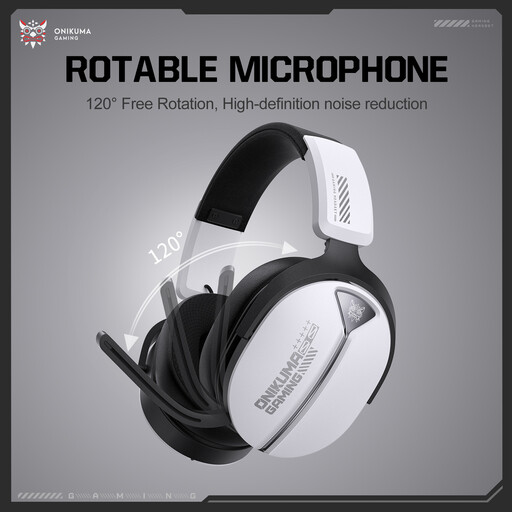
Why it suits this profile: A straightforward choice for everyday listening without extensive app features. The physical buttons and scroll-wheel volume control are practical when you are out and about.
The controls are clearly described: independent physical buttons and a scroll wheel. This means you are less dependent on touch controls.
20 Hz–20 kHz frequency range according to the product listing; physical controls and a portable design.
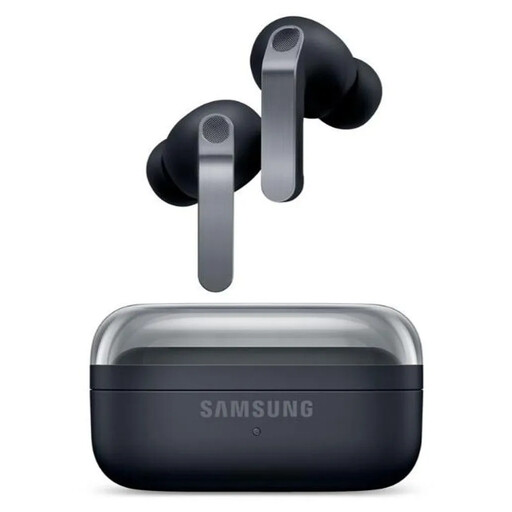
Why it suits this profile: Designed for users looking for ANC, extensive audio features and a strong dust and splash-resistance rating.
The product information lists the usage time separately with ANC switched on and off: 6 and 7 hours per charge. This makes comparisons clearer.
ANC, 6 microphones, IP57 rating, 2-way speakers and up to 30 hours in total with the charging case according to the product details.
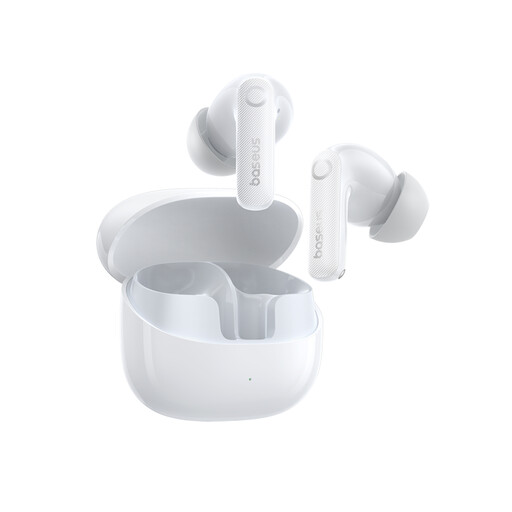
Why it suits this profile: A good fit for commuters and users looking for wireless earbuds with ANC, multiple microphones and plenty of total playback time.
The specifications state 11 hours of listening time at 50% volume and 55 hours with the charging case. IP55 is also listed as splash protection; avoid submerging the earbuds.
Adaptive hybrid ANC of up to the 50 dB claimed by Baseus, Bluetooth 5.4, AAC/SBC/LDAC and 6 microphones according to the product information.
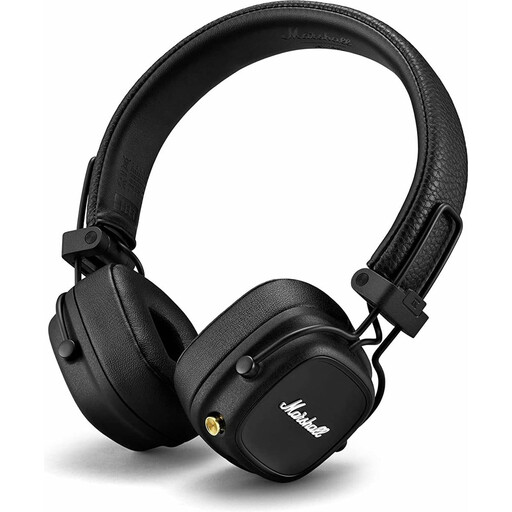
Why it suits this profile: On-ear wireless headphones for anyone who wants to charge less often and values physical controls.
The stated battery life of more than 80 hours is separate from features such as ANC, as the product information does not list ANC for this model.
More than 80 hours of wireless playback, wireless charging, a foldable design and a physical multidirectional control button according to Marshall.
We have put together a complete, up-to-date list of products that fully meet these strict selection criteria and the applicable European safety regulations.
Switch on the headphones, open Bluetooth in your smartphone’s settings and select the product name. With true wireless earbuds, you usually need to place the earbuds in the charging case first and open the lid. Then follow the manufacturer’s instructions or those in the accompanying app. If a device does not appear, it may help to remove a previous Bluetooth pairing.
Playback time per charge varies considerably. An on-ear model may offer dozens of hours of playback according to the product specifications, while compact wireless earbuds often provide a few hours per charge and are recharged using the case. Overall lifespan depends on charging habits, storage, temperature and everyday use. Do not keep the volume high for long periods, and do not continue charging a damaged or unusually hot battery.
ANC is usually listed as a separate usage mode. So always check the battery life with ANC switched on and off. The Samsung Galaxy Buds4 Pro, for example, are listed as offering 6 hours with ANC and 7 hours without ANC per charge. The extra cost of ANC is particularly worthwhile if you travel often, work in a busy office or want to reduce background noise.
