
Vandaag of morgen in huis

Kwaliteit gegarandeerd

Welkomstaanbiedingen ontgrendelen: GRATIS bezorging | Tot 80% korting | Gratis 30 dagen JoyPlus-proefperiode
Download de app
A pair of wireless headphones can look like an obvious choice on paper: Bluetooth, long battery life and perhaps noise cancelling. But marketing terms can hide important differences. A model that feels comfortable on a train journey may not be comfortable enough for a full day at work, or stable enough for gaming.
So, pay particular attention to these three common pitfalls:
The design affects comfort, sound isolation and how suitable the headphones are for your activities.
An open design isn’t automatically suitable for every sport. Always check the stated water or splash resistance. An IPX4 rating, for example, indicates protection against splashes, but not immersion.
Headphones with long battery life are handy if you travel often or don’t want to charge them every day. As well as the maximum number of hours, check:
Multipoint is also useful with Bluetooth headphones. It lets you connect a model to two devices, such as a laptop and smartphone. Check that the feature is actually listed in the product specifications.
Bluetooth versions such as Bluetooth 5.3 or 5.4 tell you about the connection, but they don’t determine sound quality on their own. Also check:
For gaming, a gaming headset with a fixed 3.5mm cable can be a practical choice. You won’t need to charge it, and you can avoid possible wireless lag. Check beforehand that your PC, console or controller has the right connection.
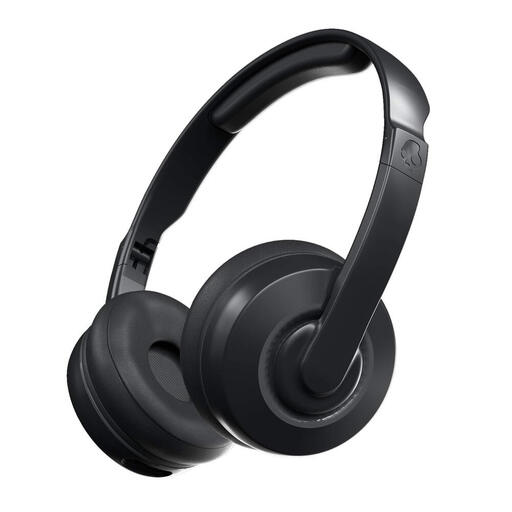
Why it suits this profile: A foldable on-ear model for everyday listening and travel, without committing to a large over-ear design.
The product specifications state that it has passive sound isolation rather than active noise cancelling, so it’s clear what you can and can’t expect.
Up to 22 hours of battery life, fast charging and a foldable design with a microphone.
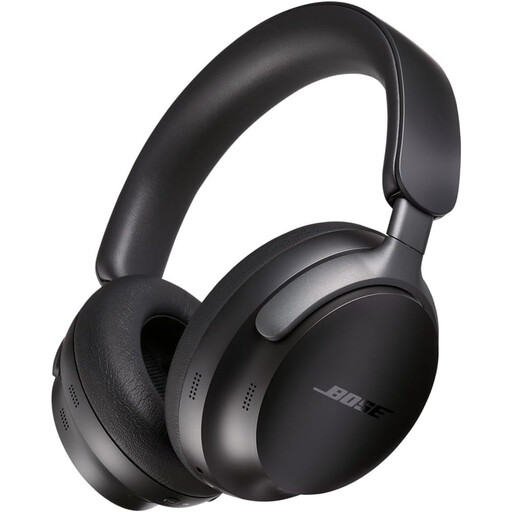
Why it suits this profile: Designed for listeners who value an over-ear fit, active noise cancelling and a wired option for travel and home use.
The listed specifications include both active noise cancelling and a 3.5mm jack. That means you’re not relying solely on Bluetooth or the battery.
Bluetooth 5.3, multipoint, up to 24 hours of battery life and a travel case included.
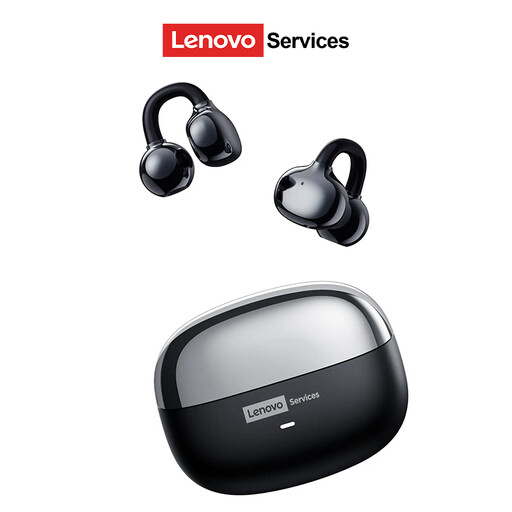
Why it suits this profile: The open-ear ear-clip design is made for users who want to stay in touch with their surroundings while working, walking or exercising.
An open design means you won’t automatically expect complete noise isolation. According to the product description, you remain aware of your surroundings, although how much you hear depends on the volume and environment.
Compatible with Android, iOS and Windows; up to 25 hours of battery life according to the product information.

Why it suits this profile: A good choice for players looking for a wired connection, simple controls and compatibility with PCs and consoles.
It’s clearly a wired headset and doesn’t need a battery. This avoids interruptions during a session, but you do lose the freedom of a wireless connection.
50mm drivers, 3.5mm jack, flip-up microphone and a 2-metre cable.
We’ve put together a complete, up-to-date list of products that meet these strict selection criteria and the current European safety regulations.
Put the headphones into pairing mode, open the Bluetooth settings on your smartphone and select the product name. Then check that calls and media audio are enabled. For multipoint, connect the first device, then the second, following the brand’s instructions.
Battery life depends on battery capacity, charging habits, volume and features such as active noise cancelling. A model with a wired connection may remain usable for longer if its battery performance declines, as you can also use it without a wireless connection. Keep your headphones dry, avoid extreme temperatures and charge them with a suitable USB-C charger.
An open-ear model lets you hear sounds around you, but that doesn’t mean you’ll always be sufficiently aware of traffic. Keep your attention on the road, taking the traffic conditions and local rules into account. Keep the volume moderate and check whether the product is suitable for moisture and sport.
