
Vandaag of morgen in huis

Kwaliteit gegarandeerd

Welkomstaanbiedingen ontgrendelen: GRATIS bezorging | Tot 80% korting | Gratis 30 dagen JoyPlus-proefperiode
Download de app
Wireless headphones are ideal for music, podcasts, films and hands-free calls. However, a long list of features does not automatically mean a model will suit your everyday use. Compact in-ear headphones, for example, can be comfortable on the go but may feel less secure during exercise. Over-ear headphones can be comfortable on long flights but may feel too warm when cycling.
The biggest pitfalls usually come down to three points:
There are three common options:
For in-ear models, check which sizes of silicone ear tips are included. According to the product description, the Apple AirPods Pro 3 come with five sizes, while some AirPods 4 models do not include multiple ear-tip sizes. A good fit helps prevent you from turning the volume up unnecessarily and stops you from having to push the earbuds back into place repeatedly.
Do not just look at one large number. Check:
The Sony WH-CH520 product description states a usage time of up to 50 hours, while the technical specifications list a battery life of 40 hours. This difference is exactly why you should check the full product specifications before ordering. The Sony is lightweight at 147 grams and supports multipoint, which allows you to connect two devices simultaneously according to the specifications.
Bluetooth headphones should be compatible with your devices. Bluetooth 5.3 or 5.4 is available on various models, but compatibility also depends on your smartphone, laptop and the features you use. Apple AirPods also work with Android via Bluetooth, although some ecosystem features are mainly available on Apple devices. Samsung Galaxy Buds4 Pro, on the other hand, are designed to work with Galaxy devices.
For working from home or making calls, the number and positioning of the microphones are relevant specifications. According to the product information, the Soundcore Liberty 4 Pro has six microphones. This can help with voice recording, but the final call quality also depends on wind, traffic, your phone and the app being used.
Also pay attention to the IP rating:
An IP rating does not automatically make a product suitable for swimming. According to the safety information, the Sony WH-CH520 is not water-resistant. For sports earbuds, the Soundcore Liberty 4 Pro with IPX5 or models with IP54/IP57 are a more logical starting point, but always check the current product page.
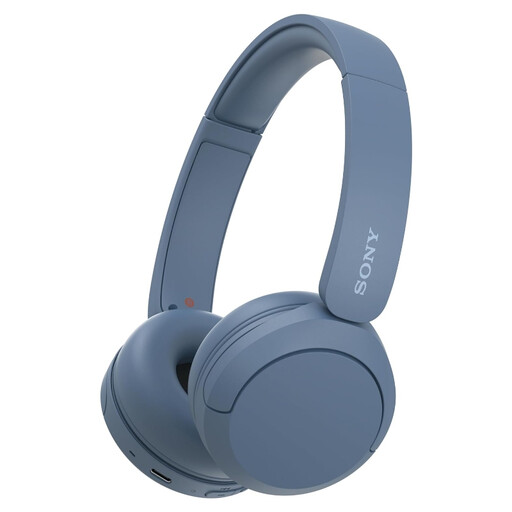
Why it suits this profile: Compact on-ear Bluetooth headphones for music, podcasts and calls without an in-ear fit.
The controls use physical buttons, while the adjustable headband makes it easier to achieve a comfortable fit. However, note that according to the safety information, this model is not water-resistant.
147 grams, USB-C, microphone and multipoint connectivity. The product description states up to 50 hours of battery life, while the technical specification sheet lists 40 hours.
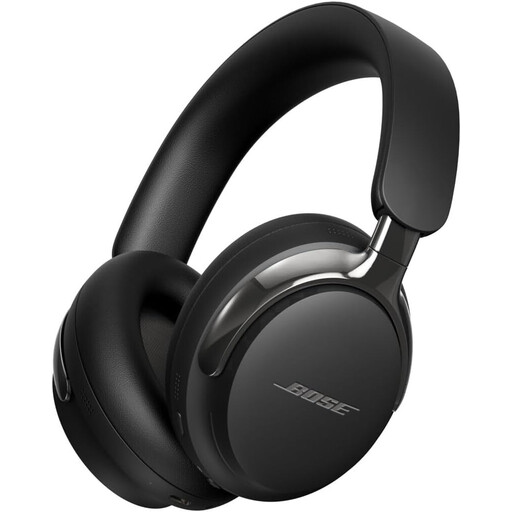
Why it suits this profile: Over-ear noise-cancelling headphones for travel, films and extended listening.
The combination of Bluetooth and a detachable cable means you are not reliant solely on a wireless connection. However, check the weight and dimensions before buying.
Bluetooth 5.4, active noise cancellation, Cinema Mode and a cable with USB-C and jack connections according to the product information.
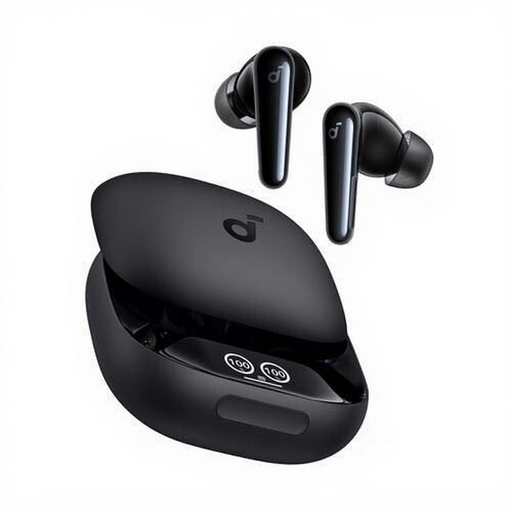
Why it suits this profile: Designed for calls, music, sport and everyday use in a compact TWS format.
The IPX5 rating provides greater protection against splashing water than a model without a rating. The earbuds come with extra ear tips for a better fit.
Up to 10 hours of continuous playback, six microphones, touch controls and a USB-C charging case according to the product specifications.
We have put together a complete, up-to-date list of products that fully meet these strict selection criteria and the applicable European safety regulations.
Switch on Bluetooth on your smartphone, open the charging case or switch on the headphones, then select the product name from the Bluetooth list. With Apple AirPods, a setup window often appears on an iPhone. On Android, use the standard Bluetooth settings. If pairing does not work, remove an old connection and charge the earbuds fully first.
Battery capacity decreases over time. Lifespan depends on charging cycles, heat, moisture and usage. Keep wireless earbuds in their case and do not leave a battery completely flat for long periods. Also check whether the battery can be replaced; in many compact models, it is built in.
Not always. Active noise cancellation can reduce surrounding sounds, even though traffic noise is particularly important. When cycling, only use a setting that allows you to hear enough of what is happening around you, and follow local traffic regulations. For greater awareness of your surroundings, an open-ear model may be a more practical alternative.
