
Vandaag of morgen in huis

Kwaliteit gegarandeerd

Welkomstaanbiedingen ontgrendelen: GRATIS bezorging | Tot 80% korting | Gratis 30 dagen JoyPlus-proefperiode
Download de app
Wireless headphones may seem easy to choose at first. But small differences in fit, connectivity and microphone quality can make a big difference. A pair that feels comfortable on a short journey might become uncomfortable after a few hours. Battery life claims can also be unclear about whether they apply with noise cancelling switched on or off.
So, look out for these common pitfalls:
Don’t just look at the highest figure in the product title. Check whether the manufacturer distinguishes between use with and without noise cancelling. According to the product description, the Sony WF-C710N offers up to 30 hours with Noise Cancelling and up to 40 hours without it. The Sony WH-CH520 series is listed in the product description as having up to 50 hours of battery life, while the technical specifications on the product page also state 40 hours. Always check the current product specifications before ordering.
These points are also useful for everyday use:
On-ear headphones rest on your ears and are often compact. Over-ear headphones surround your ears and may provide a better seal, but they generally take up more space. Wireless earbuds are lightweight and easy to carry, but choosing the right ear tips is important for comfort and a secure Bluetooth connection.
Also check for an IP rating. According to the product specifications, the Sony WF-C710N has an IPX4 rating. This means it offers protection against splashes and sweat in limited conditions, but not against submersion. A model with an IPX5 rating, such as the MINISO MS106 according to its product description, isn’t suitable for swimming either.
Bluetooth 5.x supports a modern wireless connection, but your experience also depends on the source device and the audio codecs used. Multipoint can be handy if you want to stay connected to a smartphone and laptop at the same time.
Different situations call for different things to consider:
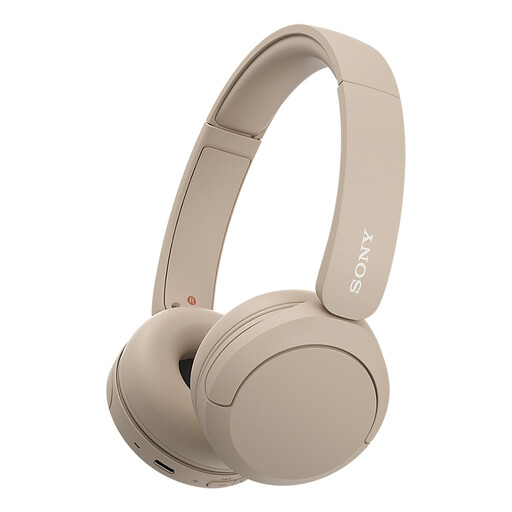
Why it suits this type of user: Lightweight on-ear headphones for music, calls and the daily commute, with multipoint to connect to a phone and laptop.
The product specifications list a microphone, multipoint and a weight of 147 grams. Check the battery life on the product page, as the listed specifications differ.
Bluetooth, USB-C, multipoint and an adjustable headband. The product description also says the model supports an app for sound settings.
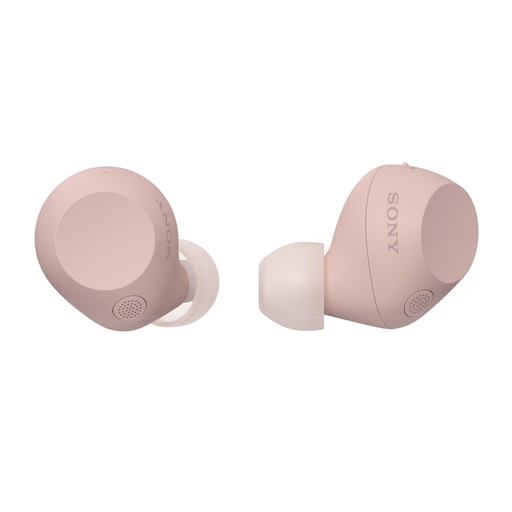
Why it suits this type of user: A good choice if you’re looking for compact wireless earbuds for travel, calls and everyday listening, with app-based settings.
Battery life is given separately for when Noise Cancelling is on and off. The IPX4 rating makes it clear that the earbuds are splash-resistant, not fully waterproof.
Bluetooth 5.3, multipoint, touch controls and a stated range of 10 metres. Fast charging is available according to the product description.
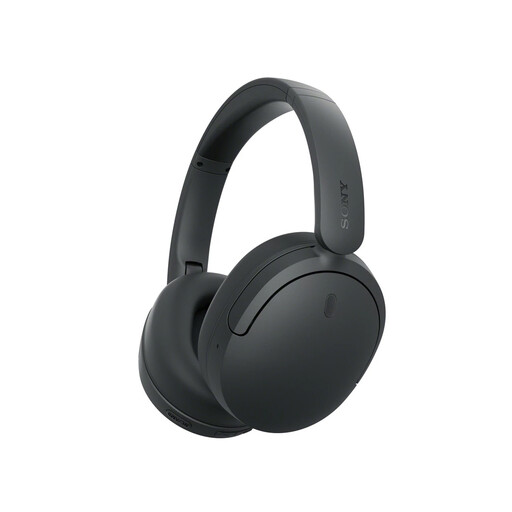
Why it suits this type of user: An option for long listening sessions, travel and work, with active noise cancelling and multipoint connectivity.
The product description lists separate modes for Noise Cancelling and ambient sound. Check in advance that the mode you want and the battery life suit how you plan to use the headphones.
Foldable design, multipoint, Bluetooth LE Audio support according to the product description, and stated battery life of up to 75 hours with Noise Cancelling off.
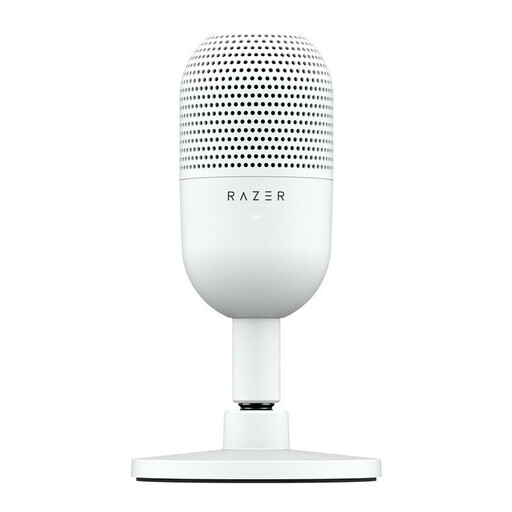
Why it suits this type of user: For online meetings, streaming and recording, where a separate microphone gives you more control than a headset’s built-in mic.
The USB connection and plug-and-play setup help avoid installation problems. According to the product description, the supercardioid pickup focuses on your voice; actual results depend on the room and microphone placement.
Compact design, USB connection and a physical tap-to-mute function. Compatible with PC and Mac according to the product specifications.
We’ve put together a complete, up-to-date list of products that meet these strict selection criteria and the applicable European safety regulations.
Switch on Bluetooth on your phone, put the headphones into pairing mode and select the product name from the list of available devices. Swift Pair, Fast Pair or a companion app can help with some brands. Remove an old pairing if the connection won’t establish.
Lifespan depends on charging cycles, use, storage and care. Keep the headphones dry, charge them with the supplied or a suitable cable, and avoid leaving them in the heat for long periods. Battery life per charge is different from the total lifespan of the built-in battery.
Power consumption per charge is generally low. The cost depends on how often you charge them, the battery capacity and your electricity tariff. A charging case for wireless earbuds and fast charging can make them more convenient to use, but don’t change the need to look after the battery properly.
