
Vandaag of morgen in huis

Kwaliteit gegarandeerd

Welkomstaanbiedingen ontgrendelen: GRATIS bezorging | Tot 80% korting | Gratis 30 dagen JoyPlus-proefperiode
Download de app
A wireless gaming mouse gives you a tidier desk and greater freedom of movement. However, not every wireless gaming mouse is automatically suitable for competitive gaming. A high DPI figure on the packaging tells you little if the shape does not suit your hand, while a high polling rate can place additional demands on your PC.
The most common buying pitfalls:
DPI indicates how far the cursor moves in response to a particular physical mouse movement. For FPS games, many players use a lower in-game sensitivity with a large mouse mat. For office work or a high-resolution screen, a higher DPI setting may be more convenient.
As well as DPI, check the sensor and maximum polling rate:
A very high DPI figure is therefore mainly a setting option. Also check whether the software supports DPI profiles, independent X/Y settings and a quick-switch button.
A weight of around 53 to 70 grams falls into the light to ultra-light category. This can be useful for fast movements in FPS and MOBA games, but stability and grip remain important. Look at:
An ergonomic gaming mouse with a pronounced right-handed shape can provide support during longer sessions, but is less flexible when several people use the mouse. A symmetrical model will generally suit more grip styles, although the side buttons may still be positioned mainly on one side.
For competitive gaming, 2.4 GHz via a USB receiver is usually the logical wireless mode. Bluetooth is often more energy-efficient and suitable for office work or a laptop. A wired USB-C mode is useful when the battery is empty.
Check the following before buying:
A tri-mode gaming mouse generally offers USB, 2.4 GHz and Bluetooth. This makes one mouse suitable for a PC, laptop and sometimes a tablet, but always check the stated compatibility.
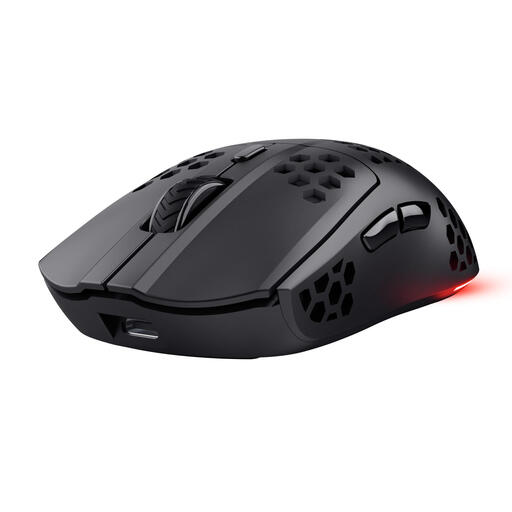
Why it suits this profile: An accessible choice for PC and laptop gamers who want wireless control, RGB and programmable buttons without immediately stepping up to 4K or 8K polling.
The product information lists 4800 DPI, 1000 Hz, a 2.4GHz connection and up to 80 hours of battery life separately. This keeps the key buying information clearly organised.
75 grams, six programmable buttons, RGB lighting and USB-C charging. According to the product information, you can continue gaming while it charges.
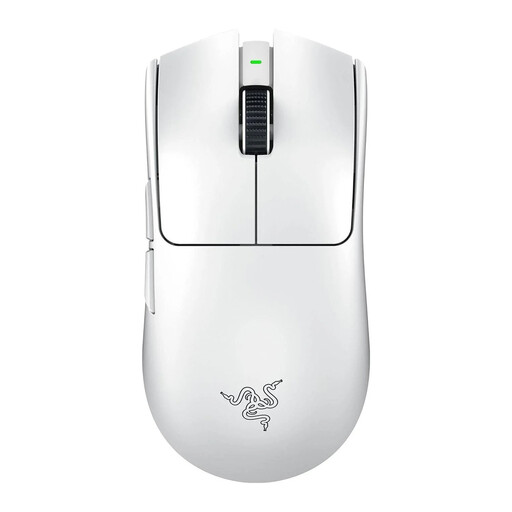
Why it suits this profile: Designed for right-handed FPS players looking for a lightweight mouse, 8K settings and a low-latency wireless connection.
The specifications list 54 grams, a Focus Pro 35K sensor, up to 8000 Hz and up to 95 hours of battery life. This allows you to assess the performance against your PC configuration.
54 grams, USB-C connection, six buttons and support for 8K polling according to the product information.
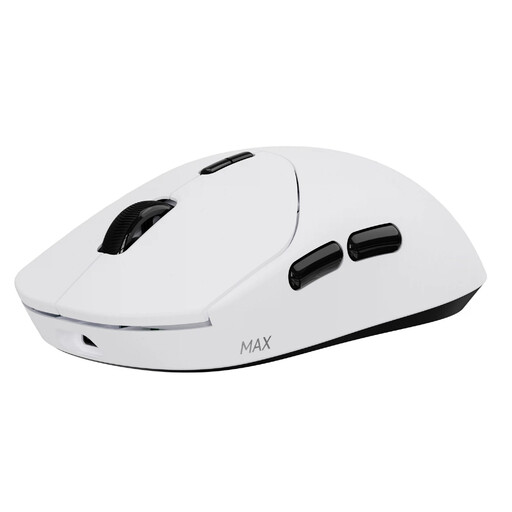
Why it suits this profile: Ideal for players who want to charge less often while combining a low weight with plenty of adjustment options for FPS, MOBA and everyday use.
The manufacturer states up to 750 hours of battery life at 1000 Hz. This is linked to the latest driver and the low-power function, so check the settings before use.
53 grams, native 8000 Hz wireless, 30,000 DPI with separate X/Y adjustment and ten programmable buttons according to the product description.
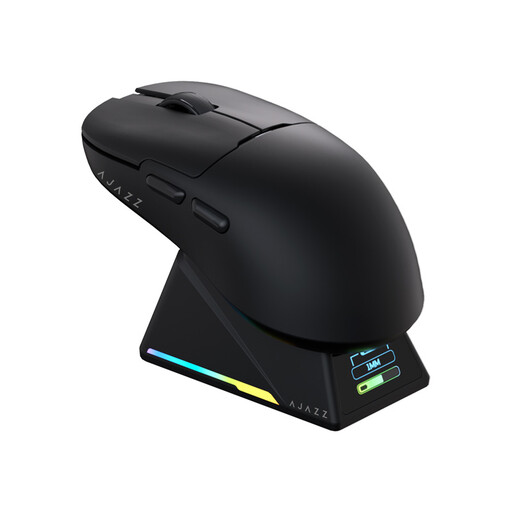
Why it suits this profile: Handy for anyone looking for a gaming mouse with RGB and a charging dock that can also be used via Bluetooth for office work.
The tri-mode connection lets you switch between Bluetooth, 2.4 GHz and USB-C. According to the product information, the charging dock also contains an 8K receiver, but check the available desk space beforehand.
56 grams, PAW3950 APEX sensor, up to 42,000 DPI, 8000 Hz wireless and programmable buttons with driver support.
We have put together a complete, up-to-date list of products that fully meet these strict selection criteria and the applicable European safety regulations.
Start with 1000 Hz polling rate and a moderate DPI. Only increase the polling rate once your PC, game and monitor can handle it without stuttering. For FPS games, use a sensitivity that allows you to stop the mouse in a controlled way; for MOBA games, extra side buttons and programmable macros may be more important than an extremely low weight.
Ideally, place the 2.4GHz receiver close to the mouse and avoid positioning it behind a metal PC case. Clean the sensor with a dry, soft cloth or a dry cotton bud. Do not use liquid near the sensor or USB-C port.
Yes, models with a 2.4GHz connection and a suitable polling rate can be used for this. Do not focus only on 8K; also consider the shape, weight, sensor settings and the performance of your PC.
This varies considerably depending on the model and settings. In the product information mentioned above, the stated battery life ranges from around 80 to 750 hours. RGB, Bluetooth, polling rate and sleep mode all affect the actual result.
Often, yes. Bluetooth and tri-mode connectivity are practical for laptops and multiple devices. However, check whether the configuration software is available for your operating system and whether macro functions only work in wired mode.
