
Vandaag of morgen in huis

Kwaliteit gegarandeerd

Welkomstaanbiedingen ontgrendelen: GRATIS bezorging | Tot 80% korting | Gratis 30 dagen JoyPlus-proefperiode
Download de app
A wireless gaming mouse gives you more freedom of movement than a wired mouse. However, not every wireless gaming mouse is automatically suitable for competitive gaming, prolonged use or everyday work. A high DPI rating may sound impressive, while the shape may not suit your hand. Battery life can also depend on the connection mode you choose.
In this buying guide from the Joybuy Product Recommendation Officer, you’ll learn which features are objectively important, which marketing claims should be treated with some caution and which models suit different user profiles.
DPI indicates how sensitively the cursor responds to movement. A high-DPI gaming mouse gives you more adjustment options, but 30,000 or 44,000 DPI does not automatically mean a better gaming experience. Many FPS players actually use lower sensitivity for more controlled movements.
So, also pay attention to:
A sensor resolution of 12,000 DPI is already more than sufficient for many PC gamers. Higher values are mainly useful if you use specific sensitivity settings.
Manufacturers often quote battery life for a particular connection mode, polling rate or power-saving setting. According to Rapoo’s own figures, for example, the VT3 MAX can last up to 750 hours at 1,000 Hz. According to Razer’s product information, the Viper V3 Pro offers up to 95 hours of use. These figures are not directly comparable.
Before buying, check:
For gaming, 2.4GHz is usually the practical choice because of its low latency. Bluetooth is convenient for laptops and office work, but it is not the recommended mode for competitive FPS gaming on every model.
A lightweight gaming mouse can be comfortable for fast flicks, but weight is not the only criterion. A mouse that is too small can make your grip feel unstable, while a shape that is too large can make quick repositioning more difficult. Pay attention to the length, width, height and hand orientation.
An ergonomic gaming mouse is usually shaped for the right hand. Symmetrical models may be suitable for left- and right-handed use, but always check the button layout. A vertical mouse, such as the Logitech MX Vertical, is primarily designed for productivity rather than fast-paced competitive gaming.
For a gaming mouse for FPS, a weight of around 53 to 70 grams is often considered lightweight. According to the product specifications, the Razer Viper V3 Pro weighs 54 grams. The Logitech G PRO X Superlight 2c weighs 53 grams and has a more compact body.
Choose based on your grip:
The polling rate indicates how often the mouse sends its position to the computer each second. At 1,000 Hz, this happens up to 1,000 times per second. Some models support 4,000 or 8,000 Hz. This can fine-tune input, but may place greater demands on your computer.
The Rapoo VT3 MAX’s product information states that it supports a wireless polling rate of up to 8,000 Hz. According to the Rapoo VT9Pro product page, it supports up to 4,000 Hz. However, check that the supplied receiver, software and PC support this setting. On certain models, a high polling rate can increase CPU usage.
A gaming mouse with programmable buttons is practical for MMO, MOBA and productivity tasks. For FPS games, two side buttons are often enough. More buttons can be useful, but may also be pressed accidentally if they are positioned too close together.
So, check:
The Rapoo VT3 MAX lists 10 programmable buttons and support for A HUB on Windows and Mac. According to the specifications, the Razer Viper V3 Pro has six buttons and supports Razer software.
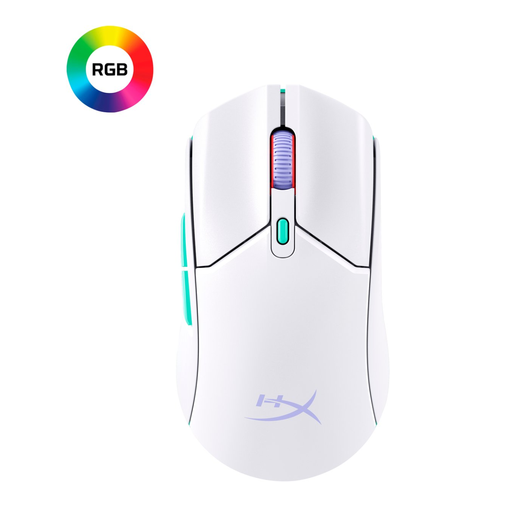
Why it suits this profile: This mouse combines 2.4GHz and Bluetooth connectivity with a weight of around 70 grams. That makes it suitable for casual gaming, everyday use and switching between different devices.
The product specifications list both the 12,000 DPI sensor and the 1,000 Hz polling rate, so you do not have to choose based solely on a high DPI claim.
Up to 1,000 Hz polling rate, six buttons, RGB lighting and support for Windows and Bluetooth 5.2.

Why it suits this profile: Weighing 54 grams, this right-handed model is designed for fast movements and, according to the product information, features a Focus Pro 35K sensor and an 8,000 Hz polling rate.
The specifications list the weight, sensor, polling rate and battery life separately. This allows you to check the key features rather than focusing solely on a DPI figure.
54 grams, up to 35,000 DPI according to the product specifications, a maximum polling rate of 8,000 Hz and a quoted battery life of up to 95 hours.

Why it suits this profile: This model is aimed at users looking for a high polling rate, long battery life and plenty of customisable features for intensive gaming.
The product information states that a higher polling rate can place additional demands on your PC. You can therefore check in advance whether your system can handle the chosen setting.
59 grams, a maximum polling rate of 8,000 Hz, up to 30,000 DPI and, according to Rapoo, battery life of up to 200 hours.
Use this quick checklist:
For electronics, EU law provides a minimum legal guarantee of conformity. Additional terms may vary by seller and product. Therefore, keep your order details and check the current product page.
We’ve put together a complete, up-to-date list of products that fully meet these strict selection criteria and the applicable European safety regulations.
Yes, provided the model offers a stable 2.4GHz connection, an optical sensor and a polling rate of, for example, 1,000 Hz. For competitive use, the receiver is generally more suitable than Bluetooth. Ideally, position the dongle close to the mouse and avoid unnecessary obstacles.
That depends on the battery, switches, charging habits and intensity of use. Manufacturers sometimes state a click lifespan, but this is a product specification rather than a guarantee for every usage scenario. Charge a built-in battery according to the instructions and only use suitable cables and adapters.
A rechargeable mouse needs occasional charging, but the associated costs are generally limited. A model with an AA battery incurs replacement costs. Also check whether a separate charging dock or wireless charging module is required, as this can increase the total purchase price.
