
Vandaag of morgen in huis

Kwaliteit gegarandeerd

Welkomstaanbiedingen ontgrendelen: GRATIS bezorging | Tot 80% korting | Gratis 30 dagen JoyPlus-proefperiode
Download de app
A wireless gaming mouse gives you more freedom of movement and keeps your desk tidy. However, not every model is suitable for fast-paced FPS games, long working sessions or use with multiple devices. A high DPI figure alone, for example, says little about the overall experience.
Pay particular attention to the connection, weight, battery and shape. Read on to find out which specifications you can check and which marketing claims are best treated with a little caution.
A high-DPI gaming mouse can move the cursor across the screen very quickly. However, many players use a lower practical setting, depending on their screen resolution, game and personal preference. So check these features too:
A sensor with 18,000 or 44,000 DPI gives you plenty of room to adjust the settings, but you won’t need the maximum setting in every game.
A Bluetooth gaming mouse is handy for laptops, tablets and office work. Bluetooth generally uses little power, but not every Bluetooth mouse is designed for low latency in competitive games.
A 2.4GHz gaming mouse usually works with a USB receiver. This connection is practical for PC gaming, as the receiver communicates directly with the system. Some models combine Bluetooth, 2.4GHz and USB-C. Check, though, whether the software supports all features in every connection mode.
A battery life of “up to” a certain number of hours is a maximum figure from the product information. RGB lighting, a higher polling rate and intensive use can all affect battery life.
Also check the battery type. A rechargeable gaming mouse saves you from buying disposable batteries, but needs charging regularly. A model with an AA or AAA battery may be more practical if you want to swap the battery quickly. Check whether you can use the mouse with a cable while it’s charging, too.
A stable connection and a suitable polling rate are important for fast-paced games. The polling rate tells you how often the mouse sends data to your computer each second. 1000 Hz is a common figure. Models with 4000 or 8000 Hz can report more frequently, but may put more demand on your computer.
Do you use your mouse with a laptop, work PC and tablet? Choose a model with multiple connection options or a multi-device feature. Check beforehand whether your laptop supports USB-A, USB-C or Bluetooth.
A lightweight gaming mouse weighing around 53 to 70 grams can be comfortable for fast movements in FPS games. A heavier model may feel more stable for office work or if you have larger hands.
Think about how you hold the mouse:
The word “ergonomic” doesn’t guarantee that the shape will be comfortable for everyone. Check the width, height, thumb rest and position of the side buttons.
Programmable buttons are useful for MOBA and MMO games, as well as productivity tasks. Check how many buttons can actually be customised and whether the software is available for your operating system.
On some models, macros, RGB settings or DPI profiles only work through Windows software. This is worth considering if you want to use the mouse with a Mac, Chromebook or tablet. Also check whether the basic functions work without a driver.
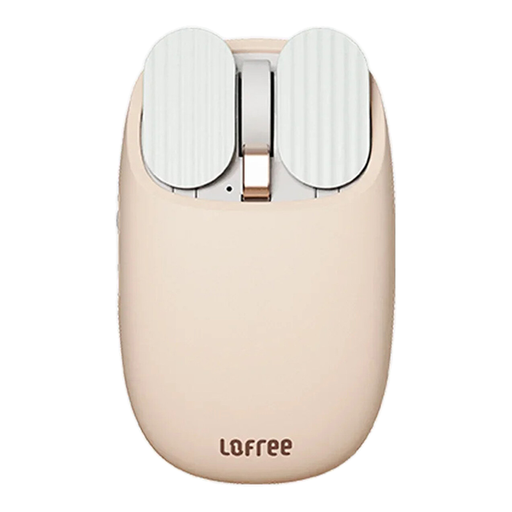
Why it suits this profile: The dual-mode connection works via Bluetooth or 2.4GHz. With five DPI levels from 800 to 3600, this model is straightforward to use for everyday computing, casual gaming and mobile use.
The product information lists specific DPI steps and a built-in 800 mAh battery, rather than making only a general claim about speed.
Bluetooth 4.0 and 2.4GHz; rechargeable 800mAh battery; compatible with Windows, macOS, iPadOS, iOS and Android according to the product specifications.

Why it suits this profile: According to the product information, this compact model is designed for FPS gaming and weighs 53 grams. Its HERO 2 optical sensor has an adjustable resolution of up to 44,000 DPI.
The specifications list the weight, sensor resolution and polling rate of up to 8000 Hz. There’s no Bluetooth, so you know from the outset that the mouse is designed to be used with its wireless receiver.
53 grams; rechargeable battery; LIGHTSPEED receiver; programmable buttons and a stated battery life of up to 95 hours.
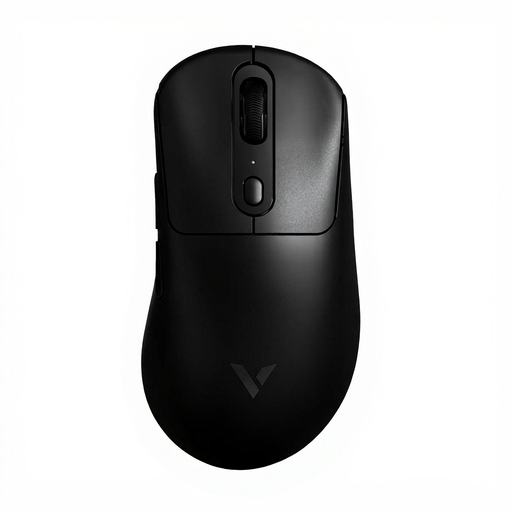
Why it suits this profile: This model combines a weight of 68 grams with a PAW3398 sensor, up to 26,000 DPI and a polling rate of up to 4000 Hz. The specifications also list ten programmable buttons.
As well as the high DPI figure, the product information lists the battery capacity and warns that 4000 Hz puts extra load on the CPU. This helps you choose a setting that suits your PC.
68 grams; 800mAh battery; 26,000 DPI; 4000Hz wireless polling rate and support for a wireless charging module.
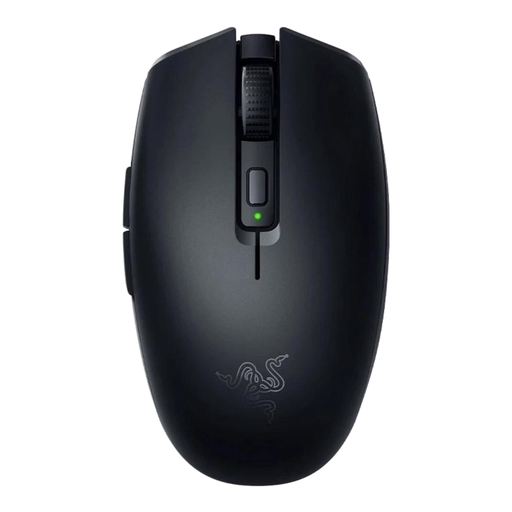
Why it suits this profile: Its compact, symmetrical shape and 60-gram weight make this model easy to carry in a laptop backpack. You can switch between Razer HyperSpeed Wireless and Bluetooth.
The product information makes it clear that this isn’t a rechargeable mouse: it uses one AA or AAA battery. According to Razer’s own information, battery life is up to 1000 hours via Bluetooth and up to 450 hours via HyperSpeed Wireless.
60 grams; 18,000 DPI; six programmable buttons; suitable for left- and right-handed use.
We’ve put together a complete, up-to-date list of products that meet these strict selection criteria and comply with current European safety regulations.
Bluetooth can work well for casual gaming, work and mobile use. For competitive FPS games, many users prefer a 2.4GHz receiver for its direct connection. Always check the stated polling rate and compatibility with your PC.
It depends on the connection, lighting, polling rate and battery type. Manufacturers usually quote a maximum battery life under certain conditions. You’ll need to charge a rechargeable model periodically; with a mouse that uses an AA or AAA battery, you can replace it.
Not always. A lightweight mouse can be comfortable for fast FPS movements, but some users prefer a heavier, larger model for MOBA games, office work or if they have larger hands. Compare the weight and dimensions with your grip style and how long you use the mouse.
