
Vandaag of morgen in huis

Kwaliteit gegarandeerd

Welkomstaanbiedingen ontgrendelen: GRATIS bezorging | Tot 80% korting | Gratis 30 dagen JoyPlus-proefperiode
Download de app
A cable snagging on your monitor stand at a crucial moment in-game. Every PC gamer knows the frustration. The freedom of movement from a wireless gaming mouse is no longer a luxury, but a standard for serious players. Modern technology has completely eliminated the drawbacks of the past, such as lag and unreliable connections.
But the market is flooded with options. Which mouse suits your playstyle? As a Joybuy Product Recommendation Officer, I'll help you see past the marketing jargon. In this article, we'll highlight the specifications that truly matter and present a selection of popular models, so you can make an informed decision.
Before you buy a gaming mouse, it's helpful to know which features make the difference between a good and a great gaming experience.
A lightweight gaming mouse (usually under 75 grams) has become the norm in competitive circles. A lower weight means less effort to move the mouse, resulting in faster reactions and less fatigue during long gaming sessions. The shape is just as important and depends on your grip style (palm, claw, or fingertip). A mouse that fits your hand well gives you the control you need.
The sensor is the heart of your mouse. DPI (Dots Per Inch) indicates its sensitivity. Although a high maximum DPI (e.g., 26,000) points to an advanced sensor, most players use a setting between 400 and 1600 for precise control. Just as important is the polling rate, measured in Hz. This number indicates how often the mouse reports its position to the PC. A standard of 1000 Hz is excellent and ensures a delay of only 1 ms. Modern 2.4 GHz wireless connections are just as reliable and fast as a wired mouse.
No one wants a dead battery in the middle of a fight. Pay attention to the battery life specified by the manufacturer. Many models offer different modes; a performance mode consumes more power than a Bluetooth or power-saving mode. Programmable buttons can distinguish a professional gaming mouse from a standard model. They allow you to assign complex actions (macros) to a single click, which can provide a strategic advantage.
Based on objective specifications like weight, sensor performance, and connectivity, we have listed some interesting options for you.
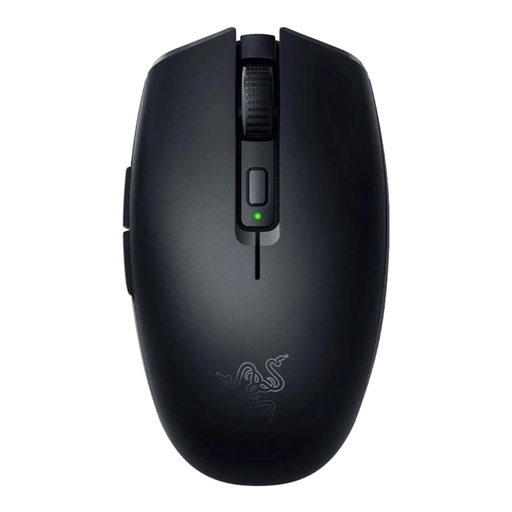
Why It Stands Out The Razer Orochi V2 is a compact powerhouse. Its ultra-lightweight design and the ability to choose between an AA or AAA battery to adjust the weight balance make it unique. The dual-mode connectivity is a major plus: use Razer HyperSpeed Wireless for low-latency gaming and switch to Bluetooth for extremely long battery life.
Pros
Who Is It For? This mouse is ideal for gamers with small to medium-sized hands who use a claw or fingertip grip. It's also an excellent choice for laptop gamers looking for a compact yet powerful mouse for on the go.
View the Razer Orochi V2 on Joybuy
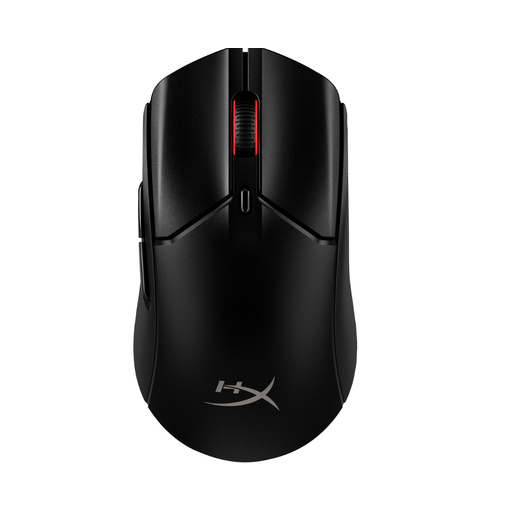
Why It Stands Out The Pulsefire Haste 2 Wireless builds on the success of its predecessor by combining an ultra-lightweight design with a solid, non-perforated shell. This prevents dust and dirt from getting inside without compromising on weight. The mouse offers an excellent balance of performance, durability, and a battery life that will get you through multiple long sessions.
Pros
Who Is It For? This is a fantastic all-rounder for the competitive PC gaming mouse player. If you want the performance of a lightweight mouse but prefer a sturdy, non-perforated body, the Haste 2 Wireless is a strong contender.
View the HyperX Pulsefire Haste 2 Wireless on Joybuy
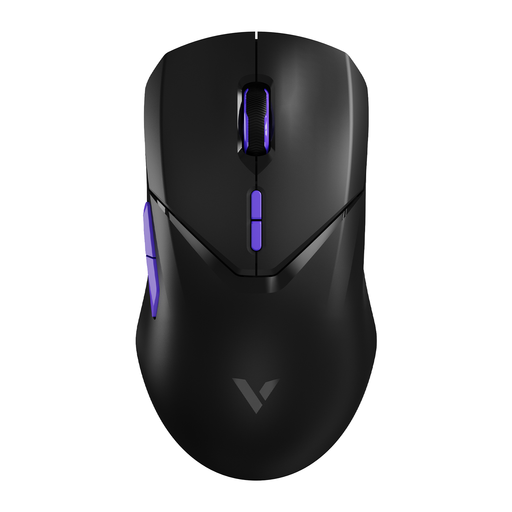
Why It Stands Out The RAPOO VT9Pro focuses on pure speed. With a wireless polling rate of 4000 Hz, the manufacturer claims a response time four times faster than the 1000 Hz standard. This is aimed at the most demanding players who want to optimize every millisecond. The impressive battery life and high number of programmable buttons make it a versatile performance beast.
Pros
Who Is It For? This mouse is intended for the performance enthusiast and the esports player looking for the fastest wireless technology available. Note: a 4K polling rate is more demanding on your CPU, so a powerful PC is recommended to fully leverage its benefits.
View the RAPOO VT9Pro 4K on Joybuy
Buying a gaming mouse is a personal choice that depends on your hand size, grip style, and the games you play. If the models above don't quite match what you're looking for, a wide range of other options are available.
View More Black Wireless Mouse Options on Joybuy
Yes. Modern wireless mice that use a proprietary 2.4 GHz dongle have a latency (delay) so low that it is humanly indistinguishable from a wired connection. Technologies like Razer HyperSpeed and similar systems ensure a stable and fast connection suitable for the highest level of competitive gaming.
This is highly dependent on personal preference and the games you play. Many professional FPS players use relatively low DPI settings (between 400 and 1600) combined with lower in-game sensitivity for precise, controlled movements. A high maximum DPI on the spec sheet is primarily an indicator of a high-quality sensor.
For fast-paced games like first-person shooters (FPS) and battle royales, weight is very important. A lighter mouse allows you to react faster, track your target more smoothly, and make quick 180-degree turns with less physical effort. This can reduce fatigue in your wrist and arm over the long term. For slower, strategic games, weight is less critical, and a heavier mouse might even feel more stable.
