
Vandaag of morgen in huis

Kwaliteit gegarandeerd

Welkomstaanbiedingen ontgrendelen: GRATIS bezorging | Tot 80% korting | Gratis 30 dagen JoyPlus-proefperiode
Download de app
A wireless gaming mouse gives you more freedom of movement than a wired mouse. However, not every wireless model is suitable for fast-paced games, extended use or a laptop. High DPI values, RGB lighting and long battery-life claims may sound appealing, but they do not tell the whole story.
With this buying guide, you can compare a wireless gaming mouse based on practical factors such as connectivity, polling rate, weight, sensor, battery and shape. This helps you avoid paying for features you are unlikely to use.
A gaming mouse with high DPI can make the cursor respond more sensitively, but a higher number does not automatically mean you will play more accurately. Many gamers actually use lower sensitivity settings in FPS games. So, pay attention to the sensor, adjustability and how easily you can fine-tune the mouse in your game.
A mouse with 26,000 DPI may appeal to users who want plenty of customisation options, but for everyday use and most games, a lower maximum value is often more than sufficient.
Brands often state battery life under specific conditions. A gaming mouse with long battery life may, for example, last longer via Bluetooth than through a fast 2.4GHz connection. RGB lighting, a higher polling rate and frequent use also affect battery life.
Therefore, check:
The polling rate indicates how often the mouse position is sent to the computer. 1000Hz is a practical setting for many PC gamers. Models with 4000Hz or 8000Hz may be appealing for fast-paced competitive games, but according to RAPOO’s product information, 4000Hz can increase CPU usage. If you experience stuttering, you can lower the polling rate.
A higher value is therefore not useful for every PC configuration. As well as your mouse, check your processor, game settings and available USB ports.
For a gaming mouse for PC, 2.4GHz with a USB receiver is generally the most logical wireless connection. This mode is designed to provide a fast response. Bluetooth is useful for laptops, office work and devices with few free USB ports, but it may offer different performance and battery life.
A mouse with tri-mode connectivity usually combines 2.4GHz, Bluetooth and USB-C. This is practical if you want to use the same mouse for gaming, work and multiple devices. However, check whether programmable buttons and macros are available in every mode.
A lightweight gaming mouse weighing approximately 53 to 75 grams can be comfortable for fast movements and low sensitivity settings. A heavier model may feel more stable. Also consider the dimensions and your grip:
An ergonomic gaming mouse is primarily a matter of shape, support and personal preference. A vertical mouse may be interesting for office work, but it feels different during fast FPS movements than a low, symmetrical gaming mouse.
A gaming mouse with programmable buttons can be useful for macros, shortcuts and MMO or MOBA games. For FPS gaming, five or six buttons are often easier to manage. Check whether settings can be saved via software in on-board memory. This means you do not have to configure your profiles again on every computer.
RGB lighting is mainly a style choice. An RGB gaming mouse may complement your desk setup, but lighting has no direct effect on tracking or response speed.

Why it suits this profile: A straightforward entry-level option for PC and laptop gamers who want to play wirelessly without immediately paying for features aimed at intensive esports use.
The specifications clearly state 2.4GHz, 1000Hz, six programmable buttons and battery life of up to 80 hours, making the key features easy to verify.
75 grams, adjustable up to 4800 DPI, USB-C charging, play while charging and RGB lighting.

Why it suits this profile: Designed for users looking for a compact, lightweight mouse for FPS gaming who are prepared to invest in a more advanced sensor and wireless setup.
The product information lists the 53-gram weight, 8000Hz polling rate, USB-C charging and battery life of up to 95 hours separately. Bluetooth and lighting are not included, which helps limit surprises after purchase.
Compact shape, programmable buttons, HERO 2 sensor, LIGHTSPEED connection and optional POWERPLAY support.

Why it suits this profile: Suitable for users who want to charge their mouse infrequently and place a high value on low weight, a high polling rate and customisable buttons.
The stated battery life is linked to 1000Hz; at 8000Hz, power consumption may differ. The product information makes this setting clear instead of relying on a single general claim.
53 grams, wireless polling rate of up to 8000Hz, maximum 26,000 DPI, ten programmable buttons and stated battery life of up to 750 hours at 1000Hz.
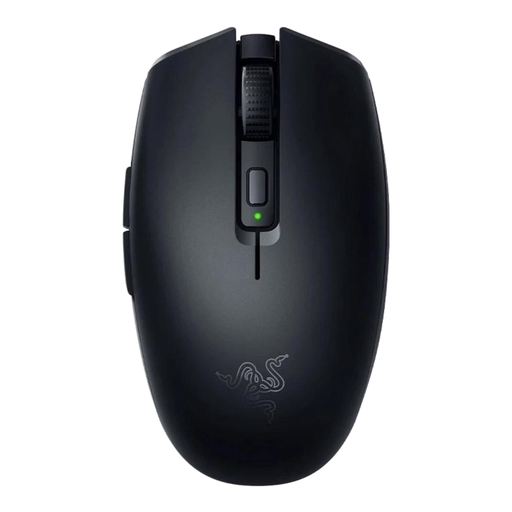
Why it suits this profile: A compact mouse for laptop use, travel and gaming where Bluetooth is desirable alongside a fast wireless connection.
Battery life is listed separately for Bluetooth and HyperSpeed Wireless. The mouse uses replaceable batteries, so you are not reliant on a built-in rechargeable battery.
60 grams, symmetrical shape, six programmable buttons, 18,000 DPI and support for Bluetooth and 2.4GHz.
We have put together a complete, up-to-date list of products that fully meet these strict selection criteria and the applicable European safety regulations.
Yes, provided you choose a stable 2.4GHz connection, a suitable polling rate and a shape that matches your grip. For FPS gaming, weight, glide feet and consistent tracking are often more important than an extremely high DPI value. Ideally, position the supplied receiver close to the mouse and avoid unnecessary obstacles.
This varies by model and usage mode. Rechargeable models may, for example, state battery life of 80, 95, 180 or up to 750 hours under certain settings. Models with AA or AAA batteries may last longer via Bluetooth than through a fast gaming connection. Always check the specification for the mode you actually use.
The basic functions usually do. Software from the brand is often required for DPI profiles, macros, programmable buttons and RGB settings. Also check whether the software is available only for Windows. For Mac and laptop use, a model with Bluetooth and built-in memory is often more practical.
