
Vandaag of morgen in huis

Kwaliteit gegarandeerd

Welkomstaanbiedingen ontgrendelen: GRATIS bezorging | Tot 80% korting | Gratis 30 dagen JoyPlus-proefperiode
Download de app
A wireless gaming mouse gives you more freedom of movement than a wired mouse, but not every model suits every player. A lightweight mouse for FPS games has different requirements from an ergonomic mouse with lots of programmable buttons. And terms such as high DPI, a 4K polling rate and ultra-long battery life don’t tell the whole story.
As a Joybuy Product Recommendation Officer, I’ve picked out the most important product specifications and set them alongside common buying mistakes. This will help you compare wireless gaming mice based on practical features, rather than relying on marketing claims alone.
A gaming mouse with high DPI sounds appealing, but a higher maximum resolution doesn’t automatically mean better control. Most players use only part of the maximum DPI range in games. So, look at the sensor, adjustability, tracking and how quickly you can change the sensitivity too.
A sensor with 24,000 or 35,000 DPI may be useful for specific settings, but fit, grip and a stable connection often have a greater impact on your gaming experience.
A 4K polling rate or 8K polling rate means the mouse’s position is registered more often per second. This can improve input responsiveness, but it also puts more demand on your system. According to the product information for the RAPOO VT9Pro, 4K can increase CPU load. If you experience frame drops, switching back to 1,000 Hz may be more practical.
So, check:
A lightweight gaming mouse weighing 54 to 68 grams can feel quick, but a heavier model may be more comfortable for a palm grip or everyday office work. Check the length, width, height and hand orientation. A mouse designed for right-handed users won’t necessarily be comfortable for left-handed use.
Pay attention to the term ergonomic gaming mouse, too. Check whether the manufacturer actually specifies an ergonomic shape, thumb rest or particular hand orientation. A marketing name alone doesn’t tell you much.
For gaming, a wireless 2.4GHz connection with a USB receiver is generally designed for low latency. Bluetooth is handy for laptops, tablets and everyday use, but check that your preferred gaming mode works over Bluetooth.
A model with three connection options, such as wired, Bluetooth and 2.4 GHz, is useful if you switch between devices. A USB-C cable also lets you charge the mouse and use it temporarily as a wired model.
Many players choose a lightweight mouse for FPS gaming so they can lift and reposition it quickly. Check the dimensions as well as the weight. A compact mouse may be a better fit for smaller hands or a claw grip. A larger model with a thumb rest may be better suited to a palm grip.
Also look out for:
An optical sensor is common in PC gaming mice. DPI indicates sensitivity, and adjustable DPI is more important than simply having a high maximum. A high polling rate may appeal to competitive players, but 1,000 Hz remains a practical setting for many users.
Also check whether the high polling rate works with the included receiver. According to the specifications, the GravaStar Mercury M1 reaches 4,000 Hz with a separately available 4K receiver. This is an important difference between an advertised feature and what’s included in the box as standard.
A mouse powered by an AA battery can run for a long time without charging. For example, the Logitech G309 Lightspeed is listed as offering more than 300 hours of use from one AA battery. Rechargeable models are more convenient if you’d rather not replace disposable batteries, but check the estimated battery life and charging time.
Battery life depends on the connection mode, polling rate, lighting and how you use the mouse. Clean the sensor with a dry cloth or air blower, and keep the USB receiver in a safe place.
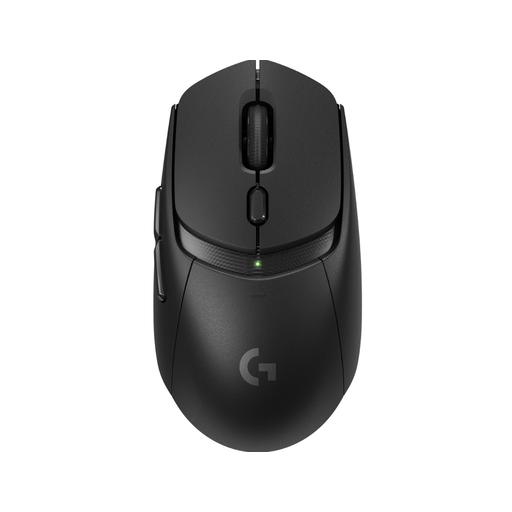
Why it suits this profile: This right-handed mouse combines a USB receiver with Bluetooth and comes with an AA battery. It’s a good fit for gamers who want to get started without a complicated charging solution.
The key specifications are clearly stated: 6 programmable buttons, adjustable DPI, Bluetooth and a quoted battery life of more than 300 hours using an AA battery.
Wireless LIGHTSPEED and Bluetooth connectivity, 6 adjustable buttons and a weight of 86 grams with the battery installed.

Why it suits this profile: Weighing just 54 grams, with an optical Focus Pro 35K sensor and a quoted polling rate of up to 8,000 Hz, this mouse is well suited to players who prioritise fast FPS movements.
Its low weight is paired with a quoted battery life of up to 95 hours. Make sure your PC and receiver are compatible with 8K.
54 grams, 35,000 DPI and 6 programmable buttons.
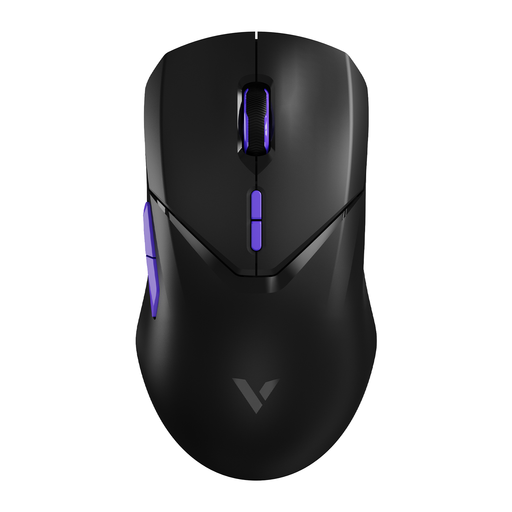
Why it suits this profile: This mouse is designed for users who want to combine a 4K polling rate and plenty of buttons with a long quoted battery life, all in a 68-gram model.
The product information explicitly states that 4K can increase CPU load, so you’ll know in advance that system compatibility matters.
4,000 Hz polling rate, PAW 3398 sensor, 26,000 DPI and 10 programmable buttons.
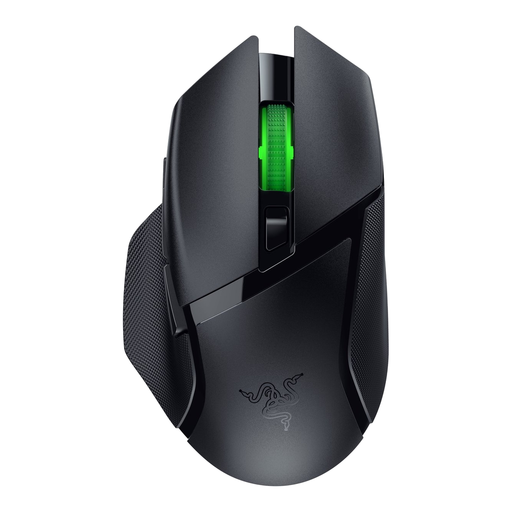
Why it suits this profile: Its ergonomic right-handed shape and multiple programmable buttons make it a good fit for MMO players, productivity and anyone who wants to set up shortcuts.
The product specifications list the shape, button layout, DPI and connection modes separately. This makes it easier to decide whether features matter more to you than a low weight.
9 programmable buttons, Bluetooth and HyperSpeed Wireless; quoted battery life of up to 535 hours via Bluetooth.
We’ve put together a full, up-to-date list of products that meet these strict selection criteria and current European safety regulations.
Yes, as long as it has a stable 2.4GHz connection, an optical sensor and adjustable sensitivity. For FPS gaming, weight, grip and consistent tracking are often more important than the highest DPI figure.
It varies by model and settings. According to the product specifications, a mouse powered by an AA battery can last for hundreds of hours. Rechargeable models often quote a number of hours per charge. Bluetooth, lighting and a higher polling rate can all affect battery life.
Usually. Bluetooth is handy for laptops and office work, while you can use the 2.4GHz receiver for competitive gaming. Always check how many devices can be connected at once and whether the mouse can also be used as a wired model via USB-C.
