
Vandaag of morgen in huis

Kwaliteit gegarandeerd

Welkomstaanbiedingen ontgrendelen: GRATIS bezorging | Tot 80% korting | Gratis 30 dagen JoyPlus-proefperiode
Download de app
A wireless gaming mouse can help keep your desk tidy and give you more freedom of movement in FPS and MOBA games. But a high DPI figure doesn’t automatically mean you’re making a good choice. Some models focus on impressive numbers, while important details such as connectivity, shape, software and charging options are less clearly explained.
If you’re looking for a mouse for both competitive gaming and office work, it’s worth avoiding these three common pitfalls:
According to the product description, the PAW3950 sensor is one of the technical features of the AJAZZ AJ159 APEX. It lists sensitivity of up to 42,000 DPI, a tracking speed of 750 IPS and acceleration of 50G. These are verifiable product specifications, but they don’t tell you on their own how comfortable the mouse will feel in your favourite game.
Most players use a much lower DPI setting. Stable tracking, a suitable lift-off distance and software that lets you set up profiles matter more. Also check whether the stated DPI is the sensor’s maximum value and whether the mouse supports that setting wirelessly.
According to the product information, an 8K polling rate mouse communicates with the computer up to 8,000 times per second. The AJ159 APEX lists a polling rate of 8,000 Hz and a theoretical response time of 0.125 milliseconds in wireless mode.
That sounds appealing for competitive FPS games, but before buying, check:
Bluetooth is often enough for office work or everyday browsing. For gaming, many users are more likely to choose a 2.4GHz wireless mouse, as this connection is designed for low latency. A USB-C wired mode can come in handy when the battery runs low.
According to the product description, the AJ159 APEX weighs 56 grams and has a symmetrical shape designed for small to medium-sized hands. An ambidextrous gaming mouse won’t automatically suit everyone: a symmetrical body can work well for left- and right-handed use, but the side buttons are sometimes mainly placed on one side.
A gaming mouse with a charging dock can make charging easier. According to the product information, this model’s magnetic RGB dock also has an integrated 8K receiver and a TFT colour screen. Do check that you have enough space beside your keyboard and that the dock suits your setup.
Also consider the material of the mouse feet, the click switches and the grip. The AJ159 APEX lists Huano switches and ETFE feet. The claim of more than 100 million clicks comes from the brand’s product description. Treat it as a stated specification, not a guarantee for every use case.

Why it suits this profile: This version combines wireless gaming with Bluetooth and USB-C, so you can also use the same mouse for studying, working from home and everyday tasks.
The product description lists several connection modes, so you’re not reliant on just one wireless standard.
Tri-mode connectivity, a stated weight of 56 grams and a symmetrical body designed for small to medium-sized hands.

Why it suits this profile: A good fit for players looking for a wide range of settings, a charging dock and a PAW3950 sensor in one desk setup.
The product information covers more than just DPI: it also lists the polling rate, connections, charging dock and adjustable software features.
PAW3950 APEX sensor, stated 8K polling rate, magnetic RGB dock and TFT screen displaying information such as battery level and DPI.
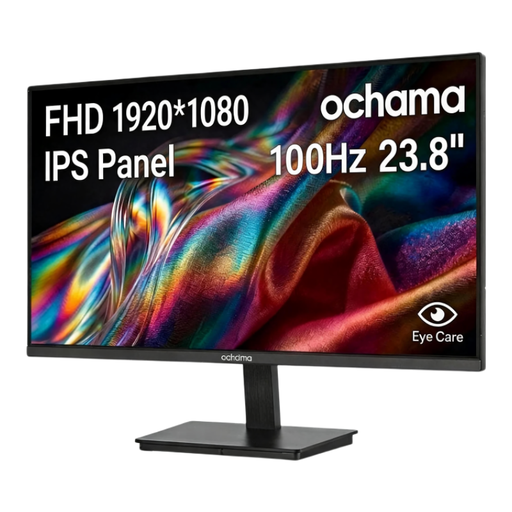
Why it suits this profile: A wireless mouse works best as part of a desk setup with a screen that supports both competitive gaming and office work.
The monitor lists a 100 Hz refresh rate and 1080p resolution, so you don’t have to rely on marketing terms alone.
23.8-inch screen, 1080p resolution, 100 Hz and a design with slim bezels on three sides.
We’ve put together a complete, up-to-date list of products that meet these strict selection criteria and current European safety regulations.
It can be, provided the mouse has a stable 2.4GHz connection and a suitable receiver. Also consider the polling rate, software support and receiver placement. Bluetooth is particularly useful for office work and everyday use; many players choose a dedicated wireless connection for competitive gaming.
Battery life depends on battery capacity, polling rate, RGB lighting and how often you use the mouse. A charging dock makes it less likely that you’ll forget to charge it. Also check whether you can keep using it via USB-C while it’s charging.
No. A 42,000 DPI gaming mouse mainly gives you a wide range of settings. Most users set their mouse to a lower DPI. In practice, a good shape, reliable tracking and smooth feet are often more important than the maximum DPI value.
