
Vandaag of morgen in huis

Kwaliteit gegarandeerd

Welkomstaanbiedingen ontgrendelen: GRATIS bezorging | Tot 80% korting | Gratis 30 dagen JoyPlus-proefperiode
Download de app
A wireless gaming mouse gives you more freedom of movement than a wired mouse. However, a high DPI rating or eye-catching RGB design does not automatically mean that a model suits your playing style. Weight, shape, connection and settings all matter, particularly in FPS games.
In this guide, Joybuy Product Recommendation Officer outlines the key points to check. The recommendations are based on verifiable product specifications rather than general marketing claims.
A high-DPI gaming mouse may offer 26,000 or 30,000 DPI, for example. This mainly means that the sensor can be set to a high sensitivity. In practice, most players use a much lower setting. So, also check the sensor type, maximum tracking speed in IPS and how easily you can adjust DPI levels.
An optical sensor is standard on modern gaming mice. Also check whether the software supports independent X and Y settings. This can be useful with ultrawide monitors or specific shooter configurations.
According to its product specifications, a gaming mouse with an 8K polling rate sends up to 8,000 signals per second. This sounds appealing for competitive games, but a higher polling rate can increase processor usage. Rapoo states, for example, that the VT9Pro may require more CPU usage at a 4K polling rate, and that you can switch back to 1,000 Hz if you experience dropped frames.
Therefore, check:
A gaming mouse with long battery life may have a stated usage time of hundreds of hours, but the settings make a difference. RGB lighting, higher polling rates and wireless modes can affect runtime. Always check the conditions under which the stated battery life was measured.
Also consider the charging method. A mouse that can be used in wired mode while charging prevents interruptions. On some models, Bluetooth is suitable for everyday use, while 2.4GHz is the logical choice for gaming with low connection latency.
An ultralight gaming mouse weighing around 50 to 70 grams can be comfortable for players who make large, fast movements. A heavier model may feel more stable and offer additional buttons or a thumb rest. Weight is therefore not a standalone indicator of quality.
Also consider the shape of your hand:
The dimensions should suit your hand and grip. A mouse that is too large can make small movements awkward, while a shape that is too small may provide less support during long sessions.
An optical gaming mouse uses an optical sensor to track movement. Pay attention to the combination of resolution, tracking speed, acceleration and polling rate. A high DPI rating is only useful if the sensor remains stable with your chosen settings.
For an FPS gaming mouse, low weight, a suitable shape, reliable tracking and a 2.4GHz connection are generally more important than the maximum DPI figure. Test different sensitivities in the game and do not automatically choose the highest setting.
A programmable gaming mouse allows you to customise buttons, macros and DPI profiles through software. Check that the software works with your operating system and whether settings can be saved to the mouse’s internal memory.
Mechanical switches usually provide a noticeable click. Optical switches register clicks using light. According to Rapoo’s own product information, the optical switches in some VT models are designed without mechanical contact and have a stated lifespan of up to 120 million clicks. This is a manufacturer specification, not a guarantee of a particular service life.
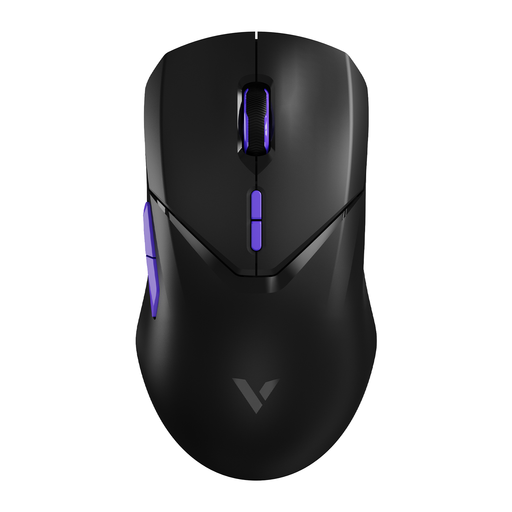
Why it suits this profile: This wireless gaming mouse combines 2.4GHz, Bluetooth and wired use with a weight of 68 grams. That makes it suitable for gamers looking for flexibility without immediately opting for an 8K model.
The specifications list an adjustable 4K polling rate, 26,000 DPI, an optical PAW 3398 sensor and 180 hours of battery life. Rapoo states that 4K may require more CPU usage; switching back to 1,000 Hz remains possible.
68 grams, 10 programmable buttons, 26,000 DPI and a stated battery life of 180 hours.
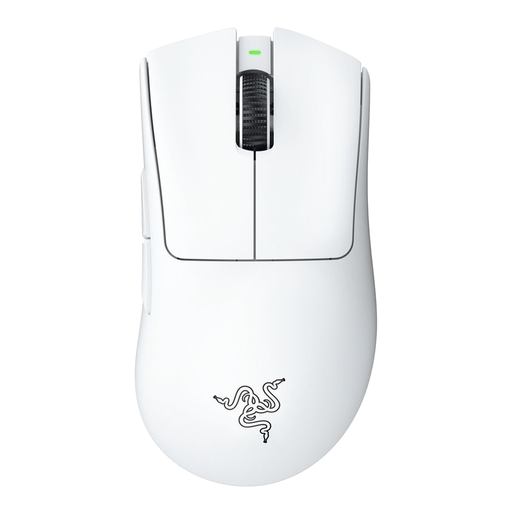
Why it suits this profile: The right-handed shape, 63-gram weight and Razer Focus Pro 30K optical sensor are well suited to players looking for a lightweight FPS mouse with straightforward controls.
The stated 30,000 DPI is combined with an optical sensor and a maximum polling rate of 1,000 Hz. You are therefore not paying specifically for an 8K feature that your PC may not be able to use.
63 grams, 30,000 DPI, wireless and wired use, plus programmable buttons via Razer Synapse.
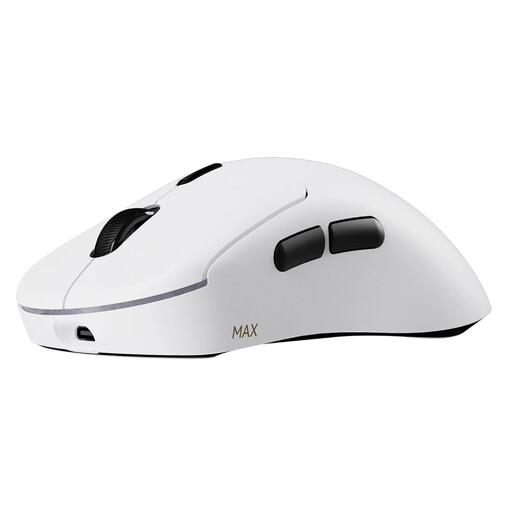
Why it suits this profile: For intensive FPS or esports sessions, 53 grams, 8K wireless polling and up to 10 programmable buttons are relevant specifications.
The manufacturer states that it offers native 8K wireless, but the mouse can also be used at a lower polling rate. According to Rapoo, the stated battery life of up to 750 hours applies at 1,000 Hz and may require the latest driver for low-power mode.
53 grams, native 8K wireless, 30,000 DPI with independent X/Y adjustment and optical switches with a stated lifespan of 120 million clicks.
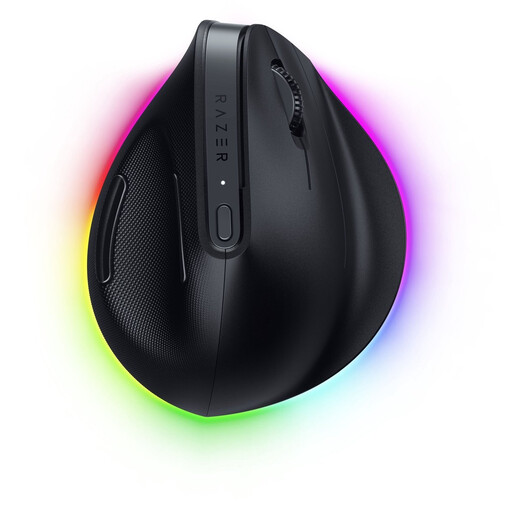
Why it suits this profile: The vertical shape, Bluetooth and HyperSpeed connectivity, and support for multiple devices suit users who switch between working from home, everyday use and casual gaming.
The product information does not mention an 8K polling rate. This makes it clearer that the model is focused mainly on shape, connectivity and everyday comfort, rather than minimum latency for competitive FPS gaming.
Vertical ergonomic shape, 30,000 DPI, programmable buttons and a stated battery life of up to six months according to Razer.
We have put together a complete, up-to-date list of products that fully meet these strict selection criteria and the applicable European safety regulations.
Yes, provided the model offers a stable 2.4GHz connection, a suitable shape and a reliable sensor. For competitive use, weight and grip are often more important than an extremely high DPI. Preferably position the receiver close to the mouse and check the polling rate in the software.
This varies by model and settings. Product information may quote anything from around 90 to 180 hours to several hundred hours. The stated figure usually depends on the polling rate, lighting and power-saving features. Also check whether you can use the mouse with a cable while it is charging.
Not for every player. With a fast monitor and a powerful PC, a higher polling rate may suit competitive gaming. For everyday use, lower screen refresh rates or a less powerful computer, 1,000 Hz may be sufficient. Only choose the feature if your system and playing style will benefit from it.
Use a suitable USB cable and certified 5V adapter. Do not expose a mouse to water, extreme heat or damage. Stop using it if the housing becomes unusually hot, swells or gives off an unusual smell. Dispose of a worn-out mouse in accordance with local regulations for electronic waste.
