
Vandaag of morgen in huis

Kwaliteit gegarandeerd

Welkomstaanbiedingen ontgrendelen: GRATIS bezorging | Tot 80% korting | Gratis 30 dagen JoyPlus-proefperiode
Download de app
A wireless gaming mouse gives you more freedom of movement on your desk, but not every model suits every gamer. A high DPI rating sounds appealing, yet weight, connection and shape often have a greater impact on your gaming experience. What’s more, marketing claims about polling rates or battery life can give a misleading impression.
With this practical buying guide, you can compare a gaming mouse on verifiable specifications. That way, you avoid paying for features you barely use.
DPI stands for dots per inch and indicates how sensitive the mouse can be set. A gaming mouse with a high DPI isn’t automatically more accurate for every player. In fast-paced FPS games, many players actually use a lower sensitivity for controlled movements.
So also pay attention to:
A sensor with 26,000 or 30,000 DPI mainly offers a wide adjustment range. You don’t need to use that maximum value.
The polling rate indicates how many times per second the mouse position is sent to the computer. 1,000 Hz means up to 1,000 updates per second; 8,000 Hz increases that number, but according to Rapoo’s product information, it can also cause higher processor load.
With the RAPOO VT9Pro 4K, it’s noted that a 4K setting can increase CPU load. If you experience frame drops, switching back to 1,000 Hz may be wiser. An 8K polling rate gaming mouse is therefore mainly interesting when your PC, monitor and game settings can make good use of this feature.
“Up to” a certain number of hours doesn’t mean every user will achieve that usage time. Lighting, polling rate, wireless mode and software settings all affect power consumption. So also compare:
For example: Rapoo states for certain VT3 models up to 750 hours at 1,000 Hz. That’s a manufacturer’s figure under specific conditions, not a fixed usage time for every situation.
An ultra-light gaming mouse weighing around 53 to 70 grams can feel comfortable for fast FPS movements. A heavier model may feel more stable. Also consider hand orientation and grip:
A mouse that is technically strong but doesn’t fit your hand can still become uncomfortable.
For competitive gaming, a wireless 2.4 GHz connection via a USB receiver is usually the most logical choice. Bluetooth gaming mouse models are handy for laptops and office work, but don’t always have the same polling rate or adjustment options.
A tri-mode mouse often combines:
Check beforehand how many USB ports your PC has and whether the receiver can be placed close enough to the mouse without interference.
A gaming mouse with programmable buttons is useful for MOBA, MMO and productivity tasks. For a competitive FPS player, two thumb buttons are sometimes enough. More buttons can offer extra functions, but also increase the chance of accidentally pressing the wrong one.
Note the difference between mechanical and optical switches. Mechanical switches provide a recognisable click feedback. Optical switches register clicks using light. According to Rapoo, the VT3 MAX is equipped with an optical switch with a stated lifespan of 120 million clicks. This is a manufacturer’s product specification, not a guarantee for every usage scenario.

Why this fits the profile: An accessible choice for PC and laptop users who want multiple connection options and extra buttons without jumping straight to a specialist esports model.
The specifications mention three modes, six DPI levels from 1,200 to 10,000 and software for programmable buttons. Do check that, according to the product information, the software only works in wired mode on Windows.
2.4 GHz, Bluetooth and USB-C; eight programmable buttons; RGB lighting and a stated polling rate of up to 1,000 Hz.

Why this fits the profile: Aimed at right-handed players looking for a lightweight wireless mouse with a well-known software environment and high sensor resolution.
The weight is specified at 60 grams and the mouse uses a LIGHTSPEED wireless connection. The stated maximum polling rate is 4,000 Hz; check the load on your own system.
60 grams; HERO 2 sensor according to the product description; USB-C charging; 4,000 Hz maximum polling rate.
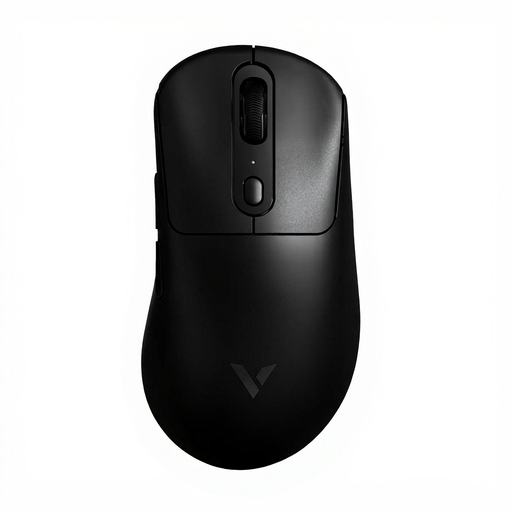
Why this fits the profile: For players who value low weight, high polling rate and extensive sensor settings over a very long battery life.
The stated 8K function is supported wirelessly and the sensor offers independent X/Y DPI adjustment. The battery life is specified at 200 hours; higher polling rates can affect power consumption.
59 grams; PAW 3950 optical sensor; up to 30,000 DPI; 8KHz wireless polling rate; 200 hours stated battery life.
Start with a DPI value that feels comfortable to you, then change only one setting at a time. For competitive games, use the 2.4 GHz receiver rather than Bluetooth. Turn off RGB lighting when battery life matters more than appearance.
Also check whether the software is available for your operating system. Some features, such as macros and programmable buttons, only work via Windows software. For use on macOS or multiple devices, onboard memory or Bluetooth connectivity is practical.
We’ve put together a full, up-to-date list of products that fully meet these strict selection criteria and comply with current European safety regulations.
It can be, provided the mouse has a stable 2.4 GHz connection, an appropriate polling rate and low input latency. Also check the shape, weight and software. A higher polling rate isn’t automatically useful if it makes your PC less stable.
This varies by model and usage. Manufacturers sometimes state hundreds of hours, but these figures depend on factors such as polling rate and lighting. A wireless mouse with long battery life is especially handy when you don’t want to charge frequently. Also look at whether you can keep playing while wired.
Bluetooth is fine for everyday use and simple games. For competitive FPS games, a bundled 2.4 GHz receiver is usually a more practical choice. A tri-mode model offers both options, so you can switch depending on the situation.
