
Vandaag of morgen in huis

Kwaliteit gegarandeerd

Welkomstaanbiedingen ontgrendelen: GRATIS bezorging | Tot 80% korting | Gratis 30 dagen JoyPlus-proefperiode
Download de app
A stuttering mouse, a cable that gets in the way, or an uncomfortable grip can be the difference between victory and defeat. The search for the right wireless gaming mouse can be overwhelming due to all the technical specifications and marketing promises. As a Joybuy Product Recommendation Officer, my job is to help you separate fact from fiction. In this article, I'll provide you with practical information and a curated selection of models, so you can make a choice that fits your playstyle and budget.
Before we get to the recommendations, it's helpful to understand a few key concepts. This will help you determine which specifications are important for you.
A lightweight gaming mouse is more than just a trend. A lower weight (often under 70 grams) allows you to move the mouse faster with less effort. This is a significant advantage in fast-paced games like FPS shooters. An ergonomic gaming mouse is designed to follow the natural shape of your hand, which can reduce fatigue during long gaming sessions. Pay attention to the shape and whether it's suitable for your grip style (palm, claw, or fingertip) and whether you are left- or right-handed.
Two terms you'll often encounter are DPI and Polling Rate.
A rechargeable gaming mouse is the standard, but battery life varies greatly. Nothing is more frustrating than a dead battery in the middle of a game. Look for models with a battery life that suits your usage. Most modern wireless gaming mice use a 2.4GHz connection via a USB dongle. This ensures a stable and fast connection with very low latency, which is practically indistinguishable from a wired mouse.
Based on specifications, functionality, and user applications, we have lined up some compelling options for you.
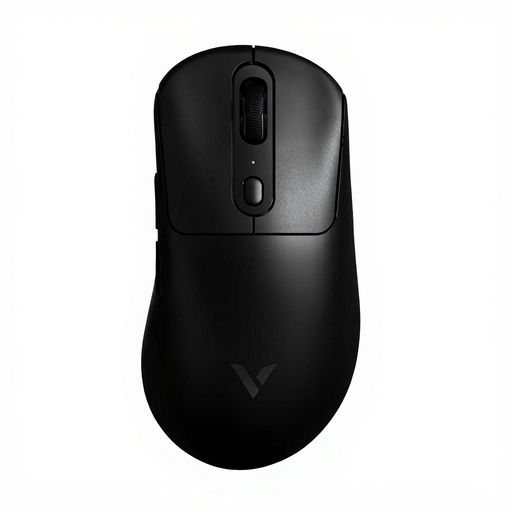
Why It Stands Out The VT3PRO MAX focuses on pure speed and minimal weight. At just 59 grams and with a polling rate that the manufacturer claims can reach 8000Hz, this model is designed for gamers who want to leverage every millisecond.
Key Features
Who Is It For? This mouse is an excellent choice for serious and competitive players of FPS and MOBA games, where reaction speed and low weight are crucial for performance.
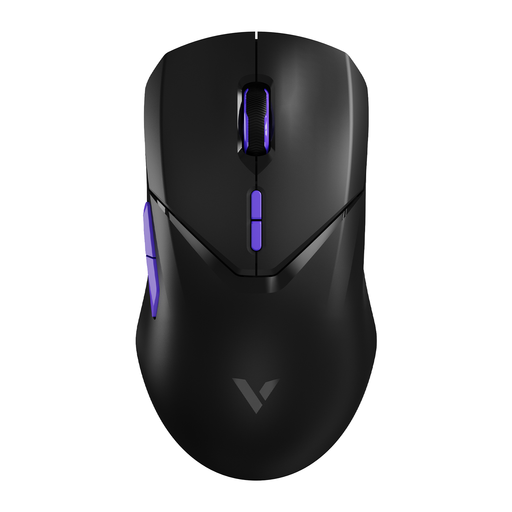
Why It Stands Out The VT9Pro 4K offers a balance between high performance and a comfortable, symmetrical design. It's a versatile mouse suitable for a wide range of games and users.
Key Features
Who Is It For? Gamers looking for a high-performance mouse that isn't too extreme. Its symmetrical design and solid specifications make it suitable for almost any gamer, regardless of genre or hand preference.
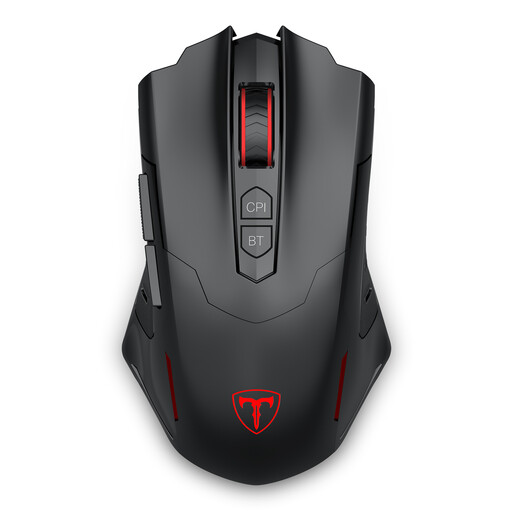
Why It Stands Out The ET PC400 focuses on versatility and functionality at an accessible price. Its dual connection mode (2.4G and Bluetooth) makes it ideal for users who want to use the mouse on multiple devices.
Key Features
Who Is It For? The casual gamer or the user looking for a single mouse for work, study, and gaming. The flexibility of dual connectivity and programmable buttons offers great value.
If none of these mice are quite what you're looking for, or if you're searching for other specific PC components and accessories, be sure to check out our broader assortment, including items like sensor cables and more, to complete your setup.
Is a wireless gaming mouse really as good as a wired one? Yes, the modern 2.4GHz wireless technology used in most gaming mice has a latency so low that it is indistinguishable from a wired connection to the human eye and touch. For most players, the freedom of a wireless mouse outweighs the theoretical, minuscule difference in response time.
What is a good DPI for a gaming mouse? This largely depends on personal preference, screen resolution, and the type of game. Many professional esports players use relatively low DPI settings (between 400 and 1600) because it offers more control and precision when aiming. A high maximum DPI is a nice spec, but the ability to easily adjust the DPI to your preference is more important.
How important is the weight of a gaming mouse? For fast-paced games like shooters, weight can make a big difference. A lighter mouse allows you to react and aim faster with less physical effort, which can lead to less fatigue. For slower games like strategy titles or for general use, weight is less critical, and comfort is often a more important factor.
