
Vandaag of morgen in huis

Kwaliteit gegarandeerd

Welkomstaanbiedingen ontgrendelen: GRATIS bezorging | Tot 80% korting | Gratis 30 dagen JoyPlus-proefperiode
Download de app
A cable snagging at the most crucial moment of your game—it's a frustration every PC gamer knows. Switching to a wireless gaming mouse can declutter your setup and give you complete freedom of movement. But with terms like DPI, polling rate, and various sensors, it's easy to get lost in the technical jargon.
As a Joybuy Product Recommendation Officer, I'm here to guide you through the specifications. This article is designed to provide objective, practical information, helping you find a model that perfectly matches your playstyle and budget.
Before we dive into our recommendations, here are a few key points to consider.
A lightweight gaming mouse can help reduce fatigue during long gaming sessions and makes quick, sudden movements easier. Weight is a personal preference: some players prefer a heavier mouse for more control, while others swear by the lightest model possible. Also, pay attention to the shape: is it ergonomic for right-handed use, or ambidextrous (suitable for both left- and right-handed players)?
DPI (Dots Per Inch) determines how sensitive the mouse is. A high-DPI gaming mouse isn't necessarily better; most competitive players use a setting between 400 and 1600 DPI. However, a high maximum DPI gives you more flexibility.
The polling rate, measured in Hertz (Hz), indicates how often the mouse reports its position to the computer. The standard is 1000 Hz (1000 times per second). Models with a 4K polling rate (4000 Hz) or even an 8K polling rate (8000 Hz) offer even smoother cursor movement. Keep in mind that a higher polling rate demands more from your CPU.
A programmable gaming mouse allows you to customise the buttons to your needs. This is especially useful in games where you need to perform many different actions quickly, such as in MMOs or MOBAs. Consider how many extra buttons you actually need for the games you play.
Below is a selection of wireless gaming mice that stand out for their specifications and functionality.
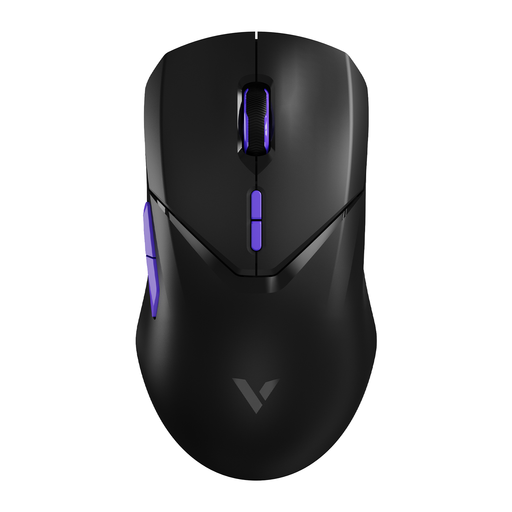
Why It Stands Out The VT9Pro is all about performance, featuring a wireless 4K polling rate. According to the manufacturer, Rapoo, this results in a response time of just 1/4000th of a second, minimising latency. The Pixart PAW 3398 sensor is a well-regarded component in the gaming world, valued for its precision.
Key Features
Who Is It For? This mouse is an interesting option for competitive gamers looking for a highly responsive esports mouse. It's important to ensure your PC gaming mouse setup is powerful enough to leverage the high polling rate without impacting in-game performance.
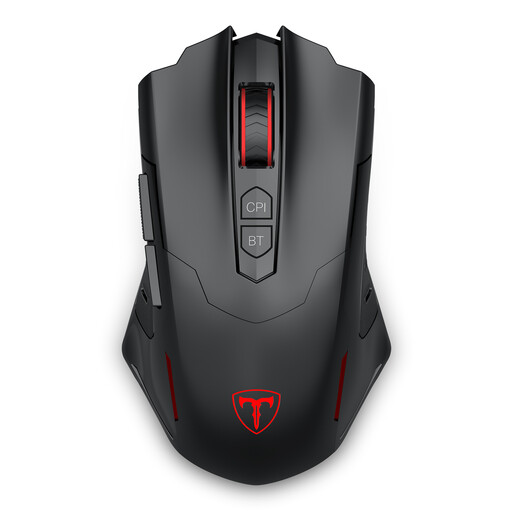
Why It Stands Out The ET PC400 stands out for its versatility and accessibility. With both 2.4G wireless and Bluetooth connectivity, it easily connects to various devices, from your gaming PC to a laptop or tablet.
Key Features
Who Is It For? This is a solid choice for the all-around gamer seeking a functional and great-value wireless mouse. The dual-connectivity mode makes it especially convenient for users who frequently switch between gaming and working on different devices.
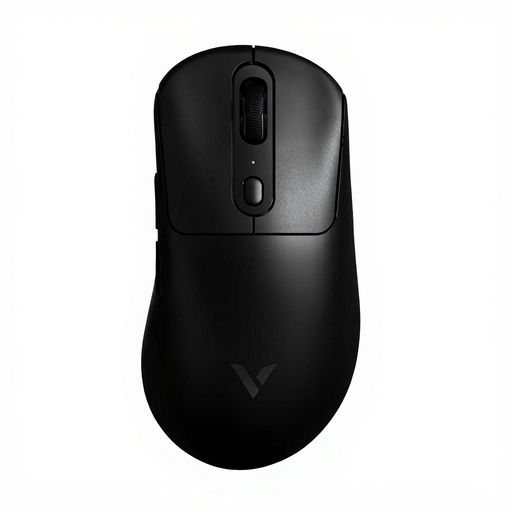
Why It Stands Out The VT3PRO MAX is designed with one goal in mind: maximum speed and minimal resistance. Weighing just 59 grams, this is an extremely lightweight gaming mouse. The combination of an 8K polling rate and the PAW 3950 Ultimate sensor positions this model in the high-end esports segment.
Key Features
Who Is It For? This esports mouse is aimed at serious and competitive players for whom every millisecond and every gram counts. If you're looking for technology that can help you maximise your performance, the VT3PRO MAX is worth considering.
Didn't find your ideal mouse here? Every player has unique preferences for shape, weight, and features. Many more models are available that might be a better fit for you.
Explore more options in our Mice category
Yes, for most users, it is. Modern wireless technology, especially 2.4Ghz connections, has such low latency that the difference compared to a wired mouse is unnoticeable in practice. This makes them an excellent choice for both casual and competitive gaming.
This largely depends on personal preference and the type of game. Many professional FPS players use a low DPI (between 400 and 1600) for more precise control. A high-DPI gaming mouse offers the flexibility to adjust sensitivity as you wish, but a higher value isn't automatically better.
