
Vandaag of morgen in huis

Kwaliteit gegarandeerd

Welkomstaanbiedingen ontgrendelen: GRATIS bezorging | Tot 80% korting | Gratis 30 dagen JoyPlus-proefperiode
Download de app
Choosing a new wireless gaming mouse can be overwhelming. The market is flooded with models, all claiming to be the fastest and most precise, boasting an endless list of specifications like DPI, polling rate, and weight. It's easy to get lost in the technical jargon.
This guide is designed to bring clarity. As a Joybuy Product Recommendation Officer, I'll help you see through the marketing terms and focus on the specifications that truly matter for your playstyle. We'll take an objective look at the features so you can make an informed decision.
Before we look at specific models, it's helpful to understand the most important features. These three points are crucial to your choice.
A lightweight gaming mouse has become the standard in the competitive scene in recent years. A lower weight (often under 70 grams) allows for faster movements and less fatigue during long gaming sessions. The shape is at least as important. Some mice are symmetrical (ambidextrous) and suitable for both left- and right-handed players, while others are ergonomically shaped for one hand. Consider your grip style (palm, claw, or fingertip) and what feels comfortable for you.
DPI (Dots Per Inch) indicates the sensitivity of the mouse sensor. A high-DPI gaming mouse (e.g., 20,000 or more) offers a high degree of precision and the flexibility to fine-tune sensitivity perfectly. However, most professional players use a lower DPI setting (between 400 and 1600) for greater control.
For connectivity, you often have two choices: 2.4GHz RF (Radio Frequency) and Bluetooth. An RF connection via a USB dongle offers the lowest latency and is the preferred choice for a professional gaming mouse. A Bluetooth gaming mouse is convenient for versatility and longer battery life but generally has slightly higher latency.
The polling rate, measured in Hertz (Hz), indicates how often the mouse reports its position to the computer. A standard mouse has a polling rate of 125Hz, but for gaming, 1000Hz is the norm. A higher polling rate means a faster response time and smoother cursor movements. Some advanced esports mouse models even offer polling rates of 4000Hz or 8000Hz for minimal latency.
Based on objective specifications and functionalities, we have highlighted some interesting models for you.
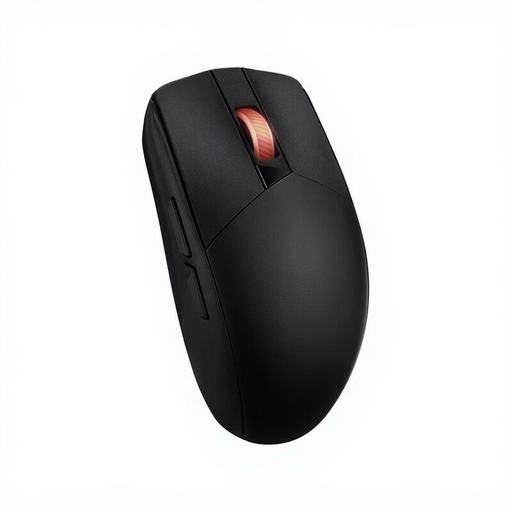
Why It Stands Out: This mouse is a true all-rounder. It combines a high-DPI sensor with the flexibility of both RF and Bluetooth connectivity and an impressive battery life. Its symmetrical design makes it accessible to a wide range of gamers.
Pros:
Who Is It For? For the versatile gamer who wants a reliable mouse for both competitive gaming (via RF) and daily use (via Bluetooth), without having to worry about the battery.
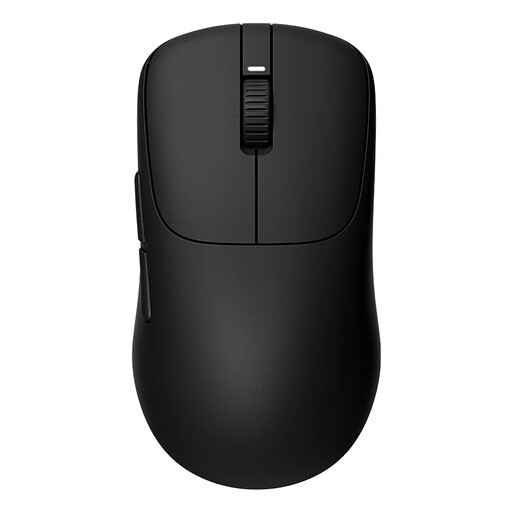
Why It Stands Out: The Sony INZONE is purely focused on performance. With an extremely low weight and an exceptionally high polling rate, this is a model designed for the serious esports player. According to Sony, the mouse was developed in collaboration with the esports team Fnatic.
Pros:
Who Is It For? For the competitive player for whom every millisecond counts. If you're looking for an esports mouse optimized for speed and responsiveness, this is a strong contender.
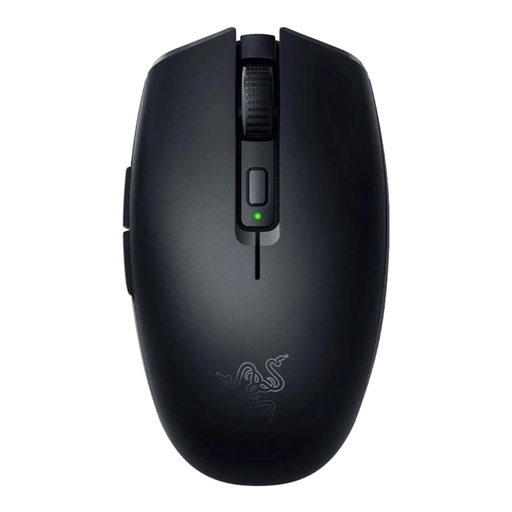
Why It Stands Out: The Razer Orochi V2 focuses on efficiency and mobility. It's a compact, ultralight mouse with an exceptionally long battery life, especially in Bluetooth mode. This makes it ideal for laptop gamers or anyone who values a clean, cable-free desk setup.
Pros:
Who Is It For? For the gamer who is often on the go, or for anyone looking for a compact, lightweight, and no-nonsense mouse with a battery that lasts for months.
These recommendations represent a selection of popular models with different strengths. However, the market for wireless mice is large and diverse. If your ideal match isn't here, there are countless other options with unique shapes, weights, and specifications.
? Explore more wireless optical mouse models
This largely depends on personal preference, screen resolution, and the games you play. Although many mice advertise a high DPI gaming mouse of 16,000 or more, most competitive players use settings between 400 and 1600 DPI. A high maximum DPI is a sign of a capable sensor, but you don't need to use it at its highest setting.
Yes. Modern 2.4GHz RF technology, as used in most gaming-grade wireless mice, offers latency that is virtually indistinguishable from a wired mouse. For serious gaming, an RF connection is the recommended choice over Bluetooth.
Battery life varies greatly between models. High-performance mice with high polling rates and RGB lighting might last 40 to 100 hours on a single charge. Models optimized for efficiency, like the Razer Orochi V2, can last for hundreds or even thousands of hours on a single AA or AAA battery via Bluetooth. Always check the manufacturer's specifications.
