
Vandaag of morgen in huis

Kwaliteit gegarandeerd

Welkomstaanbiedingen ontgrendelen: GRATIS bezorging | Tot 80% korting | Gratis 30 dagen JoyPlus-proefperiode
Download de app
A wireless gaming mouse gives you greater freedom of movement without a cable cluttering up your desk. However, not every model is suitable for every gamer. A high DPI rating may sound appealing, but it says little about how comfortable the mouse feels in your hand. Even long battery life can fall short if you mainly use the fast 2.4GHz connection.
As a Joybuy Product Recommendation Officer, I filter the most important product specifications and compare them with the most common buying pitfalls. This helps you make a more informed choice when looking for a wireless gaming mouse for your PC, laptop, work and everyday use.
A high-DPI gaming mouse is not automatically more accurate in practice. DPI mainly determines cursor sensitivity. For FPS games, many players actually use lower sensitivity with larger mouse movements. So also check the sensor model, maximum tracking speed and whether you can adjust the DPI levels.
A polling rate of 4K or 8K means the mouse sends information to the computer more often per second. This can provide smoother tracking during fast movements, but it also places greater demands on the computer. According to RAPOO product information, 4K can increase CPU load; if you experience frame drops, you can switch back to 1000 Hz.
For casual gaming, office work and most laptops, 1000 Hz is often a practical setting. A 4K gaming mouse or 8K gaming mouse is mainly worth considering if your PC can handle it and you expect a real benefit in fast-paced competitive games.
A lightweight gaming mouse weighing around 53 to 75 grams can feel very quick, but a small or symmetrical model will not suit every hand. An ergonomic shape is usually designed for one hand, while a symmetrical mouse is more often suitable for different grip styles or left- and right-handed use. Check the dimensions and the position of the thumb buttons before ordering.
Pay attention to these points:
A high maximum DPI is mainly a flexibility feature. The right setting depends on your screen, game, mouse mat and personal preference.
For gaming, 2.4GHz wireless is generally the most suitable connection within this product selection. Bluetooth is useful for a laptop, tablet or office work, but it does not always offer the same polling rate and response time. A tri-mode mouse usually combines Bluetooth, 2.4GHz and USB-C.
Also check:
A gaming mouse with long battery life reduces interruptions, but the stated figure depends on the connection mode, polling rate and lighting. A mouse with RGB lighting generally uses more energy than a model without lighting.
Also look at the difference between the weight without a battery, with an AA battery or with a wireless charging system. For the Logitech G309, for example, a weight of 68 grams is stated when used with a Powerplay system without an AA battery, while the weight is higher with a battery installed.
A gaming mouse with programmable buttons is practical for MOBA and RTS games, as well as for shortcuts while working. For FPS gaming, a simpler layout may actually provide less distraction. RGB is primarily a visual feature; it does not make the sensor more accurate.

Why it suits this profile: An accessible choice for PC and laptop gamers looking for a lightweight mouse with RGB and programmable buttons.
The specifications mention not only DPI, but also a 1000 Hz polling rate, six programmable buttons and battery life of up to 80 hours.
4800 DPI, 2.4GHz connection, USB-C charging, RGB lighting and a stated weight of approximately 73 grams.

Why it suits this profile: Designed for FPS players who want a very lightweight, right-handed mouse with a high polling rate.
Alongside a high DPI rating, the product information lists a weight of 54 grams, an 8K polling rate and six programmable buttons.
Razer lists a Focus Pro 35K optical sensor, up to 8000 Hz and up to 95 hours of battery life.

Why it suits this profile: An interesting option for players who want to combine 8K wireless performance with a charging dock and use across multiple devices.
The tri-mode connection supports Bluetooth and USB-C as well as 2.4GHz. This means the mouse is not limited to a single use case.
56 grams, PAW3950 sensor, up to 42,000 DPI and a magnetic RGB dock with an integrated 8K receiver.
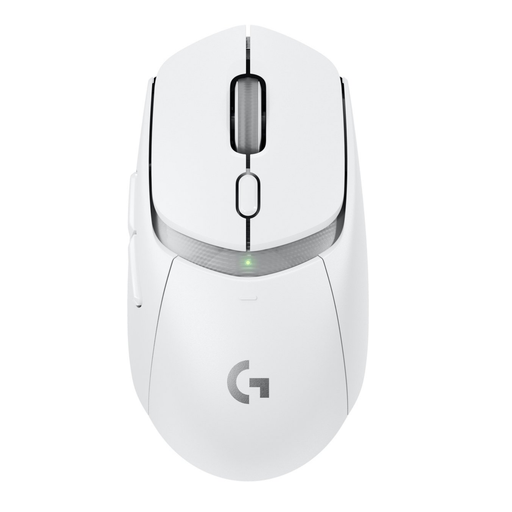
Why it suits this profile: Suitable for anyone who wants to use a wireless gaming mouse with a PC and laptop without having to charge it frequently.
The choice between LIGHTSPEED and Bluetooth offers flexibility. The stated battery life of more than 300 hours applies when using an AA battery.
HERO 25K sensor, six programmable buttons, Bluetooth and an AA battery included.
We have put together a complete, up-to-date list of products that fully meet these strict selection criteria and the applicable European safety regulations.
For fast-paced games, 2.4GHz is usually the practical choice within this product category. This connection supports a higher polling rate on certain models. Bluetooth is mainly useful for office work, laptops and devices where energy efficiency is more important than maximum response speed.
It varies by model and settings. The stated figures in the product specifications range from approximately 80 hours to several hundred hours. RGB lighting and a high polling rate can reduce battery life. Always check which connection mode the manufacturer used when stating the battery life.
A higher polling rate can create additional CPU load. According to RAPOO product information, 4K can cause frame drops on some systems. If necessary, start with 1000 Hz and only increase the setting if your PC and game remain stable. Also take software support and your monitor’s refresh rate into account.
