
Vandaag of morgen in huis

Kwaliteit gegarandeerd

Welkomstaanbiedingen ontgrendelen: GRATIS bezorging | Tot 80% korting | Gratis 30 dagen JoyPlus-proefperiode
Download de app
A wireless gaming mouse gives you greater freedom of movement, but not every wireless model is suitable for competitive gaming. A high DPI rating may sound appealing, while weight, connectivity and shape often have a greater impact on your gaming experience. Features such as RGB lighting and a large number of buttons are not automatically useful for every gamer.
If you are looking for a wireless gaming mouse, it is therefore worth looking beyond the appearance or the highest figures on the packaging.
DPI determines how far the cursor moves in response to a particular hand movement. A high-DPI gaming mouse gives you more adjustment options, but an extremely high setting will not automatically make you more accurate. In FPS games, sensor consistency, your own sensitivity setting and the surface you use are at least as important.
So check whether the DPI can be adjusted and whether different levels can be selected quickly. Independent X/Y settings are useful if you want to configure horizontal and vertical movements differently.
An 8K polling rate mouse reports its position up to 8,000 times per second. This can provide an exceptionally smooth cursor experience, but your PC, monitor and game must also be able to process this setting. On some systems, 1,000 Hz is more practical because it uses fewer system resources.
Also pay attention to the difference between a true wireless 8K connection and a higher setting that is only available through software or an additional accessory. According to Rapoo’s product information, the VT3 and VT2 MAX support a native wireless polling rate of up to 8,000 Hz.
The stated battery life depends on the polling rate, lighting, connection mode and intensity of use. “Up to” does not mean you will achieve the same runtime at every setting. A gaming mouse with long battery life is particularly practical when you can switch off the lighting and choose between different performance levels.
Also check whether you can continue playing while the mouse is charging, which cable is included and whether the mouse has a battery indicator.
A lightweight gaming mouse weighing around 50 to 75 grams can support fast movements, particularly at low sensitivity in FPS games. A heavier model may feel more stable for office work or longer sessions. Weight should never be considered separately from shape: a small mouse may be uncomfortable for larger hands, while a tall ergonomic mouse may not suit a claw grip.
Pay attention to:
For gaming, a 2.4GHz receiver is generally the preferred option. This connection is designed for low latency and comes with a USB receiver. Bluetooth gaming mouse models are useful for laptops, tablets and multiple devices, but Bluetooth is not always the recommended mode for fast-paced competitive gaming.
A tri-mode model usually combines 2.4 GHz, Bluetooth and wired use. However, check whether all functions, such as macros and programmable buttons, are available in every mode. With some products, for example, the configuration software only works in wired mode.
A sensor resolution of 4,800, 12,000 or 30,000 DPI does not tell you everything about real-world performance. Also look at adjustability, polling rate and software support. For MOBA and RTS games, extra buttons may be more important than an extremely high DPI. A gaming mouse with programmable buttons can include shortcuts, abilities or macros, but check in advance whether macro functions are permitted in your game or competition.
RGB lighting is primarily a visual feature. A gaming mouse with RGB lighting can complement your desk setup, but lighting can reduce battery life. Ideally, choose a model that allows you to switch the lighting off.

Why it suits this profile: A straightforward wireless gaming mouse for PC gamers who want a low weight, RGB and programmable buttons without moving straight to an advanced 8K model.
The specifications separately list 4800 DPI, 1000 Hz, six programmable buttons and battery life of up to 80 hours. This clearly sets out the key gaming features.
73 grams, 2.4GHz wireless, USB-C charging, RGB lighting and the ability to play while charging, according to the product description.

Why it suits this profile: Designed for users who value a lightweight mouse, a high polling rate and extensive adjustment options for FPS, MOBA and RTS games.
According to the product information, this model supports native wireless 8K, and the polling rate does not depend on an additional dongle. However, the 8K setting may place greater demands on your system.
53 grams, up to 30,000 DPI, ten programmable buttons and stated battery life of up to 750 hours at 1000 Hz.
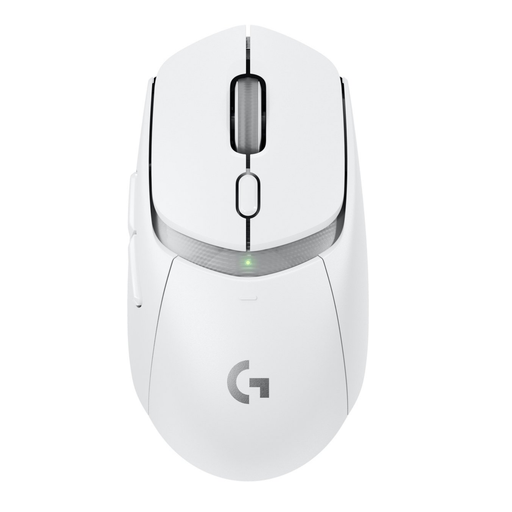
Why it suits this profile: Suitable for gamers who want to switch between a fast wireless connection and Bluetooth, and who value long battery life.
You are not limited to Bluetooth alone: the mouse also uses LIGHTSPEED via the included receiver. According to Logitech, battery life varies depending on the usage mode and configuration.
HERO 25K sensor according to Logitech, six programmable buttons, Bluetooth and stated battery life of more than 300 hours with an AA battery.

Why it suits this profile: A practical choice if you want to use one mouse for gaming, laptop use and different devices, with RGB and extra buttons as useful additions.
The product information lists three connection modes and makes it clear that the programming software only works on Windows and in wired mode.
2.4GHz, Bluetooth and USB-C, up to 10,000 DPI, eight programmable buttons and adjustable RGB lighting according to the product description.
We have put together a complete, up-to-date list of products that fully meet these strict selection criteria and the applicable European safety regulations.
Yes, provided you choose a model with a 2.4GHz connection and an appropriate polling rate. Check that the receiver can be positioned properly, and avoid unnecessary distance or sources of interference. Bluetooth is particularly useful for everyday use, but it is not always the first choice for competitive FPS gaming.
It varies considerably. Products in this range state runtimes of approximately 80 hours to more than 300 hours, while some manufacturers give a much longer maximum duration under specific settings. RGB, 8K polling and intensive use can reduce runtime. So check which usage mode the battery claim is based on.
Not necessarily. A lower weight helps with fast movements, but the shape, dimensions and grip determine whether your hand is properly supported. So do not compare only the weight in grams; also consider the width, length, height and hand orientation. For everyday work, a heavier ergonomic model may be more comfortable than an ultra-lightweight one.
