
Vandaag of morgen in huis

Kwaliteit gegarandeerd

Welkomstaanbiedingen ontgrendelen: GRATIS bezorging | Tot 80% korting | Gratis 30 dagen JoyPlus-proefperiode
Download de app
A wireless gaming mouse gives you greater freedom of movement and a tidier desk. However, not every wireless gaming mouse is suitable for competitive gaming. Marketing often focuses on extremely high DPI, RGB lighting or an impressive polling rate, while comfort, connectivity and battery usage are just as important.
With this practical buying guide, you can compare models based on measurable features. That way, you can find a lightweight gaming mouse for fast FPS movements, an ergonomic gaming mouse for long sessions or a gaming mouse for PC and laptop.
A gaming mouse with high DPI can move the cursor across the screen very quickly. That does not automatically mean the sensor is more accurate in every situation. For many gamers, the usable sensitivity is considerably lower, particularly in FPS games.
Therefore, look out for:
A sensor with 24,000 or 30,000 DPI is mainly useful if you actually need that setting. For office work, MOBA or RTS games, a lower range is often sufficient.
An 8K polling rate gaming mouse reports its position up to 8,000 times per second. During fast movements, this can provide smoother cursor tracking, but 8K generally uses more system resources than 1,000 Hz. According to Rapoo’s product information, a higher polling rate can also affect CPU usage.
Therefore, check whether:
A high polling rate is no substitute for a stable connection or a shape that suits you well.
“Up to” a certain number of hours usually means that the manufacturer is referring to a specific usage scenario. RGB lighting, a higher polling rate and intensive wireless use can reduce battery life.
So compare:
A gaming mouse with long battery life is convenient, but only if the connection, shape and buttons also suit your playing style.
A lightweight gaming mouse weighing around 53 to 75 grams moves easily across a large mouse mat. This can be useful for low sensitivity and fast FPS movements. A heavier model can sometimes feel more stable, particularly for office work or when you operate the mouse with your whole hand.
Also consider the dimensions and grip:
“Ergonomic” is not a fixed technical standard. Look at the shape, thumb support and dimensions in millimetres.
An optical sensor is standard on modern gaming mice. DPI determines sensitivity, not overall quality directly. An adjustable sensor with multiple profiles is practical if you switch between games.
Models in the range vary from 4,800 DPI on the Trust GXT 929 Helox to 44,000 DPI on certain Logitech models. These figures are only meaningful when considered alongside your screen resolution, game settings and personal preference.
A gaming mouse with programmable buttons is useful for MMO, MOBA and RTS games. For competitive FPS games, two easily accessible side buttons are often enough.
Check in advance:
RGB lighting is primarily a style choice. On some models, such as the Trust GXT 929 Helox, the lighting shines through a honeycomb shell. Check whether you can switch the lighting off when you want to conserve battery power.

Why it suits this profile: This lightweight wireless gaming mouse is affordably priced and offers features that beginner PC and laptop gamers can use straight away.
The specifications list 4,800 DPI, 1,000 Hz and a 2.4GHz receiver, so you are not paying solely for a high DPI figure.
At 73 grams, it offers six programmable buttons, RGB lighting and up to 80 hours of battery life according to the product information.

Why it suits this profile: The compact design is aimed at players looking for low weight, a reliable wireless connection and a sensor with a wide adjustment range.
As well as a stated resolution of up to 44,000 DPI, Logitech lists a polling rate of up to 8 kHz and battery life of up to 95 hours. 8K mode requires suitable software support.
At 53 grams, it features a HERO 2 sensor, five programmable buttons and USB-C charging. This model does not have RGB lighting.

Why it suits this profile: This model is designed for players who value plenty of buttons, a high polling rate and exceptionally long battery life.
The stated 750 hours applies at 1,000 Hz; for 8K and lighting, you should expect different power consumption. The software is required for additional settings.
At 53 grams, it offers native 8K wireless, up to 30,000 DPI, ten programmable buttons and optical switches with a stated lifespan of 120 million clicks.
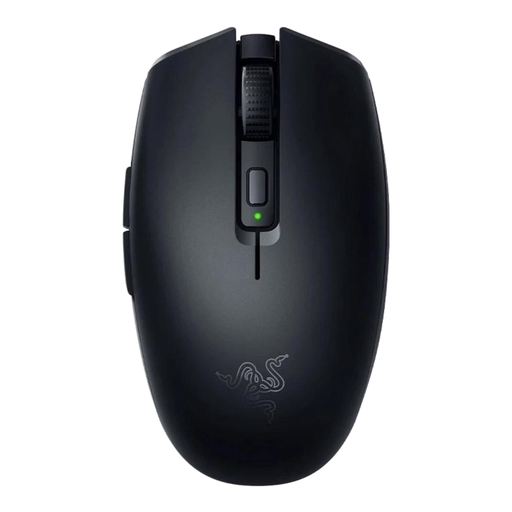
Why it suits this profile: This compact model uses both 2.4GHz and Bluetooth, making it suitable for gamers who switch between a laptop, PC and other workspaces.
You are not dependent on a single connection: HyperSpeed is designed for low latency during gaming, while Bluetooth uses less power.
At 60 grams, it offers 18,000 DPI, six programmable buttons and a stated battery life of up to 450 hours via HyperSpeed or 1,000 hours via Bluetooth.
We have put together a complete, up-to-date list of products that fully meet these strict selection criteria and the applicable European safety regulations.
Yes, provided the mouse offers a stable 2.4GHz connection, low latency and a suitable polling rate. Ideally, place the receiver close to the mouse and avoid using a USB hub with many potential sources of interference. Bluetooth is practical for everyday use, but not every model uses Bluetooth as its primary gaming connection.
Its lifespan depends on the switches, battery, charging habits and intensity of use. Manufacturers often state a click rating and battery life, but these are product specifications rather than a guarantee of a particular service life. Keep the mouse dry, charge a built-in battery with a suitable cable and replace batteries according to the instructions.
A higher polling rate can require more CPU capacity and drain the battery faster. Only enable 8K when your PC, monitor and game can benefit from it. For many users, 1,000 Hz is a practical setting that uses less power.
