
Vandaag of morgen in huis

Kwaliteit gegarandeerd

Welkomstaanbiedingen ontgrendelen: GRATIS bezorging | Tot 80% korting | Gratis 30 dagen JoyPlus-proefperiode
Download de app
A wireless gaming mouse gives you more freedom of movement than a wired mouse. However, wireless does not automatically mean that every model is suitable for competitive gaming. Differences in connectivity, weight, shape, battery life and software determine how comfortable the mouse is to use in practice.
The Joybuy Product Recommendation Officer selects products based on verifiable specifications. Pay particular attention to these three common pitfalls before making a purchase.
A gaming mouse with an 8K polling rate transmits the mouse position up to 8,000 times per second. This can reduce input delay and make the mouse feel more responsive, but the practical benefit depends on your monitor, game settings and processor. According to Rapoo’s product information, a polling rate of 4,000 Hz can increase CPU usage. If you experience stuttering, 1,000 Hz is often a sensible setting.
A high-DPI gaming mouse can be set to a very high sensitivity, but a higher maximum does not automatically indicate better tracking quality. Most players use a much lower value in games than the maximum shown on the packaging. You should therefore also look at the sensor type, adjustability and whether you can save different profiles.
A lightweight gaming mouse can feel comfortable during fast movements, particularly in FPS games. However, a mouse that is too light or too small may not suit your hand or grip as well. Check the dimensions, hand orientation and button layout. An ergonomic gaming mouse with more support may be better suited to everyday use than an ultra-light model.
For fast-paced games, a stable connection is more important than a marketing claim about maximum speed. A 2.4GHz dongle is generally designed for low latency. Bluetooth is convenient for laptops and multiple devices, but check whether gaming mode is available via the dongle or cable.
Look out for:
DPI stands for dots per inch and determines how far the cursor moves in response to a particular hand movement. An adjustable sensor is useful if you switch between desktop use, FPS and MOBA games. Some models support separate X and Y settings. This can be useful with wide screens, but it is not necessary for every player.
A useful comparison should include:
The mice in this selection range from approximately 53 to 150 grams. A lower weight can support fast changes of direction, while a larger model provides more hand support. For a wireless esports mouse, low weight, a reliable dongle and low button resistance are often important. For a gaming mouse for FPS and MOBA, extra side buttons and programmable profiles may be more useful.
Also check whether macros are permitted in the games you play. A programmable gaming mouse allows you to customise functions, but according to the software terms of some games, certain macros are not permitted in competitive modes.
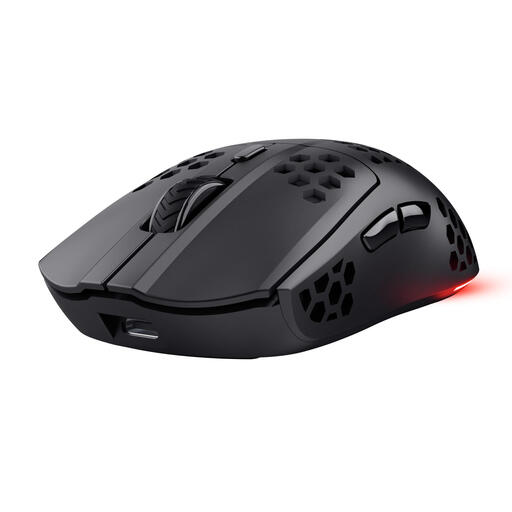
Why it suits this profile: This wireless mouse combines a weight of 73 grams with 2.4GHz connectivity, six programmable buttons and a stated battery life of up to 80 hours.
The specifications state the 1,000Hz polling rate, battery life and weight. This allows you to compare practical features without looking only at DPI.
75 grams according to the product description, USB-C charging while in use and adjustable DPI from 800 to 4,800.
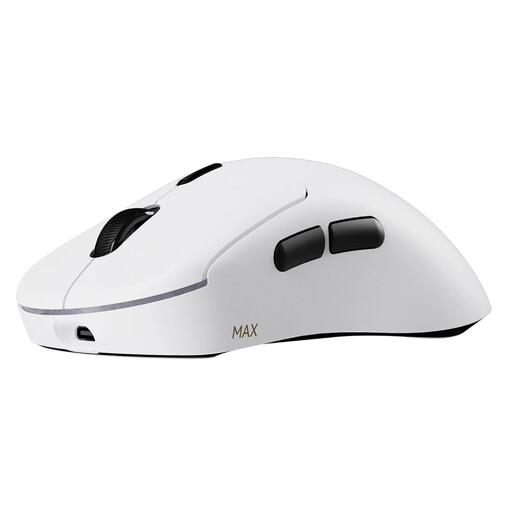
Why it suits this profile: This model is designed for players who value low weight, extensive adjustability and long battery life.
The product information lists the 53-gram weight, 8K wireless polling rate, battery life of up to 750 hours at 1,000Hz and 30K DPI separately. However, check that your PC can handle 8K.
10 programmable buttons, macro support and an optical switch with a stated lifespan of 120 million clicks.
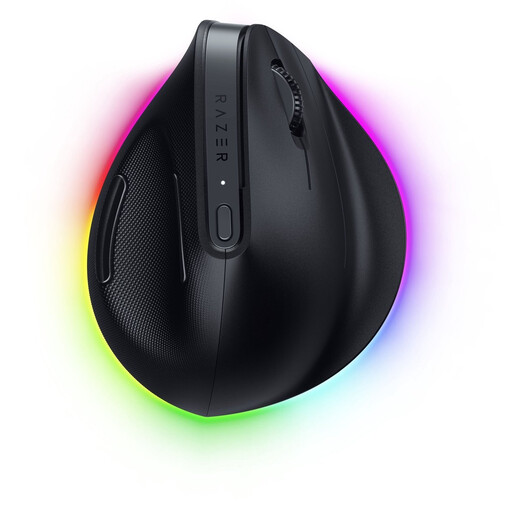
Why it suits this profile: The vertical design is intended for right-handed users looking for a mouse for extended periods of work, gaming and switching between multiple devices.
Here, the focus is not on an ultra-light design, but on shape and versatility. The specifications list Bluetooth, Razer HyperSpeed, USB-C and six programmable buttons.
According to the product information: sensor resolution of up to 30,000 DPI, battery life of up to six months and connection to up to five devices.
We have put together a complete, up-to-date list of products that fully meet these strict selection criteria and the applicable European safety regulations.
Yes, provided the model has a stable 2.4GHz connection, a suitable sensor and a comfortable shape. For FPS players, weight, grip and consistent tracking are usually more important than an extremely high DPI value. Test different DPI profiles in the game and, preferably, position the receiver close to the mouse.
This varies considerably depending on the model and settings. The stated figures are generally maximum values from the product information and may be lower when using higher polling rates, RGB lighting or the mouse intensively. Models such as the Rapoo VT3 MAX state up to 750 hours at 1,000Hz, while the Trust GXT 929 Helox states up to 80 hours. Also check whether you can continue playing while the mouse is charging.
Extra buttons can be useful for shortcuts, abilities or media controls. A gaming mouse with macro buttons is particularly interesting for MOBA and MMO players. Always check the rules of the specific game or competition. Do not use macros if they provide an unfair advantage or are prohibited by the game publisher.
