
Vandaag of morgen in huis

Kwaliteit gegarandeerd

Welkomstaanbiedingen ontgrendelen: GRATIS bezorging | Tot 80% korting | Gratis 30 dagen JoyPlus-proefperiode
Download de app
A wireless gaming mouse gives you more freedom to move around your desk, but not every model will suit every player. A high DPI figure might sound appealing, but in practice you may get more out of a stable connection, a low weight or a shape that fits your hand.
Most disappointing purchases come down to three marketing traps:
A high-DPI gaming mouse can theoretically register very small movements. However, you’ll often play with a lower setting, for example to aim more steadily in an FPS game. So, as well as DPI, look at:
A polling rate of 1000 Hz reports the mouse’s position up to a thousand times per second. Some models go up to 4K or 8K. According to the product information for the AJAZZ AJ159 APEX, this model supports a wireless polling rate of up to 8000 Hz. RAPOO states that the VT9Pro has a wireless polling rate of up to 4000 Hz. If you’re considering one of these models, check that your computer can handle the setting smoothly.
A Bluetooth wireless gaming mouse is handy for a laptop, tablet or second device. For competitive gaming, 2.4GHz is usually the recommended connection, depending on the product’s capabilities. A tri-mode gaming mouse typically combines:
Check where the receiver is positioned. A USB extension cable or charging dock can help bring it closer to the mouse. Also check whether the stated battery life depends on lighting, polling rate and how intensively you use it. “Up to” is a maximum under specific conditions, not a guaranteed battery life.
A lightweight gaming mouse weighing around 56 to 75 grams can feel comfortable for quick FPS movements. A heavier model may offer more stability. The right choice depends on your grip:
Think about handedness, too. A symmetrical mouse isn’t automatically suitable for both left- and right-handed use, so check the position of the thumb buttons. Programmable buttons can be useful for MOBA and MMO players, but extra buttons can add weight and increase the chance of pressing the wrong one.

Why it suits this profile: This model combines 2.4GHz wireless connectivity, USB-C charging and six programmable buttons, making it a straightforward introduction to PC gaming.
The specifications state an adjustable range of up to 4800 DPI and a polling rate of up to 1000 Hz, without suggesting that everyone needs an extreme DPI setting.
Weighs 75 grams, with a rechargeable battery rated by Trust for up to 80 hours of use, plus RGB lighting.
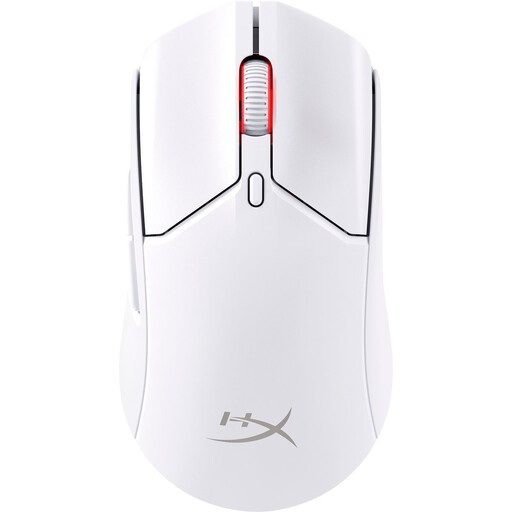
Why it suits this profile: Its lightweight design, two wireless modes and sensor of up to 26,000 DPI make this a focused choice for players who want to fine-tune their settings.
The product information lists Bluetooth, 2.4GHz and wired use separately, making it clear which connection to choose for each situation.
Weighs 61 grams, with six programmable buttons and a battery life rated by HyperX for up to 100 hours.

Why it suits this profile: This model is aimed at players looking for tri-mode connectivity, an exceptionally low weight and a high polling rate in one setup.
The product description sets out Bluetooth, 2.4GHz and USB-C separately. DPI, polling rate and battery status are also displayed individually on the included charging dock.
Weighs 56 grams, with a PAW3950 sensor, up to 42,000 DPI and a wireless polling rate of up to 8000 Hz, according to the product information.
We’ve put together a complete, up-to-date list of products that meet these strict selection criteria and the applicable European safety regulations.
Bluetooth is handy for everyday use and laptops, but check the specifications for latency, polling rate and compatibility. Many players choose 2.4GHz with a USB receiver for competitive games. A tri-mode model gives you both options.
Battery life varies by model and how you use it. RGB lighting, a high polling rate and intensive use can all affect how long the battery lasts. Check the stated maximum battery life, charging time and whether you can keep playing via USB-C while the mouse charges.
Not necessarily. 8K may appeal to competitive FPS players with a powerful PC and a high refresh-rate monitor. For office work, casual gaming and many laptops, 1000 Hz is often enough. A good shape, suitable sensitivity and stable connection are just as important.
