
Vandaag of morgen in huis

Kwaliteit gegarandeerd

Welkomstaanbiedingen ontgrendelen: GRATIS bezorging | Tot 80% korting | Gratis 30 dagen JoyPlus-proefperiode
Download de app
A wireless gaming mouse gives you a tidier desk and more freedom of movement. But a high DPI rating or eye-catching RGB design doesn’t automatically mean a mouse is right for your playing style. If you’re searching for the “best wireless gaming mouse”, it’s worth looking at the full specifications.
Three common pitfalls to watch out for:
DPI indicates how far the cursor moves in response to a particular physical mouse movement. A high-DPI gaming mouse is most useful if you want to fine-tune the sensitivity. A maximum of 26,000 or 35,000 DPI doesn’t mean you need to use that setting.
You should also consider the polling rate:
According to Rapoo’s product information, the VT9Pro may use more CPU resources at a 4K polling rate. If you experience frame drops, the product specifications recommend checking your system requirements or switching back to 1,000 Hz. The Razer Viper V3 Pro is listed as supporting up to 8,000 Hz. Before buying, check whether the required receiver or software is included.
An ultralight gaming mouse can feel comfortable for quick flicks in FPS games, but a low weight won’t suit everyone. A larger or heavier mouse may be a better fit for a palm grip or larger hands.
Consider the following:
Also consider which hand you use. An ambidextrous model isn’t always fully symmetrical, while an ergonomic gaming mouse is usually shaped specifically for left- or right-handed use.
For gaming, 2.4GHz via a USB receiver is usually the practical choice because of its low latency. Bluetooth is handy for laptops and multiple devices, but check whether the polling rate or features are limited when using it. A mouse with USB-C can be used in wired mode while charging, but this varies by model.
Programmable buttons are useful for MMOs, simulations and productivity. For an FPS gaming mouse, five or six buttons are often easier to manage. Also check:
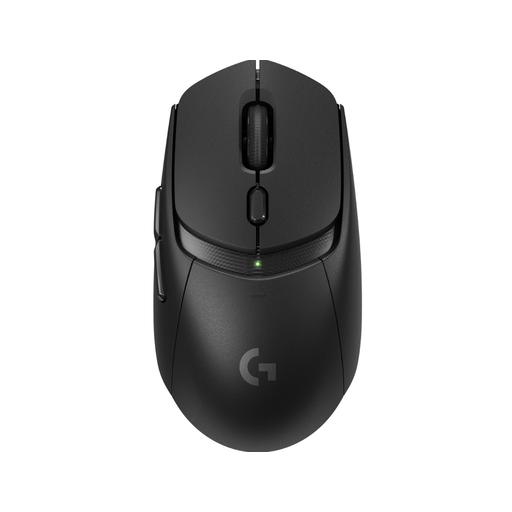
Why it suits this type of user: This mouse combines 2.4GHz Lightspeed with Bluetooth and works with an included AA battery. It makes switching to wireless easy, without the need for a charging dock straight away.
The stated battery life is tied to a specific AA battery: according to the product information, it lasts for more than 300 hours. The connection options and number of buttons are clearly specified.
HERO 25K sensor, six programmable buttons, Bluetooth and a stated weight of 86 grams including the battery.
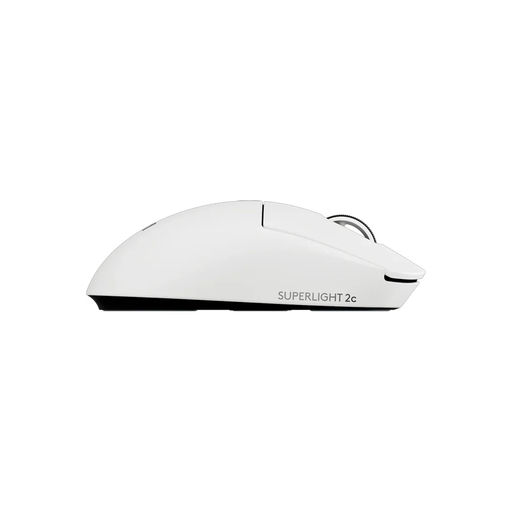
Why it suits this type of user: This compact model is designed for players who value a low weight and smaller shape, for example those with a claw grip or smaller hands.
The product information lists more than just a high DPI: it also specifies a weight of 53 grams, a compact design and a polling rate of up to 8,000 Hz via LIGHTSPEED.
HERO 2 sensor up to 44,000 DPI, five programmable buttons and a stated battery life of up to 95 hours.
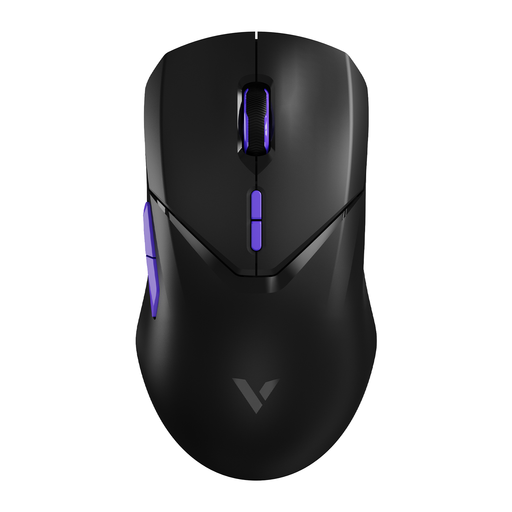
Why it suits this type of user: This model is aimed at players looking for a high polling rate, low weight and plenty of customisation options for fast-paced games.
The product specifications clearly state the requirements and warning around the 4K polling rate. This lets you check in advance whether your PC has enough capacity.
PAW3398 sensor up to 26,000 DPI, 68 grams, ten programmable buttons and a stated battery life of up to 180 hours.

Why it suits this type of user: Its shape and stated weight of just 54 grams are designed for quick movements and small adjustments during FPS games.
As well as the sensor resolution, the product information lists the weight, right-handed shape, polling rate of up to 8,000 Hz and wireless battery life.
Razer Focus Pro 35K sensor, six programmable buttons and a stated battery life of up to 95 hours.
We’ve put together a complete, up-to-date list of products that meet these strict selection criteria and the applicable European safety requirements.
Yes, provided you use a 2.4GHz connection with a suitable receiver. Pay particular attention to the polling rate, weight, shape and connection stability. Bluetooth is handy for general use, but isn’t always the best choice for competitive gaming.
It varies by model, connection, lighting and use. The stated figures in product information vary considerably: the Logitech G309 is listed as lasting more than 300 hours with an AA battery, while the Rapoo VT9Pro is rated for up to 180 hours and the Razer Viper V3 Pro for up to 95 hours. Treat these figures as product specifications based on certain conditions, not as a guarantee for every user.
Not necessarily. For many PC and laptop gamers, 1,000 Hz is enough. A higher polling rate may be of interest if you want a fast FPS gaming mouse, but it puts more demand on your computer and only works well when the mouse, receiver, software and game are set up correctly.
