
Vandaag of morgen in huis

Kwaliteit gegarandeerd

Welkomstaanbiedingen ontgrendelen: GRATIS bezorging | Tot 80% korting | Gratis 30 dagen JoyPlus-proefperiode
Download de app
A wireless gaming mouse gives you more freedom of movement, but not every model suits every player. A casual gamer often has different priorities from a competitive FPS player. An ergonomic gaming mouse can also be useful for working from home, especially when one mouse needs to work with both a PC and a laptop.
However, the product name alone tells you very little. High DPI, RGB lighting and long battery life may sound appealing, but in practice they can be less important than the shape, connection and software. Use these checks to avoid buying a mouse that becomes uncomfortable to use after just a few weeks.
A gaming mouse with a high DPI can move the cursor across the screen very quickly. That does not automatically mean you will play more accurately. In many FPS games, players actually use lower sensitivity with larger mouse movements. So check whether the DPI can be adjusted and whether you can save multiple profiles.
Also consider the sensor resolution in relation to how you use the mouse. Models offering 12,000 to 30,000 DPI provide plenty of adjustment options, but a casual user does not necessarily need the maximum setting.
The polling rate indicates how often the mouse position is sent to the computer. 1,000 Hz is a practical setting for many gamers. An 8K polling rate mouse can send data more frequently, but according to Rapoo’s product information, 4K or 8K can increase CPU usage.
If you experience stuttering or frame drops, it is worth trying a lower polling rate. Also check whether your gaming PC, USB connection and monitor can make meaningful use of the higher settings.
‘Up to’ a certain number of hours means little without context. Lighting, polling rate, connection type and power-saving features all affect consumption. A mouse with RGB gaming lighting may perform differently from the same model without lighting.
Also check how the mouse is charged. A built-in rechargeable battery is convenient, while a model with an AA battery can be useful if you want to swap it quickly. Some models also support a wireless charging module, available as a separate accessory.
A 2.4GHz receiver is generally designed for low latency while gaming. Bluetooth is practical for a mouse used with a laptop, tablet or second computer, and often uses less energy. A model with multiple connection options is useful if you switch between work and gaming.
Pay attention to the ports available. A USB-A receiver will not connect directly to every modern laptop. A USB extension cable or adapter may therefore be required. Also check whether the mouse can be used in wired mode while charging.
A lightweight gaming mouse weighing around 53 to 75 grams can feel comfortable during fast FPS movements. A heavier model may feel more stable. Do not look only at the weight: consider the dimensions and how you hold the mouse too — palm grip, claw grip or fingertip grip.
A vertical mouse gives your hand a different position from a traditional gaming mouse. This may not feel familiar straight away. Right- and left-handed users should check the product specifications; many ergonomic models are designed exclusively for right-handed use.
Programmable buttons are useful for macros, shortcuts or abilities in MOBA and RTS games. Check how many buttons can actually be customised and whether the software works with your operating system. On-board memory means you do not have to enter your settings again every time you switch between devices.
RGB lighting is primarily a style choice. Check whether the lighting can be switched off completely and whether settings are retained without permanent background software.

Why it suits this profile: This wireless mouse combines a 2.4GHz connection with a weight of around 73 grams and six customisable buttons. That makes it suitable for PC and laptop gamers looking for essential functions without complicated configuration.
The specifications clearly state 4,800 DPI, a 1,000 Hz polling rate and up to 80 hours of battery life. This means you can compare the relevant figures directly.
75 grams according to the product listing, USB-C charging while in use, six programmable buttons and switchable RGB settings.
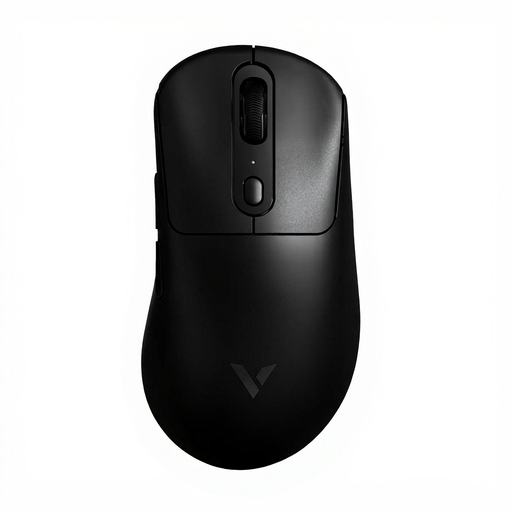
Why it suits this profile: The product specifications are aimed at players who value low latency, a light weight and extensive DPI settings in FPS or MOBA games.
The stated 8K wireless polling rate is a specific setting, but the manufacturer warns that higher polling rates may require more system resources.
59 grams, up to 30,000 DPI, independent X/Y DPI adjustment, 200 hours of battery life and programmable buttons.

Why it suits this profile: The vertical shape is designed for right-handed users looking for a different grip during long work and gaming sessions. The mouse supports Bluetooth and Razer HyperSpeed.
The product specifications state the shape, dimensions, weight of 150 grams and compatible connections. This makes it clear in advance that this is not an ultra-light FPS model.
30,000 DPI, six programmable buttons, 18-zone RGB lighting and, according to the manufacturer, up to six months of battery life.
We have put together a complete, up-to-date list of products that fully meet these strict selection criteria and the applicable European safety regulations.
Bluetooth can work perfectly well for casual gaming and everyday use. For competitive games, many users prefer a 2.4GHz connection with a USB receiver, as it is specifically designed for low latency. When using a laptop, check that the required receiver and port are available.
This varies depending on the model and settings. In the product information for the models mentioned, the stated usage time ranges from around 80 hours to several hundred hours. RGB lighting, a higher polling rate and frequent charging can affect actual battery life. Therefore, use the stated battery life as a guideline rather than a guarantee.
Only if your system and games support the setting and you consider the difference important in use. For many players, 1,000 Hz is sufficient. An 8K setting can increase CPU usage and may require recent software or firmware. So compare the sensor, weight, shape and battery life before choosing a mouse solely for the highest polling rate.
