
Vandaag of morgen in huis

Kwaliteit gegarandeerd

Welkomstaanbiedingen ontgrendelen: GRATIS bezorging | Tot 80% korting | Gratis 30 dagen JoyPlus-proefperiode
Download de app
As a Joybuy Product Recommendation Officer, I see gamers every day navigating a jungle of technical specifications and marketing promises. The search for the perfect wireless gaming mouse can be frustrating. Manufacturers throw around terms like DPI, polling rate, and ultra-lightweight, but what do they really mean for your performance? Before you invest in new gear, it's crucial to recognise the most common pitfalls that can cost you money without improving your gameplay.
Two common missteps are:
long battery life gaming mouse sounds great, but the advertised hours are often measured under ideal, power-saving conditions (like a 1000Hz polling rate). As soon as you crank up the performance to 4K or 8K, the actual usage time can drop dramatically.To avoid a bad purchase, focus on the specifications that truly matter for competitive gamers. These are the factors that make a direct, noticeable difference in fast-paced games.
The polling rate, measured in Hertz (Hz), indicates how often the mouse reports its position to your computer. A standard gaming mouse has a 1000Hz rate, meaning it reports 1,000 times per second (every 1ms). An 8K polling rate mouse does this 8,000 times per second (every 0.125ms).
FPS mouse where reaction time is critical. Be aware: a higher polling rate demands more from your CPU. Ensure your PC is powerful enough to leverage this benefit without your frame rate dropping.The switches under the mouse buttons determine the click feel and durability. The choice between optical and mechanical is personal but has technical implications.
A lightweight gaming mouse (usually under 70 grams) makes fast, sweeping motions easier and can reduce fatigue during long sessions. However, weight isn't everything. The ergonomic shape and how it fits your grip style (palm, claw, or fingertip) is at least as important for comfort and control. A programmable mouse with extra buttons may be slightly heavier but offers more functionality for MOBA or MMO players.
Below are some popular choices, matched to specific user profiles. These recommendations are based on objective product specifications to help you find a model that fits your playstyle and needs.
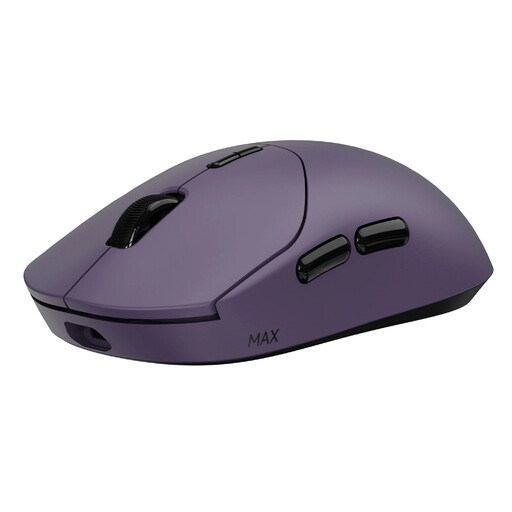
Why This Fits Their Persona: For the player who counts every millisecond. This `esports mouse` is engineered for maximum speed and responsiveness, ideal for competitive FPS and MOBA titles where precision and reaction time make all the difference.
The battery claim is tied to a specific, ultra-low-power Nordic MCU and a 1000Hz polling rate, setting transparent expectations. The focus is on native 8K performance, not an inflated DPI number.
Weight: 53g. Polling Rate: Native 8000Hz wireless. Switches: 120 million-click optical switches for durability and speed.
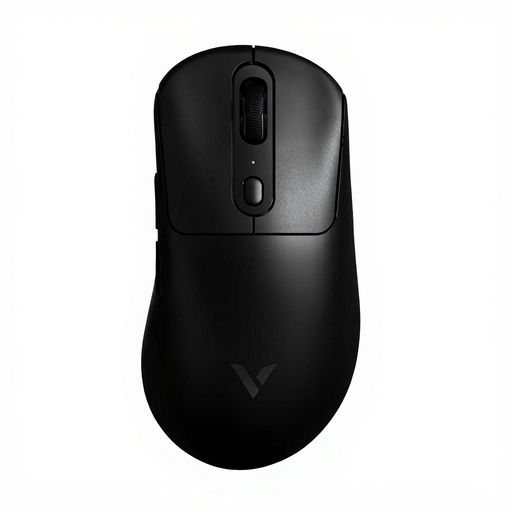
Why This Fits Their Persona: For the gamer seeking a balance between low weight, long battery life, and versatile features. This mouse is a workhorse for long gaming sessions across various genres.
Instead of just touting a high DPI number, this model highlights the quality of its PAW 3950 sensor and the practical feature of independent X/Y DPI adjustment. The 200-hour battery life is backed by a hefty 800mAh battery, substantiating the claim.
Sensor: PAW 3950 Ultimate. Battery: 200 hours. Buttons: 1+8 programmable buttons for maximum flexibility.
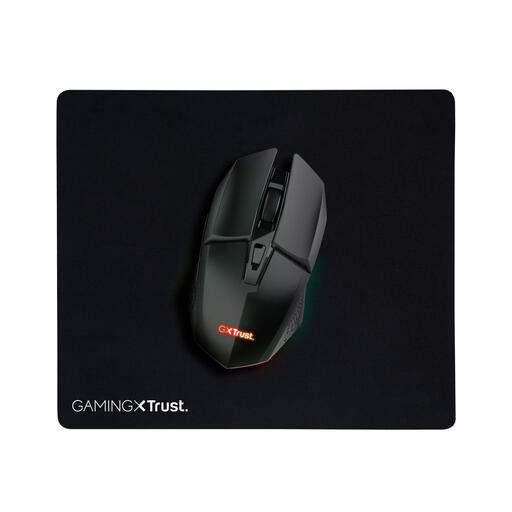
Why This Fits Their Persona: Ideal for those looking to switch to wireless gaming without a major investment. This mouse offers reliable baseline performance for a wide range of games and comes as a complete starter pack.
This model makes no exaggerated promises. Its specifications (4800 DPI, 80-hour battery) are modest and realistic for this price point. It avoids marketing pitfalls by being transparent about its capabilities.
Value: A solid entry-level model. Complete Package: Comes with a mousepad included, so you can get started right away.
We have curated a complete, up-to-date list of products that fully meet these strict selection criteria and local regulations.
It depends. For competitive FPS players with a high-refresh-rate monitor (144Hz or higher) and a powerful PC, the difference in responsiveness can be noticeable. For most other gamers, a 1000Hz or 4000Hz mouse is more than sufficient and puts less strain on your system.
The advertised long battery life gaming mouse is often based on usage with a lower polling rate (e.g., 1000Hz) and without RGB lighting. With intensive use at an 8K polling rate, the battery life can be significantly shorter. Look at the battery capacity (expressed in mAh) and the technology used (such as energy-efficient MCUs) for a more realistic picture of performance.
An optical switch mouse uses a light beam to register a click. This is typically faster, prevents the 'double-click' issue that can occur with mechanical switches over time, and they often last longer. Mechanical switches have a more traditional, tactile 'click' feel that some users prefer. The choice is largely personal, but on paper, optical switches offer superior durability.
