
Vandaag of morgen in huis

Kwaliteit gegarandeerd

Welkomstaanbiedingen ontgrendelen: GRATIS bezorging | Tot 80% korting | Gratis 30 dagen JoyPlus-proefperiode
Download de app
A split second can be the difference between victory and defeat. Your reaction time is crucial, but your gear needs to keep up. A stuttering, heavy, or imprecise mouse is a direct handicap in competitive games. If you're looking for a new wireless gaming mouse, you don't want marketing fluff; you want clear information on what truly matters: weight, sensor precision, and a lag-free connection.
My name is Joy, and as a Product Recommendation Officer at Joybuy, I'm here to help you make the right choices. In this article, we'll explore the specs that really matter and present some popular choices for serious PC gamers.
Before we dive into the products, here are three key factors to consider to help you choose.
For fast-paced games like FPS titles, a lightweight gaming mouse (typically under 70 grams) is a major advantage. A lighter mouse reduces fatigue and allows for faster, more precise movements. The shape should fit your hand size and grip style (palm, claw, or fingertip). A mouse that feels uncomfortable will negatively impact your performance, no matter how good its specs are.
The sensor is the heart of your mouse. Terms like DPI and Polling Rate are important here.
The fear of lag in wireless mice is a thing of the past. Modern 2.4GHz technologies, like those used in most gaming mice, offer a connection that is on par with a wired mouse in terms of speed and stability. Also, pay attention to battery life and charging options. A rechargeable mouse with a USB-C port or a charging dock offers great convenience.
Based on specs, functionality, and intended use, we've rounded up some compelling options for you.
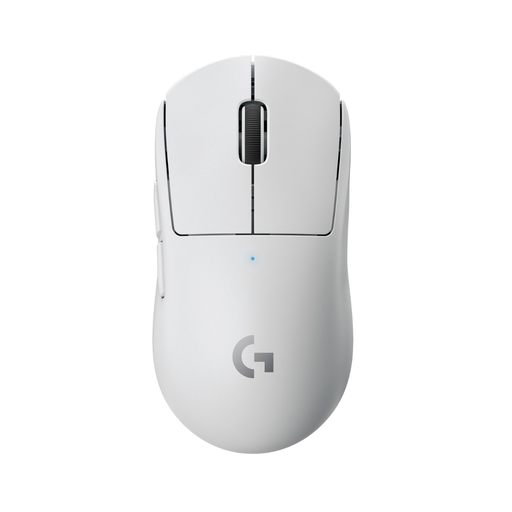
Why It Stands Out The Logitech G Pro X SUPERLIGHT is widely regarded as the gold standard for an esports mouse. Weighing just 63 grams, it is extremely light. Logitech developed this mouse in collaboration with esports professionals. The combination of its reliable LIGHTSPEED wireless technology and the precise HERO 25K sensor makes it a popular choice for competitive players.
Pros
Who Is It For? For the serious competitive gamer and esports athlete looking for an ultralight, reliable, and proven mouse for FPS and other fast-paced games.
View the Logitech G Pro X SUPERLIGHT
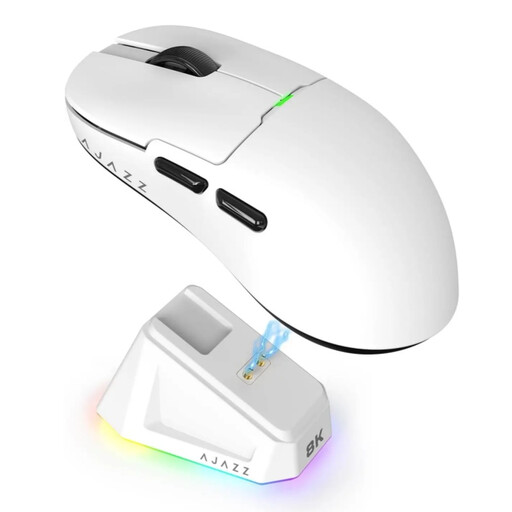
Why It Stands Out The AJAZZ AJ159 PRO is a compelling Logitech Superlight alternative for gamers seeking the latest technology. At 56 grams, it's even lighter and is equipped with the highly-regarded PAW3395 sensor, which supports a maximum DPI of 26,000. A unique feature is its support for an 8000 Hz polling rate, ensuring exceptionally smooth tracking. The included magnetic charging dock is a convenient addition.
Pros
Who Is It For? For gamers looking for top-tier performance and the very latest specs. An excellent choice for those considering a powerful alternative to established brands.
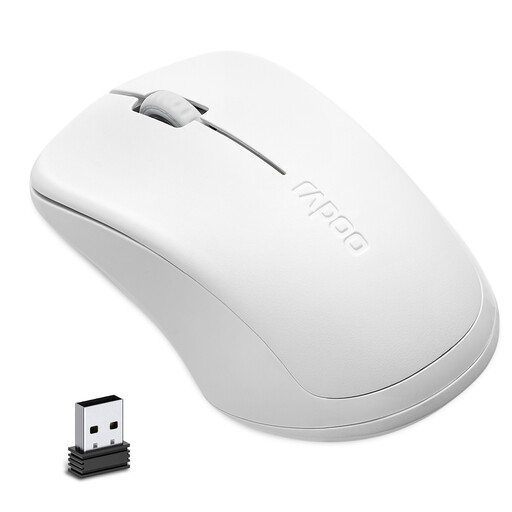
Why It Stands Out This mouse falls into a different category. The RAPOO 1680 is not a high-performance gaming mouse but focuses on a specific advantage: silence. According to the manufacturer, Rapoo, its design effectively reduces click noise. This makes it suitable for use in shared spaces, like a dorm room or living room, where clicking sounds can be disruptive.
Pros
Who Is It For? For the casual gamer or PC user who shares their computer or works/studies in a quiet environment. This is not a recommendation for competitive gaming, but a practical choice when silence is a priority.
A complete gaming setup is more than just the mouse. A tidy desk with the right cables can also help you focus. For example, are you looking for a white cable that perfectly matches your new white mouse? Check out our selection for a clean finish for your battlestation.
Yes, modern 2.4GHz wireless technologies offer a connection with very low, virtually imperceptible latency. For both amateur and professional gamers, there is no longer any noticeable performance difference between a high-quality wireless mouse and a wired model.
For fast-paced games where you move the mouse a lot and quickly, such as FPS games, a lightweight gaming mouse (under 70 grams) can help reduce fatigue and increase precision. For other game genres, like MMOs or strategy games, weight is more a matter of personal preference.
