
Vandaag of morgen in huis

Kwaliteit gegarandeerd

Welkomstaanbiedingen ontgrendelen: GRATIS bezorging | Tot 80% korting | Gratis 30 dagen JoyPlus-proefperiode
Download de app
A wireless gaming headset for PS5 gives you more freedom of movement than a cable connected to your controller. However, “wireless” alone says little about how suitable a headset really is. Some models do not work directly with Bluetooth on PS5, while others require a USB receiver. Battery-life claims, surround sound and microphones can also perform differently from what you might expect based on the packaging.
Joybuy Product Recommendation Officer has therefore put together the key points to check. This allows you to compare wireless gaming headsets based on practical specifications rather than marketing terms.
A Bluetooth gaming headset may work perfectly with a phone, tablet or laptop, but that does not mean you can connect it directly to a PS5. Check whether the headset:
Some models explicitly state that Bluetooth does not work directly with PS5 or PS4. In that case, a USB dongle or wired mode may be essential.
A gaming headset with surround sound usually uses software or virtual audio processing. This is different from having multiple physical speakers in each earcup. So check whether the feature:
A headset with 50mm drivers does not automatically provide better spatial positioning. Tuning, the connection and your console’s settings also play a part.
A gaming headset with long battery life may last considerably less when RGB lighting, 2.4GHz and an active microphone are all being used at the same time. When comparing models, look at:
With wireless earbuds, you should also distinguish between play time per charge and the additional capacity provided by the charging case.
For PS5 gaming, a stable connection matters more than simply seeing the word wireless. A 2.4GHz radio connection via a USB receiver is generally designed to provide low latency during games. PlayStation Link was developed specifically for compatible PlayStation devices. Bluetooth is mainly useful for mobile devices and some PCs.
Want to use one wireless headset with both your PC and console? Check whether the USB receiver supports USB-A, USB-C or both connections. Also check whether Xbox is genuinely supported; compatibility with PS5, PC and Nintendo Switch does not automatically mean compatibility with Xbox.
A PS5 headset with a microphone should not only play sound, but also deliver clear voice chat. Check whether the microphone:
Terms such as “AI noise cancellation” or “crystal-clear voice” are brand claims. According to a brand’s own research or product information, such features may reduce background noise, but the experience depends on your room, keyboard noise and microphone position.
A comfortable over-ear gaming headset should fit around your ears without applying too much pressure. Pay attention to the weight, the adjustability of the headband and the material used for the ear cushions. Faux leather may block out sound more effectively, but can feel warmer during long sessions. Fabric or breathable cushions may be more comfortable in a warm room.
Wireless earbuds are lighter and easier to carry, but fit is a personal matter. The Sony PULSE Explore is supplied with different ear tips and a charging case; try the fit carefully and stop using them if they cause discomfort.

Why it suits this profile: A practical choice for anyone who wants to play wirelessly on PS5, PS4 or Windows without immediately opting for a compact earbud model.
The product information mentions both 2.4GHz and Bluetooth, as well as battery life of up to 22 hours. This makes it clearer what the different wireless modes are intended for.
50mm drivers, detachable microphone, stated play time of 22 hours, plus 3.5mm, Bluetooth and radio connectivity.

Why it suits this profile: Designed for players who enjoy long sessions and use multiple devices, including PS5, PC, PS4, Switch and mobile devices.
The stated battery life is broken down into separate figures: up to 120 hours via 2.4GHz and up to 200 hours via Bluetooth. This helps you make a realistic comparison.
53mm drivers, detachable microphone, Bluetooth 5.3, memory foam and DTS Spatial Audio for PC according to the product information.
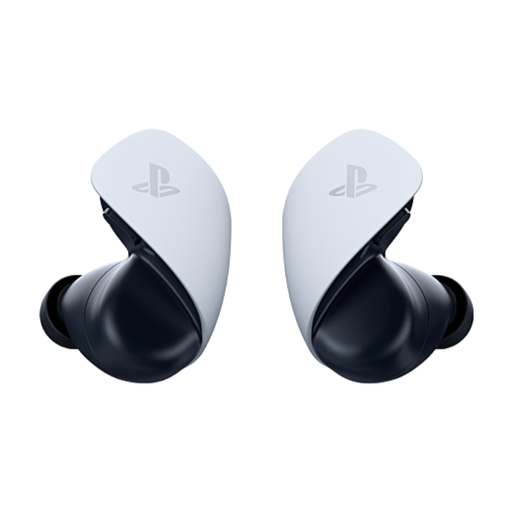
Why it suits this profile: Suitable for PS5 players who prefer lightweight wireless earbuds and also want to connect to PlayStation Portal, PC, Mac and mobile devices.
The connection types are clearly specified: PlayStation Link for compatible devices and Bluetooth for mobile devices. The product description states up to 5 hours per charge, with additional capacity provided by the case.
Planar magnetic drivers according to the product information, two built-in microphones and compatibility with PS5 and PlayStation Portal.

Why it suits this profile: For gamers who do not want to charge a battery and are looking for one headset for PlayStation, PC, Xbox, Switch and mobile devices via 3.5mm.
The fixed 3.5mm connection prevents connection problems and a flat battery. According to the product information, the stated 7.1 feature requires software and is not the same as hardware-based surround sound.
50mm drivers, a weight of 240 grams, detachable microphone and broad compatibility via 3.5mm.
We have put together a complete, up-to-date list of products that fully meet these strict selection criteria and the applicable European safety regulations.
No. Check whether Bluetooth is specifically supported for PS5. With many models, Bluetooth is intended for smartphones and tablets, while PS5 requires a USB receiver, PlayStation Link or a 3.5mm cable.
Insert the compatible USB receiver into the PS5 and follow the manufacturer’s pairing instructions. Then use the audio output and microphone menu in the PS5 settings. With a wired headset, connect the 3.5mm plug to the controller.
Its lifespan depends on the battery, hinges, ear cushions and how it is used. Charge the headset according to the instructions, avoid heat and store it in a dry place. Under normal use, consumers in the EU are generally covered by the statutory guarantee under the sales contract; if a defect occurs, check the seller’s terms and conditions. Keep the volume at a moderate level and take regular breaks during long gaming sessions.
