
Vandaag of morgen in huis

Kwaliteit gegarandeerd

Welkomstaanbiedingen ontgrendelen: GRATIS bezorging | Tot 80% korting | Gratis 30 dagen JoyPlus-proefperiode
Download de app
A wireless gaming headset gives you more freedom to move around than a wired headset. However, not every model is suitable for every console, PC or mobile phone. A low price can be tempting, but hidden limitations with connectivity, the microphone or battery can sometimes lead to disappointment.
Bluetooth is handy for a phone or tablet, but with some games it can introduce more lag than a 2.4GHz connection. So if you need fast audio, check whether the headset comes with a 2.4GHz USB receiver.
It’s also worth checking which console you have. A Bluetooth gaming headset won’t automatically connect directly to a PS5, Xbox or Nintendo Switch. You may need a dongle, and not every dongle supports every console.
Many models offer virtual 7.1 surround sound. This is software-based audio processing, and it doesn’t guarantee that every sound will be clearer. Performance can also depend on your platform, game and software.
So check:
A gaming headset with long battery life will usually reach its stated play time only under specific conditions. RGB lighting, higher volume, microphone use and a 2.4GHz connection can all increase power consumption. So don’t just look at the highest number of hours: check the charging port, fast-charging feature and whether you can continue playing with a wired connection.
For gaming, 2.4GHz wireless is generally the practical choice, thanks to the direct connection with the supplied USB receiver. Bluetooth is useful for smartphones and tablets. A headset that supports both makes it easier to switch between gaming and mobile use.
Before you buy, check:
A 3.5mm cable is a useful back-up if the battery runs out or wireless use isn’t available.
A gaming headset with a microphone needs to do more than play audio: it should also let you communicate clearly. A flip-up microphone may mute automatically, while a detachable microphone is handy if you also use the headset when you’re out and about.
Check how muting works:
Terms such as “noise cancelling” appear in product descriptions, but may refer to the microphone, the earcups or active noise cancellation. So check the specifications rather than assuming the term guarantees a particular level of performance.
A comfortable over-ear headset fully covers your ears. Check the weight, the thickness of the ear cushions and whether the headband is adjustable. A 250-gram model may feel different from one weighing over 300 grams, especially during longer sessions.
Check the material too. Faux leather often provides a good seal, while fabric or memory foam may feel different during extended use. Fit is personal, but swivel earcups and an adjustable headband can help distribute pressure more evenly.
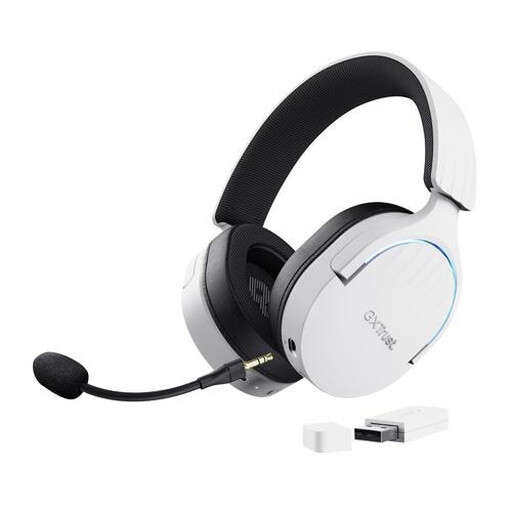
Why it suits this profile: This model combines 2.4GHz, Bluetooth and a wired connection. It’s a good fit for gamers who play on PC or PlayStation and want one headset for several devices.
The product information clearly lists all three connection options. Virtual 7.1 is specified as a separate sound mode, not as a physical surround-sound setup.
50mm drivers, detachable microphone, adjustable headband and a stated battery life of up to 22 hours.

Why it suits this profile: Its long battery life, memory foam ear cushions and range of wireless connections make it a good choice for people who often switch between gaming, working and listening on the go.
The manufacturer gives separate battery-life figures for 2.4GHz and Bluetooth: up to 120 and 200 hours. This makes it easier to relate the battery-life claim to how you’ll use the headset.
53mm drivers, detachable microphone, USB-A and USB-C connections, and DTS Spatial Audio according to the product information.
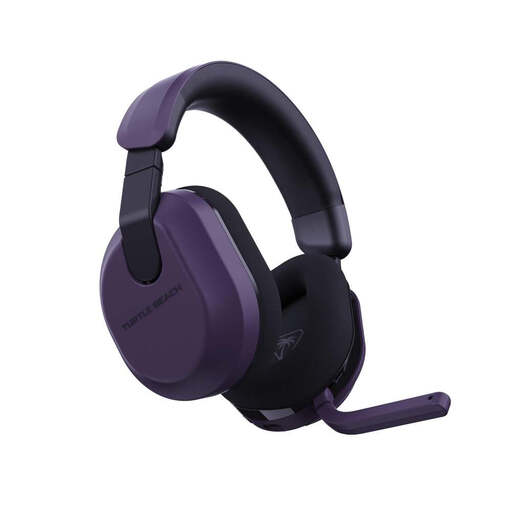
Why it suits this profile: This model is designed for players who enjoy long sessions and switch between Xbox, PlayStation, PC, Steam Deck and mobile devices.
The product specifications list 2.4GHz, Bluetooth 5.2 and a QuickSwitch feature separately. Do check in advance which connection your console supports.
Up to 80 hours of battery life according to the manufacturer, 50mm speakers, memory foam ear cushions and a flip-up mute microphone.
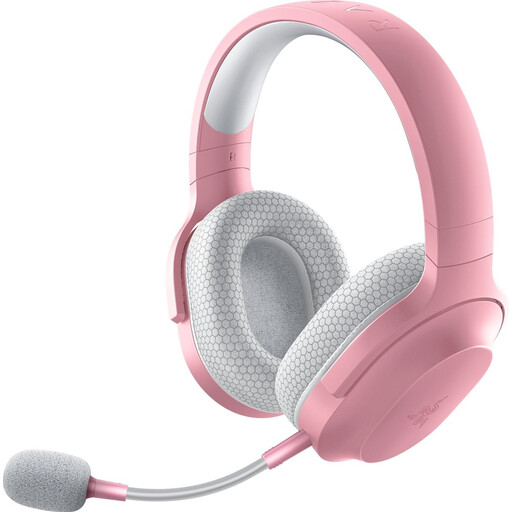
Why it suits this profile: Weighing around 250 grams, with 2.4GHz, Bluetooth and 3.5mm connectivity, this is a practical choice for use at home and on the go.
The product description lists a USB-C dongle for wireless gaming and Bluetooth 5.2 for mobile devices. This makes it clear that Bluetooth isn’t the only connection option.
Up to 50 hours of battery life according to the manufacturer, detachable microphone, 40mm drivers and support for PC, PlayStation, Nintendo Switch and Android.
We’ve put together a complete, up-to-date list of products that meet these strict selection criteria and the applicable European safety regulations.
No. Always check the compatibility list for the specific model. A USB receiver may work with PC and PlayStation, while Xbox may require its own wireless standard. Bluetooth won’t automatically work with every console.
It depends on the connection, volume, microphone and any lighting. Manufacturers often state a maximum battery life. For everyday use, it’s a good idea to check the stated battery life in the mode you want to use, such as 2.4GHz rather than Bluetooth alone.
Not necessarily. Virtual surround sound can add a sense of space, but stereo is enough for many games. Look for a model that lets you adjust the sound mode, and check that the feature is available on your PC or console.
Use each headset at a moderate volume and take regular breaks. Under this product selection, the statutory European guarantee is at least two years; additional rights may apply under Dutch consumer law.
