
Vandaag of morgen in huis

Kwaliteit gegarandeerd

Welkomstaanbiedingen ontgrendelen: GRATIS bezorging | Tot 80% korting | Gratis 30 dagen JoyPlus-proefperiode
Download de app
A wireless gaming headset gives you more freedom to move while gaming, but not every model works equally well with every console or computer. For example, a headset may support Bluetooth but not offer a low-latency connection for competitive games. In practice, the advertised battery life, surround sound and microphone quality can also depend on the connection mode and software you use.
As a Joybuy Product Recommendation Officer, I focus on specifications you can verify: compatibility, connection type, weight, microphone, battery life and the included dongle.
Bluetooth is handy for a smartphone, tablet or laptop. When gaming, however, you may notice a delay between the picture and sound. A 2.4 GHz gaming headset usually uses a USB dongle for a direct wireless connection. So check whether the headset offers both options.
A product title may mention several platforms, but the connection can vary from one device to another. A USB-C dongle won’t necessarily fit every port. PlayStation, Nintendo Switch and Xbox may also differ in their support for wireless USB, Bluetooth and a 3.5mm cable.
Before buying, check:
A headset with long battery life may have an advertised maximum that applies only in a specific mode. Lighting, volume, Bluetooth and 2.4 GHz can all affect how long it lasts. So check the battery life for each connection method. A short charging time or USB-C connection is also handy for everyday use.
For PC and console gaming, 2.4 GHz via a USB receiver is often the practical choice if you want to minimise lag. Bluetooth is suitable for music, phone calls and mobile gaming. A model with both connections, such as a Bluetooth gaming headset, gives you more flexibility.
A 3.5mm connection can come in handy if the battery runs out or you’re using a controller. Just check that all the cables and adapters you need are included in the box.
A Bluetooth headset with a microphone isn’t automatically suitable for team communication. Check the microphone type and position, and whether it’s detachable, foldable or has a mute function. A detachable microphone is handy if you also use the headset on the go.
Terms such as ‘noise cancelling’ can refer to the microphone or to the sound you hear. So check which function is actually specified. For several models in this guide, the feature is passive noise reduction or microphone noise reduction; neither is the same as active noise cancellation.
A wireless over-ear headset covers your ears and can partially block out surrounding noise. Check the weight, the shape of the ear cushions and the material. The models available range in weight from around 250 to over 400 grams.
A larger driver size doesn’t, on its own, tell you everything about sound quality. Check the frequency response, impedance and available software too. Surround sound is often virtual and may depend on the platform. Dolby Atmos, DTS Spatial Audio and other spatial audio modes may also require an app, licence or PC configuration.
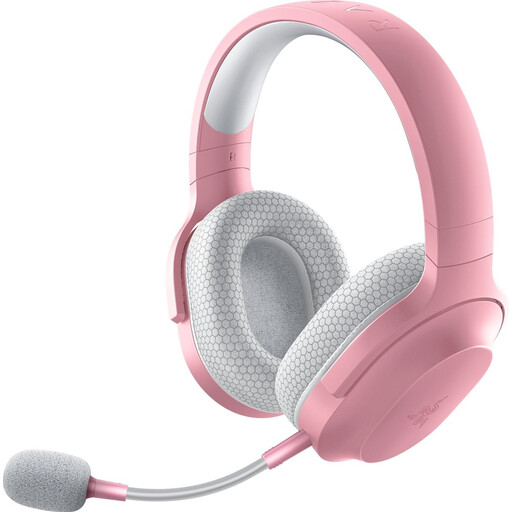
Why it suits this user: This model combines 2.4 GHz, Bluetooth 5.2 and a 3.5mm connection for PC, PlayStation, Switch and Android. According to the product specifications, it weighs 250 grams.
The range of connection options means you’re not limited to Bluetooth. The microphone is detachable and the advertised battery life is up to 50 hours.
40mm drivers, USB-C charging, 50-hour battery life and a USB-C dongle with adapter included.
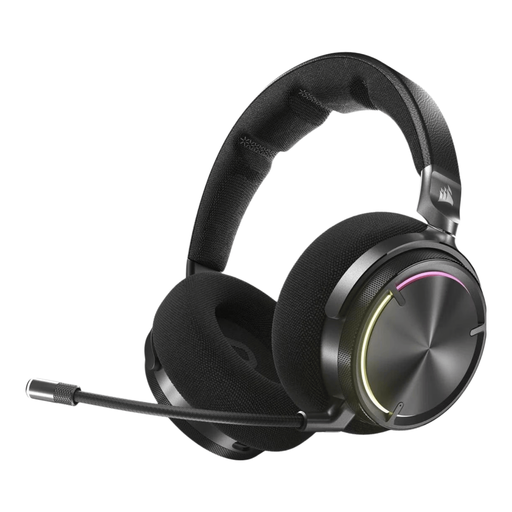
Why it suits this user: The specifications list dual wireless transmission, 50mm drivers, active noise cancellation and Dolby Atmos support. This makes it a good fit for users who value plenty of customisation options.
The battery life and connection options are clearly stated: up to 30 hours, with RF and Bluetooth connectivity. This makes it clear that it may not last as long as lighter models between charges.
50mm graphene drivers, a closed-back over-ear design, virtual surround sound and active noise cancellation.

Why it suits this user: For long gaming sessions, the advertised battery life is worth noting: up to 120 hours via 2.4 GHz and up to 200 hours via Bluetooth. This model is designed for PC, PlayStation, Switch and mobile devices.
The different battery-life figures are specified for each connection mode. This lets you compare the claim with how you’ll use the headset, rather than looking at just one maximum figure.
53mm drivers, detachable microphone, USB-A and USB-C connections, and DTS Spatial Audio according to the product information.
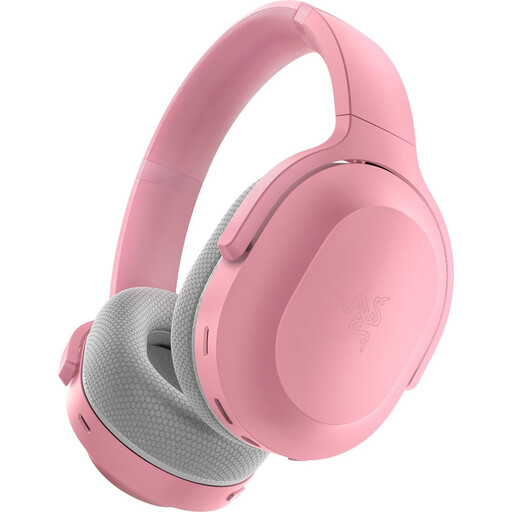
Why it suits this user: The product specifications list PC, PlayStation, Nintendo Switch and Android, as well as 2.4 GHz and Bluetooth 5.2. This makes the model suitable for use at home and for listening on the go.
You’re not limited to Bluetooth: there’s also a 2.4 GHz option and a USB dongle. The advertised battery life is up to 40 hours.
50mm drivers, USB-C charging, built-in microphones and support for multiple platforms.
We’ve put together a complete, up-to-date list of products that meet these strict selection criteria and the applicable European safety requirements.
It depends on the model. Check whether the included USB receiver is designed for both devices. Bluetooth can be handy on PC, but for PlayStation a USB dongle or 3.5mm connection is often the relevant option.
Virtual surround sound can help with spatial audio, but it isn’t always available on every platform. Check whether the mode is activated through Windows software, PlayStation audio settings or a specific app. Stereo may be enough if you mainly use your headset for music, chat or casual games.
Battery life between charges varies considerably. For the models listed, the advertised wireless battery life ranges from 22 to 120 hours, depending on the model and mode. Use the headset at a moderate volume, charge it via USB-C and store it somewhere dry. The legal guarantee in the EU for these product listings is at least two years; additional rights may apply under Dutch consumer law.
