
Vandaag of morgen in huis

Kwaliteit gegarandeerd

Welkomstaanbiedingen ontgrendelen: GRATIS bezorging | Tot 80% korting | Gratis 30 dagen JoyPlus-proefperiode
Download de app
A wireless gaming headset gives you more freedom to move than a wired one. However, not every model is automatically suitable for your console, PC or mobile device. Marketing terms such as “surround sound”, “low latency” and “long battery life” only tell you so much unless you know which connection, battery life and microphone performance they actually refer to.
The three most common buying mistakes:
A stable connection is important for fast-paced games. A 2.4 GHz gaming headset usually uses a USB receiver and is designed to connect wirelessly to a PC, console or laptop. This can be a more practical choice for games where timing matters.
A Bluetooth gaming headset is particularly useful for smartphones, tablets and everyday use. Check whether your console supports Bluetooth audio directly. Some models don’t support Bluetooth on PS4 or PS5 without an additional adapter.
Also check which connections are included:
A gaming headset with a microphone is only practical if your teammates can understand you. Check its position, noise reduction and controls. A flip-to-mute microphone switches off when you flip it up. A detachable microphone is useful if you also want to use the headset on the go.
Bear in mind that terms such as “AI noise cancelling” come from the brand’s product description. According to information from Sony and Turtle Beach, certain models use algorithms designed to reduce background noise during speech. This doesn’t guarantee the same level of clarity in every room or with every device.
An over-ear gaming headset fully covers your ears and can help block out some surrounding noise. Check the weight, ear cushion shape and how adjustable the headband is. A heavier model may feel different during longer sessions than a headset weighing around 250 grams.
When choosing a gaming headset with long battery life, check the conditions under which it was tested. Battery life can vary depending on whether you’re using 2.4 GHz, Bluetooth, lighting and the volume level. USB-C charging is now common. With wireless gaming earbuds, also consider how much extra charge the case provides.
Virtual surround sound can help you identify the direction of sounds in games, but it doesn’t guarantee that you’ll always hear footsteps more clearly. Check whether the feature only works on PC, needs to be activated via software or is also available on your console.
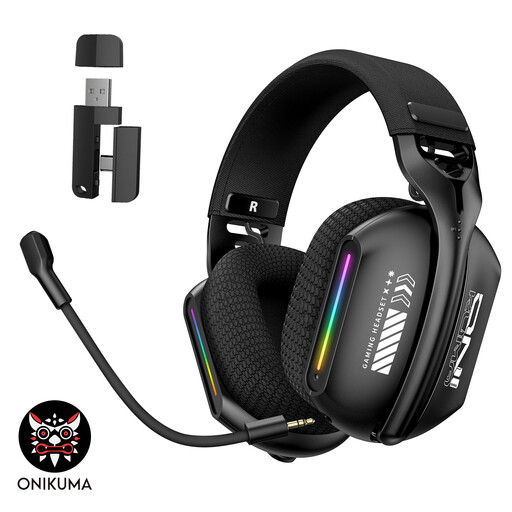
Why it suits this profile: The three modes — Bluetooth, 2.4 GHz and wired — offer flexibility for PC, mobile use and different gaming setups.
The three connection options reduce the chance of needing an extra connection after purchase. Check the dongle and your console beforehand.
2.4 GHz, Bluetooth and wired mode; soft memory foam ear cushions and an adjustable headband.
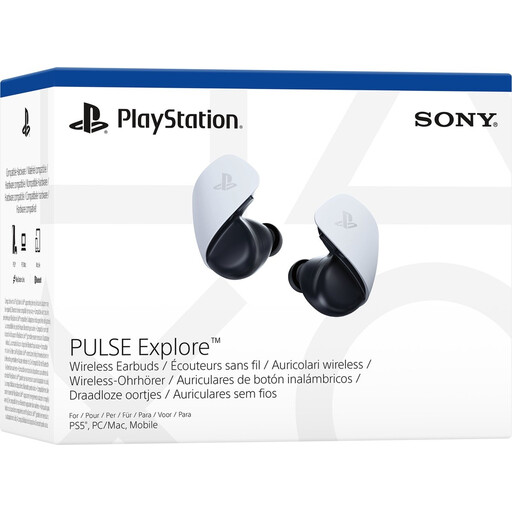
Why it suits this profile: Designed for PlayStation users who want compact wireless gaming earbuds for PS5, PC, Mac and PlayStation Portal.
The product specifications list PlayStation Link for low latency and Bluetooth for a mobile device. Check which adapter is included with your version.
Planar magnetic drivers; up to 5 hours per charge and, according to the product information, extra use via the charging case.
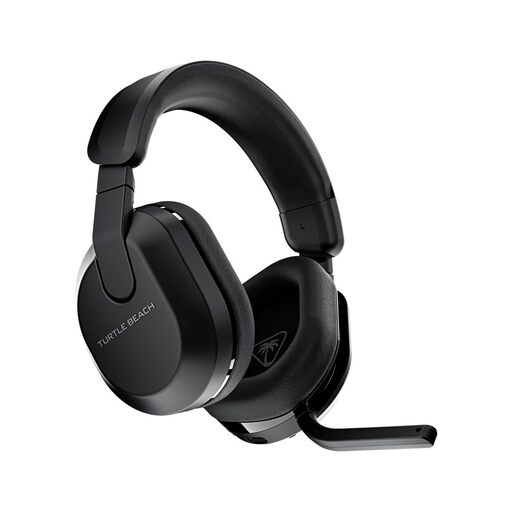
Why it suits this profile: An option for players who enjoy long sessions and want to switch between Xbox, PlayStation, PC, Steam Deck and mobile devices.
The product specifications list 2.4 GHz, Bluetooth 5.2 and QuickSwitch. That means you don’t need a separate headset for each device.
Up to 80 hours of battery life according to the product specifications; flip-up microphone with mute function and 50mm drivers.
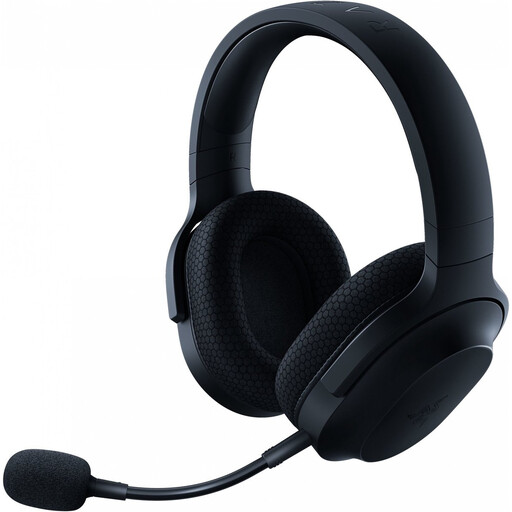
Why it suits this profile: A good choice if you want to use one headset with a PC, PlayStation, Nintendo Switch and Android devices.
As well as 2.4 GHz and Bluetooth, it comes with a 3.5mm cable. This gives you an alternative if wireless pairing doesn’t work or the battery runs out.
Around 250 grams; up to 50 hours of battery life according to the product specifications, plus a detachable microphone.
We’ve put together a complete, up-to-date list of products that meet these strict selection criteria and the applicable European safety regulations.
It depends on the model. A headset with a USB dongle or PlayStation Link may be suitable for PS5. Bluetooth alone doesn’t guarantee compatibility. Check the product listing and make sure the correct receiver is included.
For games that demand quick reactions, 2.4 GHz is often the practical choice, thanks to the low latency manufacturers quote for this connection. Bluetooth is still useful for phones, music and devices that don’t support a USB receiver. Your actual experience will depend on the device, distance and wireless interference.
Stated battery life varies widely: some models offer around 22 hours, while others claim up to 50, 70 or 80 hours according to their product specifications. RGB lighting, volume and connection mode all affect battery use. Make sure you charge your headset regularly and check whether fast charging is supported. For longer sessions, keep the volume at a moderate level to protect your hearing.
