
Vandaag of morgen in huis

Kwaliteit gegarandeerd

Welkomstaanbiedingen ontgrendelen: GRATIS bezorging | Tot 80% korting | Gratis 30 dagen JoyPlus-proefperiode
Download de app
A wireless gaming headset gives you more freedom of movement than a wired model. However, “wireless” says little about the actual gaming experience. A headset may appear to offer plenty of features on paper, yet disappoint in practice because of latency, a mediocre microphone or an uncomfortable fit.
So pay particular attention to these three common pitfalls:
For a wireless headset for PC or console, the available connections are crucial. Look for:
A multi-platform gaming headset does not automatically work on every platform in every mode. Check specifically whether the dongle is compatible with PS5, PS4, Xbox, Nintendo Switch or PC. Some models support Xbox wirelessly and directly, while others only work via Bluetooth or a cable. The product page and user manual should be your guide here.
A gaming headset with a microphone should transmit your voice clearly without the keyboard, fan or housemates drowning you out. Pay attention to the type of microphone:
According to the product description, the Turtle Beach Stealth 600 Gen 3 uses AI noise reduction for the microphone. This is a brand claim about how it works; actual voice clarity may depend on your surroundings, software and device.
A comfortable gaming headset should fit securely without clamping too tightly. Check the weight, the shape of the headband and the material used for the ear cushions. An over-ear gaming headset fully covers the ear, which often provides greater passive isolation. For longer sessions, also consider heat build-up.
Long battery life is useful, but always compare like-for-like measurements. The product information, for example, states the following:
These figures are usage estimates. RGB lighting, volume, connection type and other settings can affect actual battery life. Also check whether a fast-charging function and USB-C cable are included.

Why it suits this profile: The headset combines 2.4GHz, Bluetooth and a cable, so you can start by using it with a PC or console and later connect it to a smartphone too.
The connection is not limited to Bluetooth. The product information also lists a 2.4GHz receiver and a 3.5mm cable as alternatives.
50mm drivers, virtual 7.1 sound, detachable microphone and stated battery life of up to 22 hours.
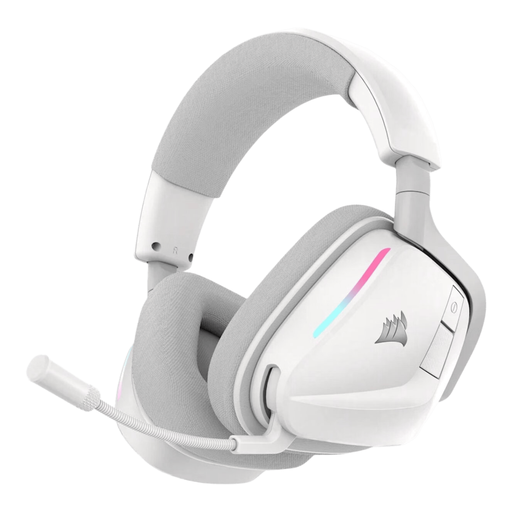
Why it suits this profile: Suitable for gamers who want to adjust settings using PC software and switch between 2.4GHz and Bluetooth.
The stated battery life is linked to 2.4GHz mode. This makes the claim easier to compare than a general wireless play-time figure.
50mm neodymium drivers, Dolby Atmos support according to the product description, RGB lighting and up to 70 hours of battery life.
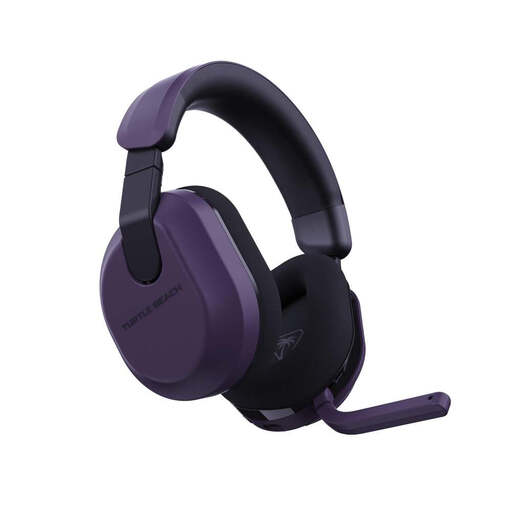
Why it suits this profile: A practical choice for long sessions on Xbox, PlayStation, PC, Steam Deck and mobile devices, depending on the connection used.
The QuickSwitch function is designed for switching between 2.4GHz and Bluetooth. However, check beforehand whether your console supports the included receiver.
Up to 80 hours of battery life, 50mm drivers, flip-up mute microphone and support for equaliser settings via Swarm II.
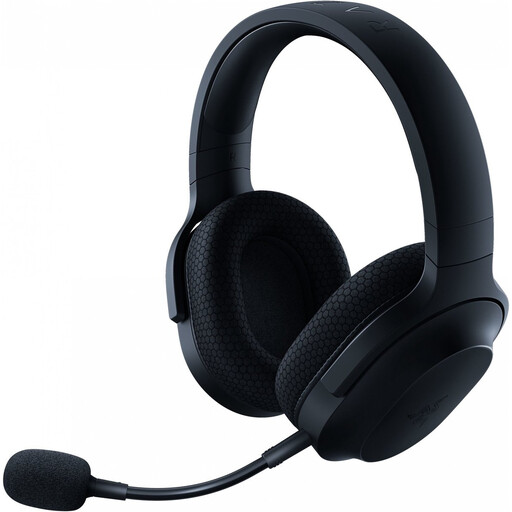
Why it suits this profile: Ideal for anyone who wants to use one headset with PC, PlayStation, Nintendo Switch, Android and mobile devices.
Alongside Bluetooth, the product information lists 2.4GHz, 3.5mm audio and a detachable microphone. This makes you less dependent on a single connection method.
Approximately 250 grams, 40mm drivers, up to 50 hours of battery life and support for 2.4GHz, Bluetooth 5.2 and an audio cable.
We have compiled a complete, up-to-date list of products that fully meet these strict selection criteria and the applicable European safety regulations.
That varies by model. Many headsets use a USB dongle for PS5, while Bluetooth is not always supported directly for game audio. Therefore, check whether the product information explicitly mentions PS5 and whether a USB-A or USB-C adapter is included.
It depends on the connection, volume and features such as RGB lighting. According to their product information, the models in this overview range from 22 to 120 hours in specific modes of use. A battery with a shorter life may still be suitable if charging between sessions is not an issue.
Not always. Passive isolation from closed-back ear cushions may be sufficient in a quiet room. Active noise cancellation is mainly relevant when background noise is disruptive. Check whether noise cancellation applies to the microphone, the earcups or both. Also avoid keeping the volume high for extended periods; manufacturers warn that this can damage your hearing.
