
Vandaag of morgen in huis

Kwaliteit gegarandeerd

Welkomstaanbiedingen ontgrendelen: GRATIS bezorging | Tot 80% korting | Gratis 30 dagen JoyPlus-proefperiode
Download de app
A wireless gaming headset gives you more freedom of movement than a wired model, but not every headset suits every player. A headset that works well on PC may require additional hardware on a PlayStation or Xbox. Battery life, surround sound and Bluetooth may also perform differently in practice from what the product title suggests.
That is why the Joybuy Product Recommendation Officer filters products using verifiable specifications. This helps you avoid paying mainly for marketing terms.
Bluetooth is useful for a phone, tablet or laptop, but a PlayStation 5 or Xbox does not always support every Bluetooth headset directly. A 2.4 GHz gaming headset with a USB receiver is generally designed to provide a faster connection to a console or PC.
Before buying, check the following:
For some models, such as the ONIKUMA GT806, it is explicitly stated that Bluetooth does not work directly with PS5 or PS4. In that case, use the 2.4 GHz mode or an additional Bluetooth adapter.
A manufacturer may measure maximum battery life in Bluetooth or music mode, while lighting, higher volumes and 2.4 GHz gaming use more power. For example, the ONIKUMA GT806 is listed as offering up to 60 hours in music and video mode without lighting, and up to 40 hours when gaming via 2.4 GHz.
So pay attention to:
A gaming headset with long battery life is particularly practical when the stated usage conditions match the way you game.
A headset with surround sound often uses virtual processing. This can change the sense of space, but the result also depends on the game, software and your personal preference. Trust lists virtual 7.1 surround sound for the GXT 491 Fayzo; the technical specifications also mention stereo playback with two audio channels.
Therefore, treat surround sound as an additional feature rather than your only purchasing criterion. For competitive games, low latency, a well-tuned equaliser and clear chat are often more important than a large number of virtual channels.
For PC gaming, PlayStation and Switch, a USB receiver using 2.4 GHz wireless is often practical. Bluetooth is useful for music, calls and mobile gaming. Models with dual or triple connectivity options are flexible, but always check the platform-specific exceptions.
A Bluetooth gaming headset is not automatically suitable for gaming on Xbox. Xbox compatibility must be stated specifically in the product specifications. The Turtle Beach Stealth 600 Gen 3 is listed as compatible with Xbox Series X|S, Xbox One, PlayStation, PC, Steam Deck and mobile devices. The version and included receiver remain important.
If you often play with others or stream, you will get more benefit from a good gaming headset with microphone than from powerful speakers alone. Pay attention to the type of microphone:
According to the product description, Turtle Beach uses AI voice isolation in the Stealth 600 Gen 3. This is a claim made by the brand, so focus mainly on whether the microphone can be physically adjusted and whether muting is easy.
A comfortable over-ear gaming headset fully covers the ear and distributes pressure across the ear cushions and headband. Check the weight, adjustability and cushion material. A lightweight headset is not automatically comfortable for everyone: the shape of the ear cups and the clamping force also matter.
According to the product specifications, the Razer Barracuda X weighs approximately 250 grams and has breathable memory foam ear cushions. The Razer BlackShark V2 HyperSpeed is listed as weighing 280 grams. The Turtle Beach Stealth 600 Gen 3 weighs 320 grams according to one product listing, while another version lists the weight as 0.6 kilograms. Always check the specifications for the version you have selected.
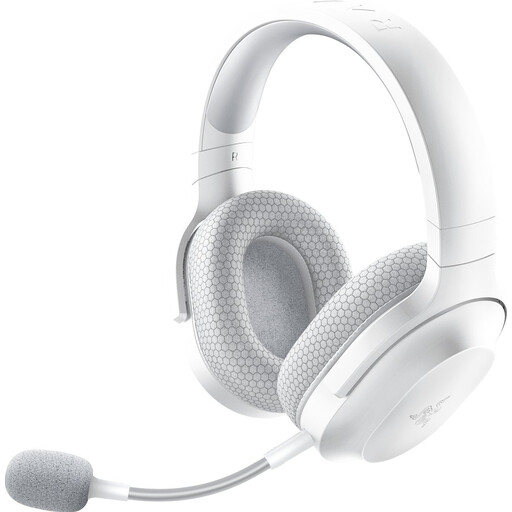
Why it suits this profile: A straightforward choice for anyone who wants to game on PC, PlayStation, Nintendo Switch or Android, while also listening to music.
The specifications list 2.4 GHz, Bluetooth 5.2 and a 3.5 mm connection. This gives you several connection options instead of Bluetooth alone.
Approximately 250 grams, up to 50 hours of battery life, detachable microphone and USB-C dongle.
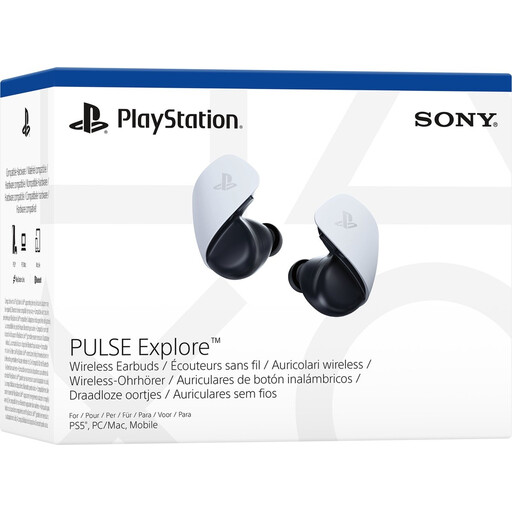
Why it suits this profile: Designed for PlayStation users who want compact earbuds for PS5, PC, Mac, PlayStation Portal and mobile devices.
The product information distinguishes between PlayStation Link and Bluetooth. This makes it clear which connection is intended for PS5 and which is intended for mobile devices.
Planar magnetic drivers, virtual surround sound and up to 5 hours of use per charge with a charging case.
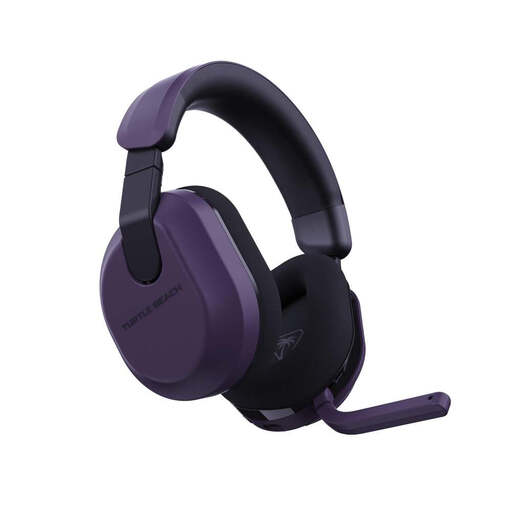
Why it suits this profile: For players who switch between Xbox, PlayStation, PC, Steam Deck and mobile devices, and game for many hours each week.
The listed 2.4 GHz and Bluetooth 5.2 connections are specified separately. The QuickSwitch button is designed for switching between sources.
Up to 80 hours of battery life, 50 mm drivers, flip-up microphone and memory foam ear cushions.
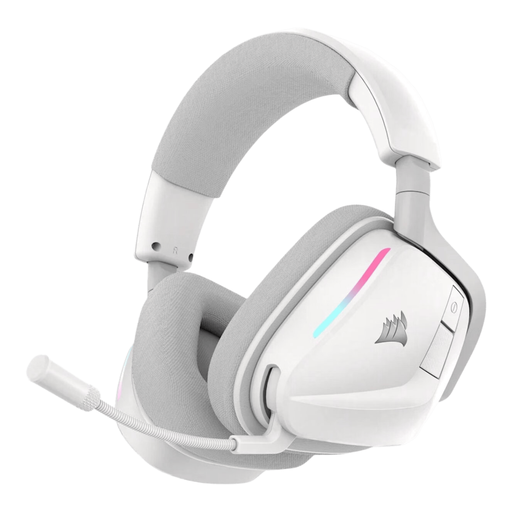
Why it suits this profile: Suitable for PC users who want to adjust chat, equaliser and lighting using software.
The product information lists both 2.4 GHz and Bluetooth 5.3, along with physical buttons for volume, mute and switching modes.
Up to 70 hours of battery life via 2.4 GHz, 50 mm drivers, Dolby Atmos Spatial Audio support and a USB-C cable.
We have put together a complete, up-to-date list of products that fully meet these strict selection criteria and the applicable European safety regulations.
It depends on the model. Check whether the manufacturer explicitly mentions your console and whether a compatible USB receiver is included. Bluetooth alone is no guarantee of direct support. Xbox often requires a specific Xbox version.
This depends on the connection mode, volume, microphone and any lighting. The stated figures in product information range from approximately 5 hours for compact earbuds to 80 hours for certain over-ear models. Treat these figures as the maximum usage time under the conditions specified.
2.4 GHz via a USB dongle is generally designed to provide low latency for gaming. Bluetooth is more practical for phones, music and calls. A headset with both options offers greater flexibility, provided it is compatible with each device.
