
Vandaag of morgen in huis

Kwaliteit gegarandeerd

Welkomstaanbiedingen ontgrendelen: GRATIS bezorging | Tot 80% korting | Gratis 30 dagen JoyPlus-proefperiode
Download de app
A wireless gaming headset gives you freedom of movement, but not every model suits every console, PC or gaming style. A headset may promise long battery life, surround sound and Bluetooth on paper, yet the connection may not work with your device or the microphone may disappoint.
So don’t focus solely on marketing terms. Above all, check the connection method, compatibility, comfort and battery performance listed in the product information.
A Bluetooth gaming headset may work well with a smartphone, tablet or laptop, but PlayStation consoles do not directly support every Bluetooth audio connection. Many gaming headsets require a USB receiver for a stable connection with a PC, PS4 or PS5.
Therefore, check:
For example, the product information for the ONIKUMA GT806 states that Bluetooth does not work directly with PS4, PS5 or PC. The 2.4 GHz mode with USB transmitter is intended for this purpose.
The stated battery life often depends on the selected connection mode and features such as RGB lighting. The ONIKUMA GT806 is listed with up to 60 hours for music and video without lighting, but up to 40 hours when gaming via 2.4 GHz. The lighting can increase power consumption.
So pay attention to:
A gaming headset with long battery life is particularly practical when the stated usage time is clearly specified.
Terms such as 7.1, spatial audio and Dolby Atmos do not automatically describe physical speaker channels. With a gaming headset with surround sound, this often refers to software processing that attempts to simulate direction and distance.
According to the product information, the Trust GXT 491 Fayzo supports virtual 7.1 surround sound. The Razer BlackShark V2 lists surround playback and support for various platforms. How it performs in practice may depend on your operating system, game and software settings. Consider surround sound an additional feature, rather than the only reason to choose a headset.
A 2.4 GHz gaming headset with a USB receiver is generally designed to provide low latency while gaming. This is important for competitive games where the picture and sound need to remain synchronised.
Bluetooth is more convenient for phones, tablets and everyday use. Some models combine both technologies. According to the product specifications, the Razer Barracuda uses 2.4 GHz and Bluetooth 5.2 and can be used with PCs, PlayStation consoles and mobile devices. The Razer Barracuda X also offers a 3.5mm connection.
A multi-platform gaming headset is only truly versatile when the right cables, receivers and compatibility information are included.
If you often play with others, a clear gaming headset with microphone is more useful than a headset that is only good for playing music. Check whether the microphone:
According to the product description, the Trust GXT 491 Fayzo has a detachable microphone with noise cancellation. The HyperX Cloud III S features a detachable boom microphone and a mute indicator. Claims about voice clarity come from the brands’ product information; your experience may vary depending on the room, device and chat software.
For long gaming sessions, an over-ear gaming headset, soft ear cushions and an adjustable headband are often more practical than a compact on-ear model. Also consider the weight:
A higher weight does not necessarily mean the headset will be uncomfortable, but the fit and pressure from the headband are personal preferences. An adjustable headband, swivelling ear cups and memory foam can help during extended use. Keep the volume at a comfortable level and take regular breaks.

Why it suits this profile: A practical choice for PC and PlayStation users who want the option to play wirelessly or with a cable.
The product information lists both 2.4 GHz and Bluetooth, as well as a 3.5mm cable, so you are not completely reliant on a single connection.
22 hours of battery life, 50mm drivers, USB-C charging and a detachable microphone.
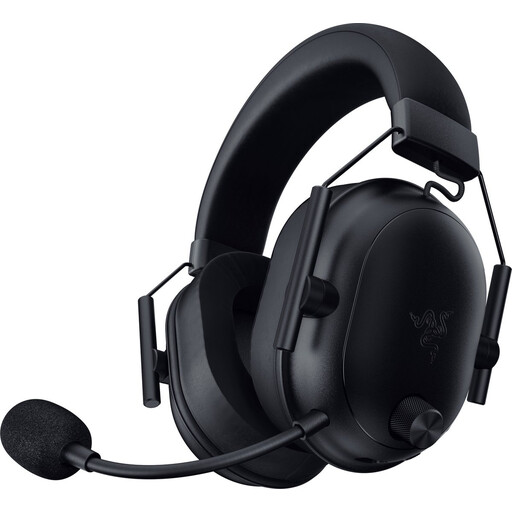
Why it suits this profile: Designed for PC gamers who value low latency, a light weight and extensive wireless options.
According to the specifications, the headset uses both HyperSpeed Wireless and Bluetooth and comes with a USB-C dongle and adapter.
280 grams, 50mm drivers and a stated battery life of up to 70 hours.

Why it suits this profile: Suitable for players who regularly enjoy long sessions and want to switch between 2.4 GHz and Bluetooth.
The product listing distinguishes between up to 120 hours via 2.4 GHz and 200 hours via Bluetooth, making the usage mode clearer.
53mm drivers, USB-A and USB-C connections and a detachable microphone.
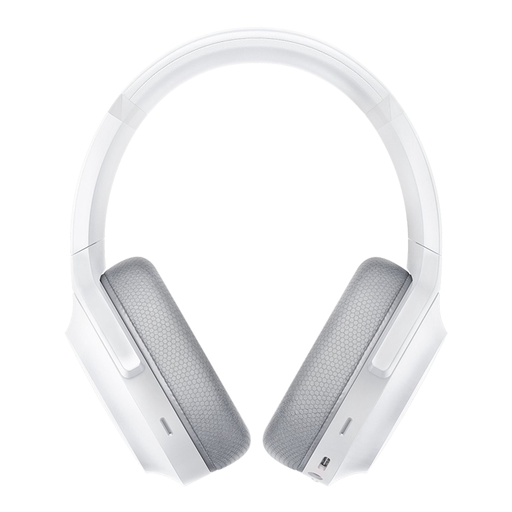
Why it suits this profile: Handy for anyone who wants to use one wireless headset with a PC, PlayStation, Switch and Android devices.
According to Razer, SmartSwitch technology combines 2.4 GHz and Bluetooth 5.2; however, it is still important to check compatibility with each device in advance.
Up to 40 hours of battery life, Bluetooth 5.2 and built-in microphones with noise cancellation, according to the product information.
We have compiled a complete, up-to-date list of products that fully meet these strict selection criteria and the applicable European safety regulations.
That depends on the model and the receiver included. A USB receiver using 2.4 GHz often works with PS5, but direct Bluetooth audio is not supported by every headset or console. Check the compatibility list and type of USB connection before placing your order.
For gaming, 2.4 GHz with a USB receiver is often the logical choice when low latency is important. Bluetooth is more practical for smartphones and tablets. A headset with both options offers greater flexibility, but always check which mode works with your device.
Battery life varies considerably. Among the models mentioned, the stated usage time ranges from 22 to 120 hours in 2.4 GHz mode. Lighting, volume, software and connection method all affect power consumption. So look at the battery life in the mode you use most often.
