
Vandaag of morgen in huis

Kwaliteit gegarandeerd

Welkomstaanbiedingen ontgrendelen: GRATIS bezorging | Tot 80% korting | Gratis 30 dagen JoyPlus-proefperiode
Download de app
A wireless gaming headset gives you greater freedom of movement, but not every model suits every player. A headset may look appealing thanks to RGB lighting, surround sound or long battery life, while the connection, microphone or fit may disappoint. So first check which features you actually need.
Bluetooth is useful for a phone, tablet or laptop, but it is not always the most suitable connection for competitive gaming. You may notice some latency, and certain consoles do not support Bluetooth audio directly.
A 2.4 GHz gaming headset with a USB receiver is generally designed to provide a stable, low-latency connection. However, check whether the receiver fits a USB-A or USB-C port. For example, the ONIKUMA GT806 states that Bluetooth does not work directly with PS4 or PS5; the 2.4 GHz mode is intended for this purpose.
A gaming headset with surround sound often uses virtual audio processing. The result depends on the software, game and your personal preference. A virtual 7.1 or Dolby mode may sound more spacious, but stereo can be clearer in some situations.
So pay attention to the actual specifications: driver diameter, supported software and compatibility with each platform. According to the product information, Dolby Audio 7.1 is available on PC and Mac with the Corsair HS55 Wireless; on PS5, Tempest 3D AudioTech is mentioned.
Long battery life sounds appealing, but the stated duration may depend on the connection mode, volume and lighting. With RGB gaming headsets, the lighting uses additional power. Also check the charging time, connector type and whether the headset can still be used while charging.
For PC gaming, a wireless USB receiver via 2.4 GHz is practical because of its low latency. Bluetooth is mainly useful for mobile devices and everyday use. A model with both options, such as the Razer Barracuda X, can therefore serve as a wireless headset for PC, PlayStation, Nintendo Switch and Android devices.
When choosing a wireless PS5 headset, check the included dongle and how it connects. Some models use USB-A, while others use USB-C or an adapter. If you want one headset for several devices, it is also worth checking whether a 3.5mm cable is included as a back-up.
A gaming headset with microphone should offer more than just a microphone: it should also provide convenient controls. Look for:
‘Noise cancelling’ is not a universal quality standard. According to the product specifications, the Corsair HS55 Wireless does not have microphone noise reduction, while the Trust GXT 491 Fayzo lists a noise-cancelling microphone. Practical performance may vary depending on your surroundings.
An over-ear gaming headset surrounds the ear and can block out ambient noise more effectively than an on-ear model. Check whether the earcups are large enough and whether the headband is adjustable. Weight is also important: the models in this selection range from approximately 250 to 340 grams, while additional features such as a larger battery or RGB lighting can increase the weight.
Also consider the materials. Memory foam, fabric and synthetic leather feel different and may respond differently to heat during extended use. A good fit is personal, so return policies remain important when ordering online.

Why it suits this profile: This model combines 2.4 GHz, Bluetooth and a wired connection, so you do not immediately need a second headset for mobile use.
The product specifications list a USB receiver, Bluetooth and a 3.5mm connection. This means Bluetooth is not the only connection option.
Up to 22 hours of battery life, 50mm drivers, a detachable microphone and support for virtual 7.1 surround sound.
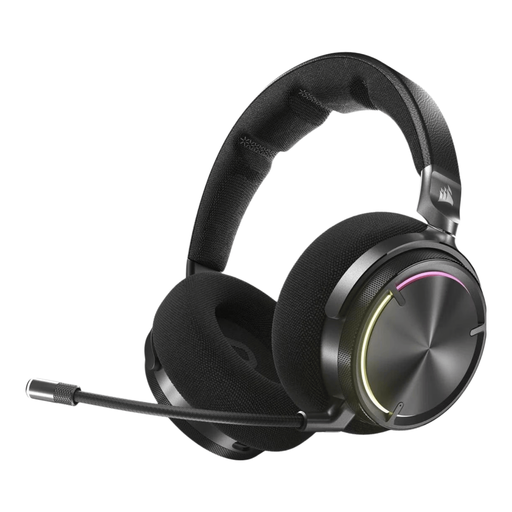
Why it suits this profile: Ideal for players who value extensive audio controls, active noise cancellation and a sturdy over-ear design.
The specifications mention both RF and Bluetooth. The headset is therefore not solely dependent on a direct Bluetooth connection.
50mm graphene drivers, Dolby Atmos support, active noise cancellation and up to 30 hours of battery life according to the product information.

Why it suits this profile: Suitable for long gaming sessions and users who regularly switch between PC, PlayStation, Switch and mobile devices.
The stated battery life is specified by mode: up to 120 hours via 2.4 GHz and up to 200 hours via Bluetooth. This gives you a clearer picture of how it can be used.
53mm drivers, detachable microphone, DTS Spatial Audio and compatibility with PC, PS5, PS4, Switch and mobile devices according to the product specifications.
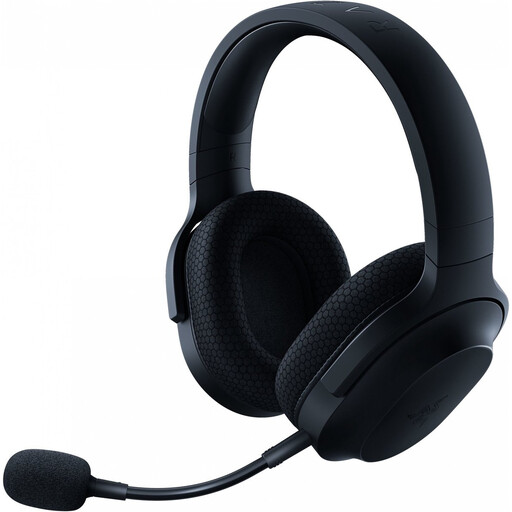
Why it suits this profile: Weighing approximately 250 grams and combining 2.4 GHz, Bluetooth and 3.5mm connectivity, this model is suitable for use at home and on the go.
The headset has a detachable microphone and a USB-C dongle. For gaming, you do not have to rely solely on Bluetooth.
Up to 50 hours of battery life, Bluetooth 5.2, 40mm drivers and support for PC, PlayStation, Nintendo Switch and Android according to the product information.
We have put together a complete, up-to-date list of products that fully meet these strict selection criteria and the applicable European safety regulations.
That depends on the model. Check that both PC and PS5 are explicitly listed and that a USB receiver is included. A headset with Bluetooth only is not automatically suitable for a direct connection to a PlayStation.
According to the product specifications, battery life in the selected models ranges from approximately 22 to 120 hours in 2.4 GHz mode. RGB lighting, higher volume and the use of different connection modes can affect battery life. So check the battery duration for each mode rather than relying on a single overall figure.
The electricity costs of regularly charging via USB-C are usually limited. The main additional considerations are the lifespan of the built-in battery, replacing the ear cushions and having a cable available when the battery runs out. A model with a 3.5mm connection may still be usable after the battery has run out, depending on the device.
