
Vandaag of morgen in huis

Kwaliteit gegarandeerd

Welkomstaanbiedingen ontgrendelen: GRATIS bezorging | Tot 80% korting | Gratis 30 dagen JoyPlus-proefperiode
Download de app
Wireless earbuds may look similar, but they can perform very differently in use. One model might be best for listening to music on the go, while another is designed for low audio latency when gaming. Long battery life and noise cancellation are appealing, but they don’t tell you everything about comfort, compatibility or call quality.
As a Joybuy Product Recommendation Officer, I filter out the most important product specifications and set them against the most common buying pitfalls. This helps you choose more confidently between true wireless earbuds, Bluetooth earbuds and wired in-ear headphones.
The stated playtime often applies under specific conditions. Earbuds with noise cancellation may have a shorter battery life than when ANC is switched off. So always check these details separately:
For example, the JBL Wave Buds 2 offer up to 40 hours of total playtime with ANC switched off. According to the product specifications, the earbuds themselves offer up to 8 hours of Bluetooth playback. That difference matters if you often use the earbuds on their own while you’re out and about.
Active noise cancellation, or ANC, uses microphones and electronics to help reduce some surrounding noise. ENC, or microphone noise cancellation, is different: it’s mainly designed to make your voice clearer during phone calls.
So check the exact wording. Earbuds with noise cancellation may make your train journey more comfortable, but that doesn’t automatically mean your voice will come through clearly on a busy street. For calls, look at the number of microphones, the microphone technology and whether wind or background noise reduction is included.
Bluetooth is usually convenient for music and podcasts. But even slight delays between the picture and sound can be distracting in games. Gaming earbuds with a dedicated USB-C dongle or their own wireless connection may be a better option.
Do check that the dongle works with your device. The PS5, PC, Mac, PlayStation Portal, smartphone and tablet don’t all support the same connections. And just because your phone has a USB-C port doesn’t mean every accessory will be compatible.
In-ear earbuds partially seal the ear. A good fit helps keep the sound consistent, but comfort is a personal matter. Check whether the earbuds come with several sizes of silicone tips. It’s also worth looking at the weight of each earbud and the shape of the housing.
Lightweight models are often more practical for long listening sessions. For sports, the protection rating is also relevant. IP54 means protection against dust and splashes of water, according to the stated product specifications, but it doesn’t mean you can submerge the earbuds. The Samsung Galaxy Buds4 Pro are listed as IP57; always follow the manufacturer’s usage restrictions.
Bluetooth 5.2, 5.3 or 6.1 indicates the technology used, but it doesn’t tell you on its own how stable the connection will be in your surroundings. Focus instead on:
The Samsung EO-IC100 isn’t a Bluetooth model; it’s a wired USB-C headset. That can be handy if you’d rather not charge a battery, as long as your device supports audio over USB-C.
A larger driver doesn’t automatically mean the sound will suit you. Check the driver type, frequency response and any equaliser settings. An app can be useful if you want to adjust the sound for music, podcasts or games.
For gaming, low audio latency, sound positioning and a clear microphone are often more important than deep bass alone. Brands may also make claims about AI noise cancellation or spatial audio. Treat these as information from the brand’s product description, and check that the features are compatible with your console or PC.
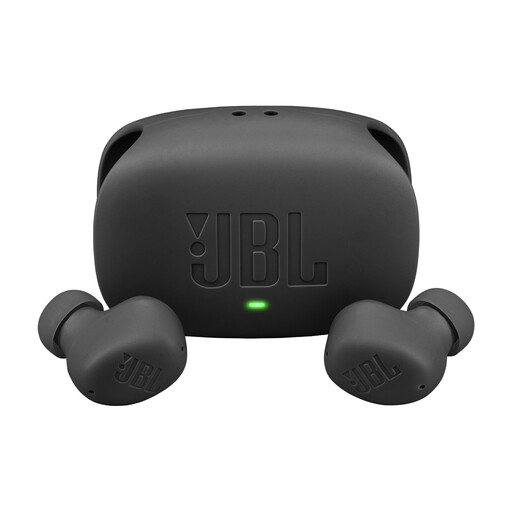
Why it suits this type of user: A practical choice for everyday listening, commuting and phone calls, with Bluetooth, ANC, a microphone and a charging case.
The product specifications state the playtime with and without ANC separately, making it easier to assess the battery life claim.
Up to 8 hours of playtime per earbud, multipoint for two Bluetooth devices and an IP54 rating for the earbuds.
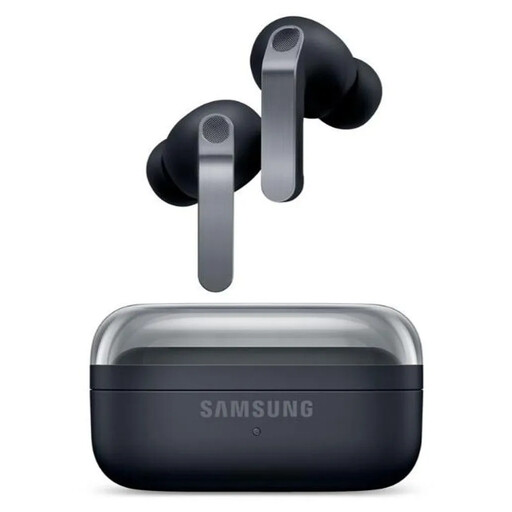
Why it suits this type of user: A good choice for users who value customisable sound, ANC, spatial audio and seamless smartphone integration.
The stated battery life distinguishes between ANC being on and off. Check which features are available with your smartphone before you buy.
2-way speakers, 6 microphones, Bluetooth 6.1, USB-C and wireless charging, according to the product information.
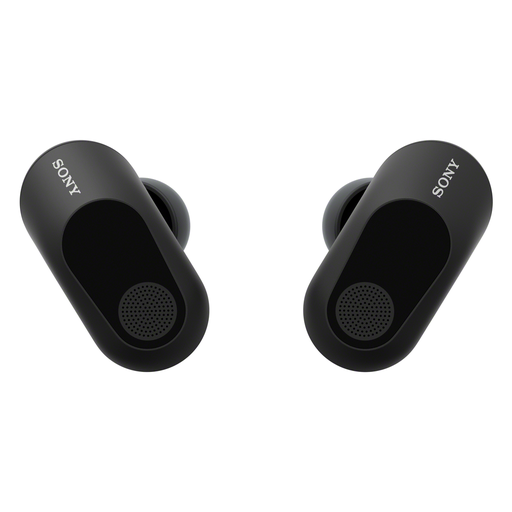
Why it suits this type of user: Designed for gamers who need low latency, spatial audio and a microphone for longer gaming sessions on PC or console.
The USB-C dongle is designed for low latency; before you buy, check that your PS5, PC or other audio source supports the connection.
Less than 30 ms latency via the dongle, active noise cancellation and up to 12 hours of battery life in that mode, according to the product specifications.
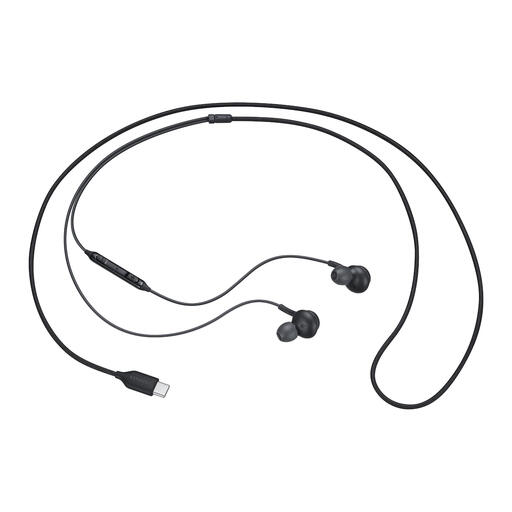
Why it suits this type of user: A straightforward option for a laptop, tablet or smartphone with USB-C, with no pairing or charging needed.
There’s no wireless battery to run flat. Do check that your device supports audio output via USB-C.
Built-in DAC, AKG tuning, microphone and USB Type-C connection, according to the product description.
We’ve put together a complete, up-to-date list of products that meet these strict selection criteria and the applicable European safety regulations.
Open your phone’s Bluetooth settings, take the earbuds out of the charging case and select the product name. If pairing doesn’t work, put the earbuds back in the case and check that they have enough charge. With multipoint models, you may need to add the second device manually first.
Their lifespan depends on battery wear, charging habits, moisture, drops and everyday use. Store the earbuds in the charging case, keep the charging contacts clean and avoid exposing them to extreme heat. The EU legal guarantee is separate from normal wear and tear; if your earbuds develop a fault, contact the seller.
Wired earbuds don’t have a battery in the earbuds themselves, so they don’t need to be charged. This makes them practical for long-term use, provided your device has a suitable 3.5 mm or USB-C connection. Wireless earbuds, on the other hand, give you more freedom of movement and features such as ANC, multipoint and spatial audio.
