
Vandaag of morgen in huis

Kwaliteit gegarandeerd

Welkomstaanbiedingen ontgrendelen: GRATIS bezorging | Tot 80% korting | Gratis 30 dagen JoyPlus-proefperiode
Download de app
Wireless audio comes in many forms, from compact Bluetooth earbuds and TWS earbuds to over-ear noise-cancelling headphones or a wireless gaming headset. The differences are not limited to sound quality and price. Comfort, connectivity, battery life and how you plan to use them all affect whether you’ll be happy with your purchase in the long term.
Marketing copy often focuses on powerful bass, long playback times or smart features. Always check the specific product specifications and consider whether they suit how you’ll use them in the UK: commuting by train, working from home, exercising, studying, making calls or gaming.
A quoted battery life usually applies under specific conditions. Active noise cancellation, high volume levels, phone calls and lighting can reduce operating time. Pay attention to the difference between:
A charging case that can recharge your earbuds several times is useful when you’re out and about, but also check whether a USB-C cable is included and how long a full charge takes.
With a gaming headset, noise cancelling may refer only to the microphone or to passive isolation provided by the ear cups. Active noise cancellation, or ANC, uses microphones and electronics to reduce surrounding noise. Its effectiveness varies depending on the situation and the fit.
According to Xiaomi’s product information, the Redmi Buds 6 Pro offer ANC of up to 40 dB. This is a product specification quoted by the brand, not a guarantee that every sound will disappear completely. Caution is needed when cycling, driving or in other situations where hearing your surroundings is important.
In-ear earbuds do not fit every ear in the same way. The wrong size of silicone ear tip can cause the earbuds to feel loose, provide less isolation from surrounding noise or sound less pleasant. Ideally, choose a model supplied with several sizes of ear tips.
An open design works differently. Open-ear earbuds let more surrounding sound through, but generally provide less isolation in busy environments. This can be useful when walking or working in an office, while closed earbuds are a more logical choice for travelling and focused listening.
Bluetooth 5.3 or 5.4 tells you something about the connection being used, but not automatically about range or sound quality. Also check:
A Bluetooth headset is suitable for smartphones and tablets, but a gaming headset for PlayStation may require a specific transmitter. With some models, Bluetooth does not work directly with a console.
Driver diameter is just one part of sound reproduction. Also consider the number of drivers, frequency response and supported codecs. According to the product information, the Redmi Buds 6 Pro use dual 10mm and 6mm drivers and support Hi-Res Audio.
A wider frequency range does not automatically mean your music will sound better. Fit, tuning, source quality and personal preference also play a role. If you prefer clear low frequencies, you may want to choose a model with a bass mode; if you mainly listen to podcasts, intelligible mid-range frequencies and a comfortable fit may be more important.
For calls, online meetings and gaming, headphones with a microphone are practical. Check whether the microphone is fixed, foldable or detachable, and whether the controls are built directly into the device.
For extended use, weight and construction are important. According to the product specifications, the Logitech G535 weighs 236 grams and has an over-ear design. According to the product information, the Sony LinkBuds Open weigh 4.8 grams per earbud. A low weight can help, but it does not tell you everything about comfort: the shape and pressure distribution are still personal considerations.
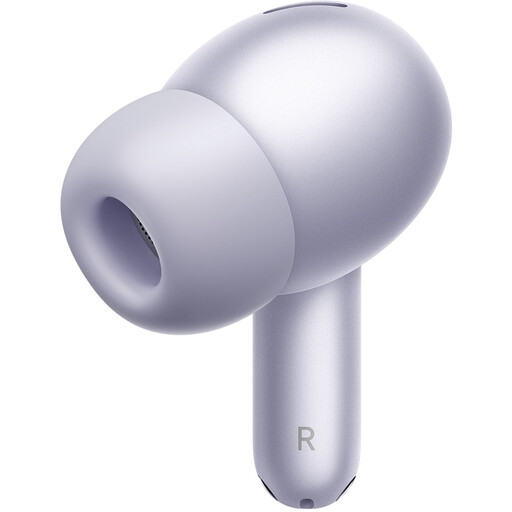
Why this suits the profile: These Xiaomi Redmi Buds are suitable for everyday listening, calls and travelling, thanks to Bluetooth 5.3, several ear tip sizes and a charging case.
The product specifications list both the earbuds’ playback time and the total playback time with the case. S, M and L ear tips are also included.
ANC of up to 40 dB according to Xiaomi’s product information, up to 38 hours with the charging case and a quoted low latency of 59 ms.
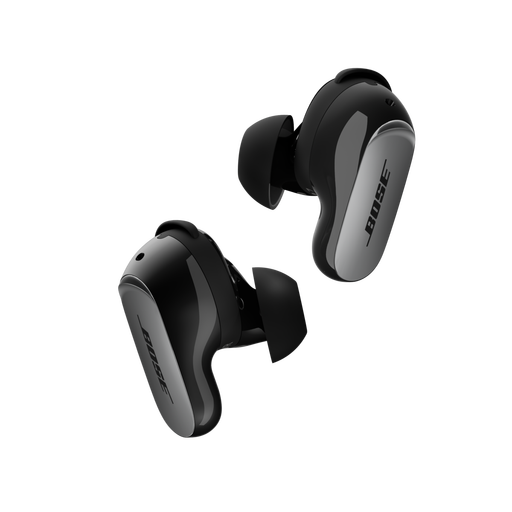
Why this suits the profile: Bose earbuds are aimed at users who value ANC, adjustable sound and wireless charging for the case.
The specifications list ANC and Aware Mode separately. This lets you choose between isolation and letting surrounding sound through.
Bluetooth 5.3, multipoint according to the product description, up to 6 hours of playback and IPX4 water-resistant protection against splashes.
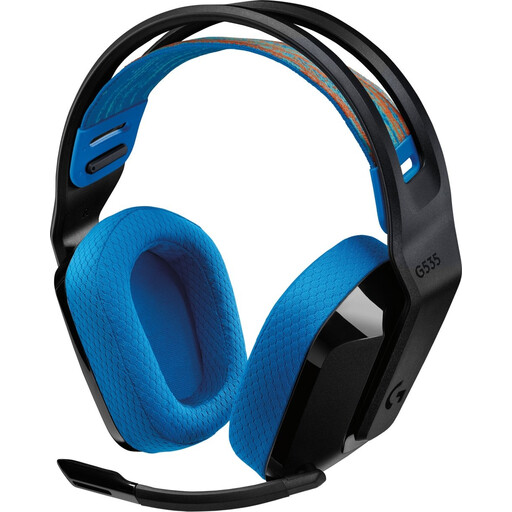
Why this suits the profile: This wireless gaming headset is designed for PC and PlayStation users who need an over-ear fit and built-in microphone.
The included USB transmitter makes it clear how the wireless connection works. The microphone folds away and has a mute control.
236 grams, wireless range of up to 12 metres according to the product information and a quoted battery life of up to 33 hours.
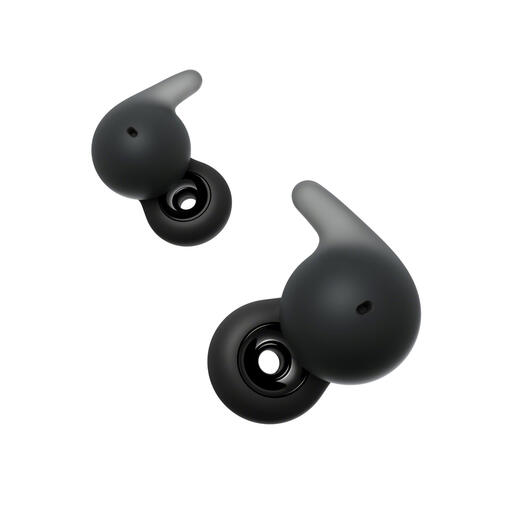
Why this suits the profile: The open design is suitable for users who want to stay aware of their surroundings while working, walking or doing light exercise.
The open construction prevents you from choosing a closed ANC model when you actually want to hear surrounding sounds. IPX4 protection is limited to splashes, however.
Bluetooth 5.3, multipoint, IPX4 and, according to the product information, 22 hours of total battery life with the charging case.
We’ve put together a complete, up-to-date list of products that fully meet these strict selection criteria and the applicable European safety regulations.
Open the charging case or switch on the earbuds. On your smartphone, go to Settings > Bluetooth, find the model name and confirm pairing. During the first connection, a companion app may be required for updates, equaliser settings or multipoint. If the connection doesn’t work, put the earbuds back in the case and remove the old Bluetooth pairing before trying again.
Their lifespan depends on battery use, charging habits, moisture, drops and storage. Lithium batteries lose capacity over time. Store audio devices in a dry place, avoid extreme temperatures and charge them with a suitable cable or adapter. A model with a replaceable cable may remain usable for longer if the cable becomes damaged.
Power consumption per charge is generally limited. How often you need to charge them mainly depends on battery capacity and how many hours you use them. A charging case or pair of headphones with a longer playback time needs to be connected to the charger less often. Switch off ANC, RGB lighting or other features when you don’t need them to extend battery life.
