
Vandaag of morgen in huis

Kwaliteit gegarandeerd

Welkomstaanbiedingen ontgrendelen: GRATIS bezorging | Tot 80% korting | Gratis 30 dagen JoyPlus-proefperiode
Download de app
Wireless audio seems straightforward: connect via Bluetooth, charge the battery and listen. But models vary considerably in comfort, battery life, water resistance and call quality. If you focus only on a low price, eye-catching design or terms such as “noise cancelling”, you could end up with an impractical product after just a few weeks.
When comparing wireless earbuds and headphones, these are the main pitfalls to watch out for:
In-ear Bluetooth earbuds partially seal the ear canal. This can provide direct sound and a secure fit, but not everyone finds them comfortable. Check the included fit options, the weight and the shape of the earbuds.
Open-ear headphones rest on or around your ear without blocking the ear canal. They’re practical for walking or working when you want to remain aware of traffic and conversations. In a busy environment, though, the sound may feel less focused.
Bone conduction headphones transmit sound through contact points near the cheekbones. How they work and how they feel to wear vary from model to model. Don’t use this type as a substitute for staying alert in traffic.
Check three figures:
For example, the Urbanista Lisbon lists up to 9 hours of use on a single charge and up to 27 hours with the charging case. The Baseus Eli Sport 1 lists around 7 to 8 hours at 70% volume and around 30 hours including the case. Baseus says that actual playback time may vary depending on volume, device and usage conditions, based on its own laboratory data.
If you travel often or work long days, look for earbuds with long battery life. Also check that the case is compact enough to carry with you every day.
An IP rating consists of two digits: the first indicates protection against solid particles, and the second indicates protection against water. A higher water-resistance rating doesn’t mean every type of use is automatically permitted. Salt water, chlorine, soap and charging the product while it’s damp can all pose risks.
The Mojawa Run Plus is listed in the product name with IP68, 32 GB of storage and suitability for activities including swimming and running. Always follow the instructions provided. Rinse the product with fresh water after contact with pool or salt water, then let it dry completely before charging.
For calls, also consider the microphones, their position and the Bluetooth version. A model with lots of features isn’t automatically a suitable headphone for music and calls if it shifts out of place while you’re talking.
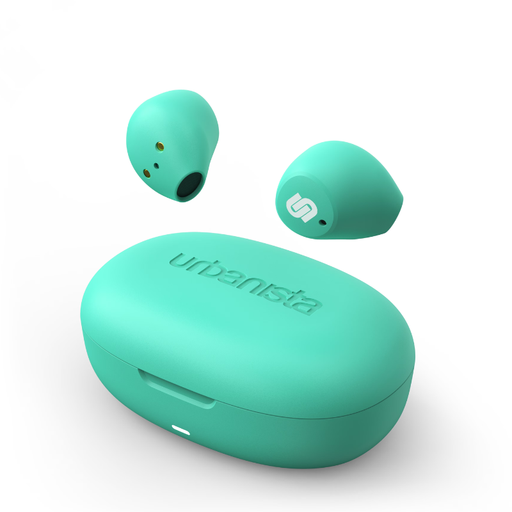
Why it suits this type of user: According to the product specifications, these compact TWS earbuds weigh 4 grams each and feature touch controls. They’re designed for everyday use and listening on the go.
Playback time and total battery life with the case are clearly stated: up to 9 and 27 hours respectively. Passive noise isolation isn’t presented as active noise cancellation.
Bluetooth 5.2, USB-C, AAC and SBC codecs, microphone and charging case.
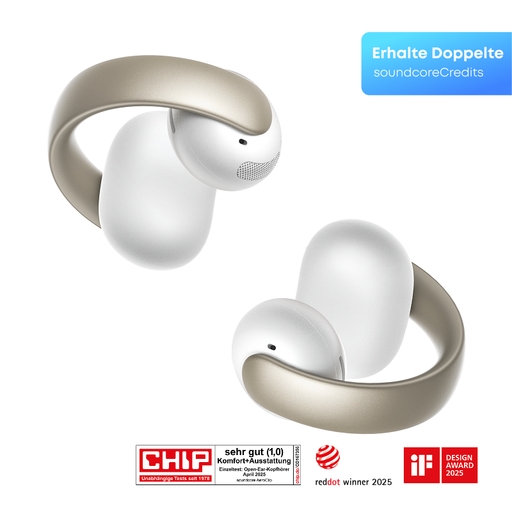
Why it suits this type of user: The open-ear design is intended for calls, music, sport and everyday use. It’s a good fit for anyone who doesn’t want in-ear earbuds but still wants Bluetooth audio.
The open-ear construction clearly sets it apart from sealed earbuds. The product specifications also list four microphones and a stated playback time of 8 hours.
Bluetooth 5.4, touch controls, open-ear design and four built-in microphones.
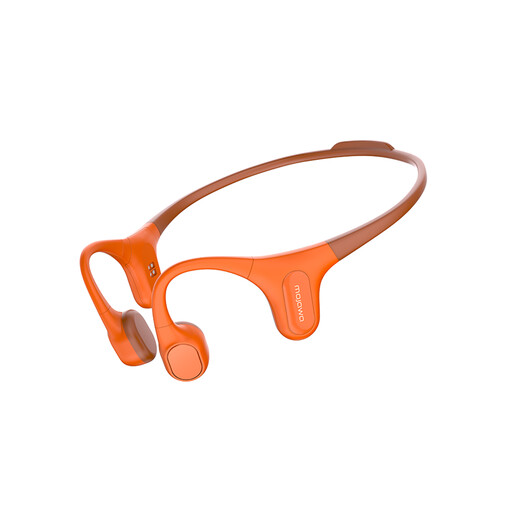
Why it suits this type of user: According to the product listing, this model is designed for running, cycling, swimming and fitness. Its open-ear bone conduction design leaves the ear canal unobstructed.
The stated IP68 rating gives you a specific indication of its suitability for use around moisture. Before swimming, check the instructions and only charge the device once it’s dry.
32 GB of built-in MP3 storage and a design made for open-ear sports use.
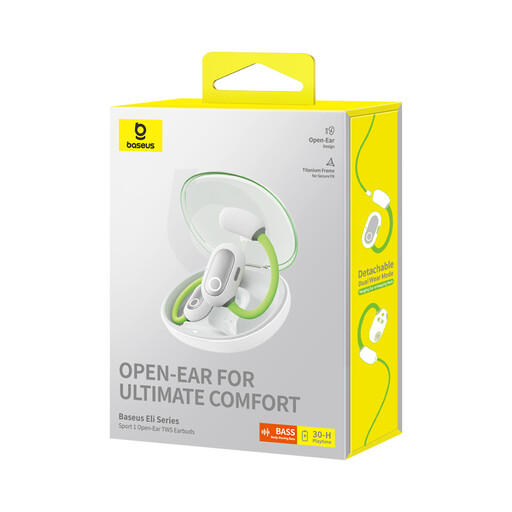
Why it suits this type of user: These open-ear earbuds combine a sport-focused fit with a charging case. They’re suitable for anyone who wants to remain aware of their surroundings while walking or doing light exercise.
The product information explicitly states that this model isn’t waterproof. This helps prevent a sports label from being mistaken as approval for swimming or use in wet conditions.
Bluetooth 5.3, 16,2mm driver, USB-C and around 30 hours of total playback time according to Baseus’s own laboratory data.
We’ve put together a comprehensive, up-to-date list of products that meet these strict selection criteria and the applicable European safety regulations.
First, charge the earbuds, open your phone’s Bluetooth settings and put the earbuds into pairing mode. Then select the product name from the list. If they won’t connect, remove any previously saved pairing and try again. Keep your phone and earbuds close together while pairing.
Playback time per charge is different from the overall lifespan of the earbuds. Batteries lose capacity over time, especially after frequent charging and exposure to heat. Keep your earbuds dry, charge them with a suitable cable and avoid listening at high volume for extended periods. In the EU, the statutory guarantee for many consumer products is at least two years; check the terms for the specific product and seller.
As well as the purchase price, you’ll use electricity to charge them. With normal everyday use, this is generally a small amount. The more significant ongoing costs are accessories, a replacement case or a new pair if the built-in battery can’t be replaced by the user. So check the battery life, warranty and repair options before you buy.
