
Vandaag of morgen in huis

Kwaliteit gegarandeerd

Welkomstaanbiedingen ontgrendelen: GRATIS bezorging | Tot 80% korting | Gratis 30 dagen JoyPlus-proefperiode
Download de app
Wireless earbuds are handy for music, podcasts, films, calls, commuting and sport. However, a long list of features says little about how well a model suits your everyday use. A low price may be attractive, but an uncomfortable fit, short battery life or unclear compatibility can quickly make a purchase impractical.
This buying guide will help you compare wireless earbuds based on verifiable product specifications. You’ll also learn when Bluetooth earbuds make sense, when wired models are more convenient and which features you should not simply take for granted.
The stated battery life often applies under specific conditions, such as at a particular volume and with active noise cancellation switched off. Therefore, always check:
A model advertised with ‘long battery life’ may therefore not last a full working day in practice when ANC is continuously active.
Active Noise Cancelling, or ANC, uses microphones and electronic processing to reduce ambient noise. Its effectiveness varies depending on your ears, the fit and the type of sound. Low, constant sounds such as train engines are generally easier to reduce than voices or sudden noises.
According to brands’ own product information, figures such as ‘-50 dB’ or a particular percentage of noise reduction may be quoted. Treat such figures as product specifications measured under the manufacturer’s conditions, not as a guarantee of complete silence. A transparency mode is also useful when you need to continue hearing traffic, announcements or colleagues.
In-ear earbuds can come loose, cause pressure or fail to seal properly. This affects not only comfort, but often passive noise isolation and bass reproduction too. Check whether several ear-tip sizes are included. Clip-on models and earbuds with an ear hook can be a practical alternative for sport.
Bluetooth 5.3, 5.4 or 6.0 mainly indicates the connection technology being used. The overall experience also depends on your phone, software, distance and audio codecs. For everyday listening, a stable connection, automatic reconnection and multipoint are often more important than simply having the highest Bluetooth version number.
True wireless earbuds consist of two separate earbuds with no connecting cable. They are suitable for use on the go, but you need to charge both earbuds and the charging case regularly. Also check whether all functions work fully with your device. Apple AirPods generally work well with Apple devices, while Samsung Galaxy Buds make particularly good use of features within the Galaxy ecosystem. Many Android users can also choose models from JBL, Sony, Baseus, HONOR and other brands.
Pay attention to the difference between playback time per charge and total playback time with the case. For example, according to the product information, the Baseus Bass EP10 Pro offers up to 11 hours of listening per charge at 50% volume and up to 55 hours with the charging case. The Sony WF-C710N is described as offering up to 30 hours with noise cancelling and 40 hours without it. However, check which figure appears on the current product page, as conditions of use affect the result.
USB-C is convenient because the same cable is often used for a smartphone, tablet and laptop. Some models also support wireless charging. Wired USB-C or 3.5mm headphones do not require a built-in charging cycle, but they only work with devices that have the appropriate connection.
An IP rating consists of numbers and letters indicating protection against dust and water. IPX4, for example, means protection against splashing water according to the relevant classification; it does not mean you can swim while wearing the earbuds. With IP55 or IP57, you should likewise check what level of protection the manufacturer specifies.
Pay attention to the difference between the earbuds and the charging case. With some models, only the headset is splash-resistant. Dry the earbuds and connectors before placing them in the case or charging them. For running, fitness and commuting, sports earbuds with an ear hook or a secure fit are often more practical than very loose in-ear models.
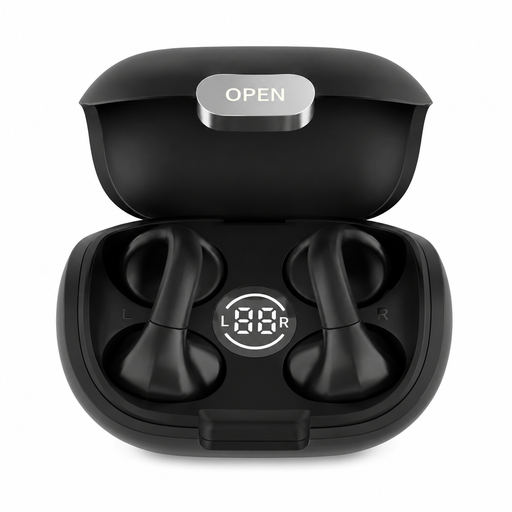
Why it suits this profile: This compact model is designed for everyday use, travel, work and fitness. The ear hook can help keep the earbuds securely in place while you’re on the move.
The product information states Bluetooth 5.4, touch controls and approximately 5 to 7 hours of playback time. Check whether the fit and battery life suit your routine.
Bluetooth 5.4, touch controls, charging case and a stated range of up to 15 metres.
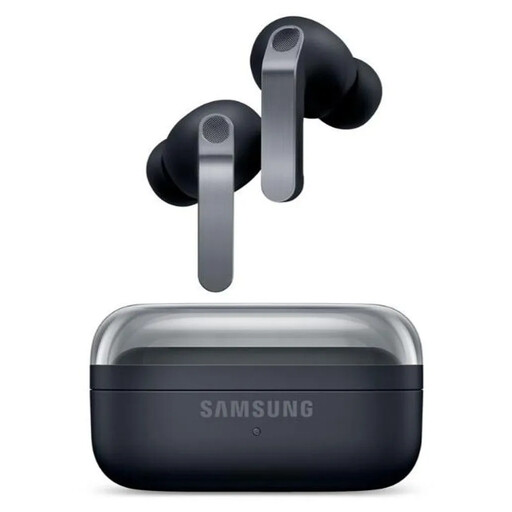
Why it suits this profile: This model is ideal for users who value ANC, spatial sound, multiple microphones and integration with Samsung devices.
The specifications list playback time separately with and without ANC: 6 and 7 hours per charge. This makes it easier to compare the claim with your own usage.
2-way speakers, six microphones, Bluetooth 6.1, USB-C, wireless charging and IP57 according to the product information.
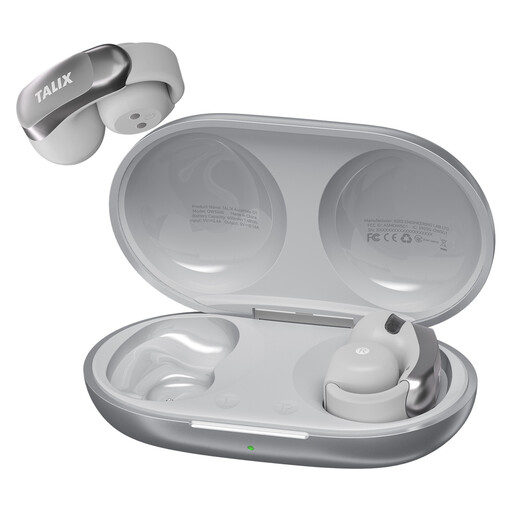
Why it suits this profile: The clip-on fit and silicone ear hook are designed for sport, commuting and long online meetings.
The IPX4 rating has clear limits: suitable for sweat and light rain, but not for submersion or heavy rain.
Up to 7 hours per charge, 28 hours with the case, Bluetooth 5.3 and four microphones according to the product description.
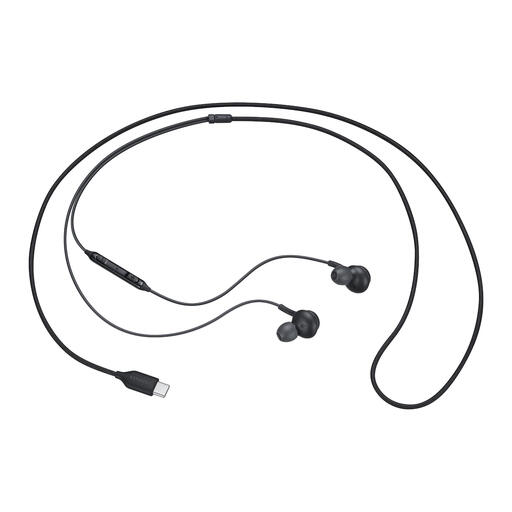
Why it suits this profile: These USB-C earbuds are designed for laptops, tablets and smartphones with a compatible connection. They are suitable for music, podcasts and calls without Bluetooth pairing.
No battery means no unexpected flat battery. However, check in advance whether your device supports audio via USB-C.
Wired USB-C connection, built-in microphone, button controls and, according to the specifications, a frequency range of 20 to 20,000 Hz.
We’ve put together a complete, up-to-date list of products that fully meet these strict selection criteria and the applicable European safety regulations.
Choose wireless in-ear headphones when freedom of movement, calls and a compact case are important to you. For the office, travel or sport, models with a microphone, multipoint and a secure fit are practical. If you mainly want a reliable connection without charging, consider wired JBL earbuds with a 3.5mm connection or USB-C earbuds.
When gaming, pay attention to latency, compatibility and the connection mode you choose. Bluetooth is convenient, but not every model has a dedicated low-latency mode. When cycling or near traffic, it is wise to keep your surroundings audible and not use ANC automatically in every situation.
Open the charging case, activate Bluetooth on your phone and select the earbuds’ name from the list of devices. With some models, the initial pairing takes place through an app. If the connection does not work, put the earbuds back in the case, charge them and check that they are not still connected to another device.
Their lifespan depends on charging cycles, heat, moisture, volume and daily use. The built-in battery gradually loses capacity over time. Store the earbuds in the charging case, avoid extreme temperatures and charge them with a suitable cable. Also check the warranty and your statutory rights when buying in the European Union.
They can be, but look at the number of microphones, their positioning and the stated features for noise reduction during calls. A product claim about ‘clear calls’ comes from the brand’s product information and is not a guarantee in every street, train or office. For frequent phone calls, a good fit is at least as important as the number of microphones.
