
Vandaag of morgen in huis

Kwaliteit gegarandeerd

Welkomstaanbiedingen ontgrendelen: GRATIS bezorging | Tot 80% korting | Gratis 30 dagen JoyPlus-proefperiode
Download de app
Wireless earbuds may look similar, but they can differ considerably in comfort, battery life, microphone quality and protection against moisture. A low price can be tempting, only for you to end up buying another pair later because the fit is uncomfortable or the connection keeps dropping.
The most common pitfalls are:
For everyday use, Bluetooth 5.2, 5.3 or 5.4 are common versions. A higher version number does not automatically mean better sound, but it may be associated with a more efficient connection and lower power consumption. Also check whether the model supports multipoint. This allows you to connect, for example, a smartphone and laptop at the same time.
With true wireless earbuds, the earbuds operate completely independently of one another. So pay attention to how both earbuds pair, connection stability and whether controls are operated by touch or buttons. For gaming, a low-latency mode is useful; for calls, multiple microphones and good positioning are more important.
Do not compare only the largest figure on the product page. Check:
A product description for the JBL Wave Flex 2 states up to 40 hours of playback including the case, while the technical specifications state up to 8 hours of music playback. This difference shows why you should look at both figures.
Battery life is often higher with wireless headphones. The Sony WH-CH520, for example, is listed with a battery life of 40 hours in the specifications, while the product description states up to 50 hours. So always check which information applies in the current product listing.
In-ear earbuds partially seal the ear canal and are often supplied with several sizes of silicone ear tips. This can improve comfort and sound isolation, but not everyone likes a close-fitting seal.
Open-ear and bone-conduction models leave more of the ear unobstructed. This can be useful when walking or cycling, but check local traffic regulations and make sure you remain aware of surrounding sounds where necessary.
An IP rating provides information about protection against dust and water:
An IP rating does not automatically make earbuds suitable for swimming. Charging ports must be dry before you start charging.
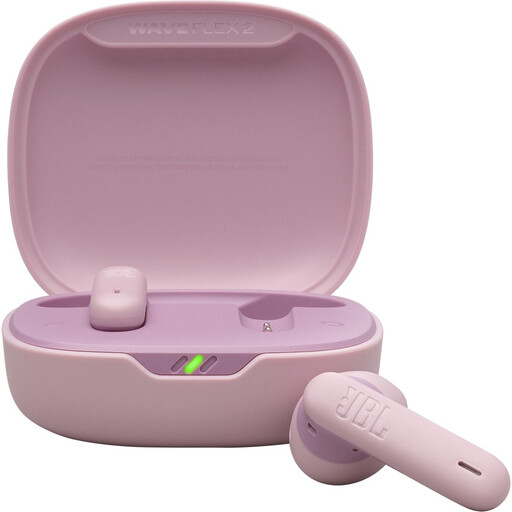
Why it suits this profile: A practical choice for music, podcasts and phone calls without extensive setup. The earbuds work with Bluetooth and come with a USB-C charging cable.
The product information states both the earbuds' playtime and the total capacity with the charging case. The IP54 rating makes the limits of splash and dust protection clear.
12mm dynamic drivers, four microphones, multipoint connection and USB-C charging.
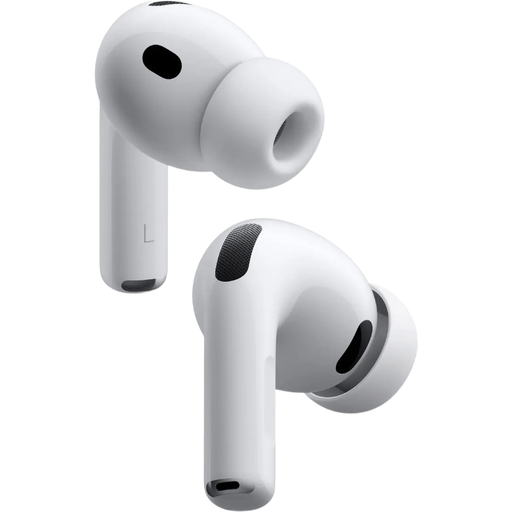
Why it suits this profile: Designed for users who value active noise cancellation, spatial audio and easy pairing with Apple devices.
Five sizes of silicone ear tips help you fine-tune the fit. The stated battery life of up to 8 hours applies with noise cancellation switched on.
Bluetooth 5.3, active noise cancellation, microphone, USB-C and an IP57 rating according to the product details.
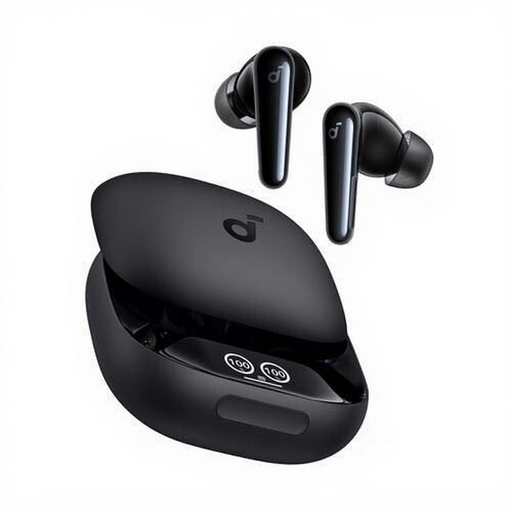
Why it suits this profile: Suitable for users looking for one pair for calls, music, exercise and everyday commuting.
The IPX5 rating provides a clear indication of protection against splashing water. Six microphones are designed for calls, but actual call quality still depends on your surroundings and device.
Up to 10 hours of continuous audio playback according to the product details, dynamic drivers, touch controls and USB-C charging case.
We have put together a complete, up-to-date list of products that fully meet these strict selection criteria and the applicable European safety regulations.
USB-C earbuds such as the Samsung EO-IC100 and JBL Tune 310C do not require Bluetooth pairing. They are handy for laptops, tablets and smartphones with a USB-C connection. However, check whether your device supports audio via USB-C.
A 3.5mm model, such as the JBL Tune 210, works without charging and is practical if you have a suitable connection. Wireless models offer greater freedom of movement, but they do need to be charged regularly.
Open the charging case or switch on the earbuds, activate Bluetooth on your phone and select the product name from the list of available devices. If you encounter problems, it usually helps to put the earbuds back in the case, switch Bluetooth off and on again temporarily, and pair them again.
Battery life per charge varies by model and feature. Noise cancellation, volume, codec and phone calls all affect battery life. Battery capacity gradually decreases after many charging cycles. Store the earbuds in their case, avoid extreme heat and use a suitable USB-C charger.
Not automatically. Check the IP rating and the manufacturer's instructions. IP54, IP55 and IPX5 are primarily intended to indicate protection against dust or splashing water. Do not use a model in a swimming pool unless the manufacturer explicitly permits it and the operating mode is suitable for this purpose.
