
Vandaag of morgen in huis

Kwaliteit gegarandeerd

Welkomstaanbiedingen ontgrendelen: GRATIS bezorging | Tot 80% korting | Gratis 30 dagen JoyPlus-proefperiode
Download de app
Wireless in-ear earbuds are compact, easy to carry around and suitable for music, podcasts and phone calls. But a quick purchase can be disappointing. A pair might seem comfortable, for example, but start falling out after a short time. Terms such as “spatial audio”, “noise cancelling” and “long battery life” only tell you so much unless you check the underlying specifications.
In this guide, you’ll find out what to look for in wireless earbuds, Bluetooth earbuds and wired alternatives with USB-C or 3.5mm connections.
The stated playtime may refer to the earbuds together with the charging case. So check the difference between:
For example, the Anker P30i is listed with up to 10 hours of playtime and comes with a charging case. The Redmi Buds 6 Play are listed with 7.5 hours per charge and up to 36 hours with the case. These are different measurements, so they’re not directly comparable.
Check the IP rating and whether it applies to the earbuds, the case or both. IPX4 is designed to protect against splashes and sweat, but not submersion. For the Redmi Buds 6 Play, IPX4 applies to the earbuds only; the charging case isn’t waterproof.
According to its product specifications, the Anker P30i has an IP54 rating. This means protection against dust and splashes under the stated classification, but it doesn’t mean you should hold the case or earbuds under a running tap. Protection can also decrease with wear.
Noise-cancelling earbuds use active signal processing to reduce background noise. The results depend on the fit, the settings you use and the type of sound. Low, constant sounds such as a train engine are generally handled differently from voices or sudden noises.
A good fit is still important. If different sizes are included, choose the right ear tip, and use transparency mode when you need to hear traffic or announcements. Noise-reduction claims come from the brand’s product information and don’t guarantee the same experience in every environment.
Bluetooth 5.4 is found in several recent Bluetooth earbuds, including the Anker P30i, Redmi Buds 6 Play and Redmi Buds 8 Active. A newer version may offer benefits in terms of efficiency and compatibility, but it doesn’t tell you anything by itself about sound quality or microphone performance.
Also check:
The JBL Wave Buds 2 list multipoint functionality and pairing with Android and Microsoft devices. According to JBL, the model can connect to multiple devices; check the manual for details on how to set this up.
For earbuds with a microphone, the number of microphones, noise reduction for calls and microphone placement all matter. According to its product specifications, the Anker P30i has four microphones. That’s a verifiable hardware feature, but how clearly you can be heard also depends on wind, traffic and the phone app you’re using.
If you mainly use your earbuds for calls, look for:
USB-C earbuds work directly with many modern smartphones, tablets and laptops. They don’t need a battery or Bluetooth pairing, but your device’s USB-C port must support audio. The Samsung EO-IC100 and Sony IER-EX15C are examples of wired USB-C models.
A 3.5mm model, such as the Skullcandy Jib, is handy for devices with a traditional headphone socket. If your phone doesn’t have one, you’ll need a suitable adapter. Wired models are usually ready to use straight away, while wireless earbuds give you more freedom to move around.
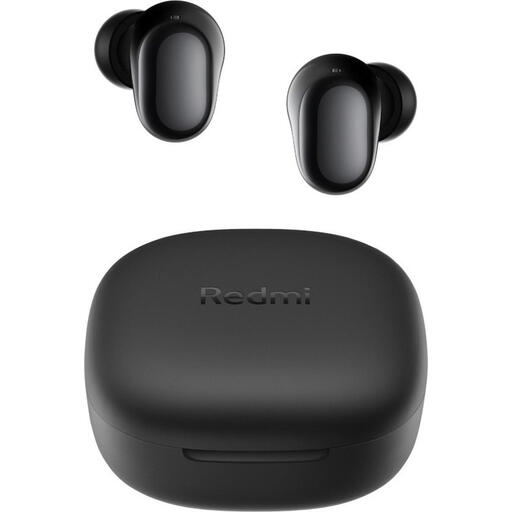
Why it suits this user: This model offers wireless Bluetooth connectivity, a USB-C charging port and a compact case for everyday use.
The specifications list 7.5 hours per charge and 36 hours with the case separately. They also clearly state that IPX4 applies to the earbuds only.
Bluetooth 5.4, 10mm dynamic drivers, USB-C and a weight of 3.6 grams per earbud.
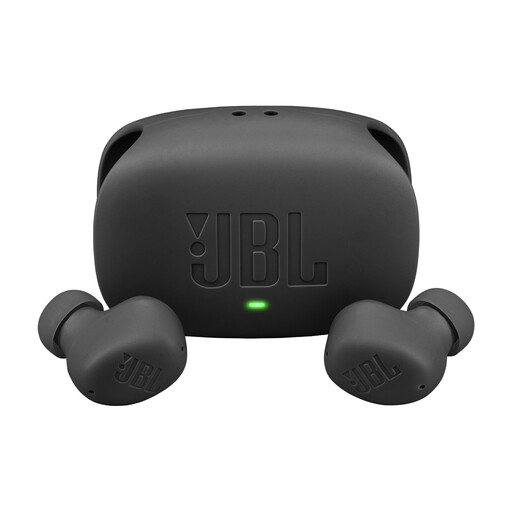
Why it suits this user: A good choice for anyone who values ANC, app settings and switching between devices.
The product information distinguishes between up to 8 hours of music per charge and 40 hours with the case when ANC is switched off.
ANC, Smart Ambient, multipoint, IP54-rated earbuds and a USB-C charging case.
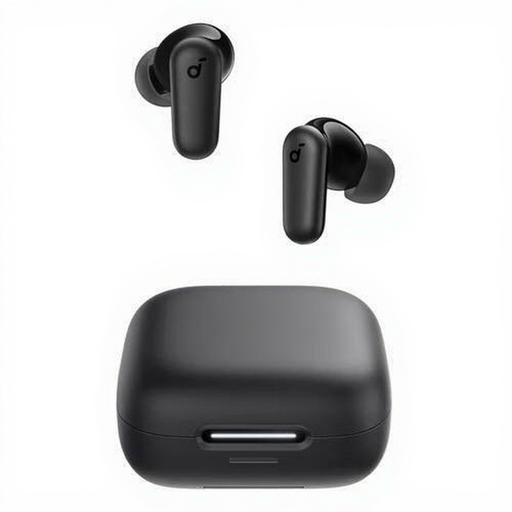
Why it suits this user: A practical choice for commuting, calls and everyday use, with handy controls that work without your phone.
The four microphones, touch controls and stated IP54 rating are clearly specified. This protection doesn’t mean you can submerge the earbuds.
Bluetooth 5.4, up to 10 hours of playback, a USB-C cable, charging case and stereo sound according to the product specifications.
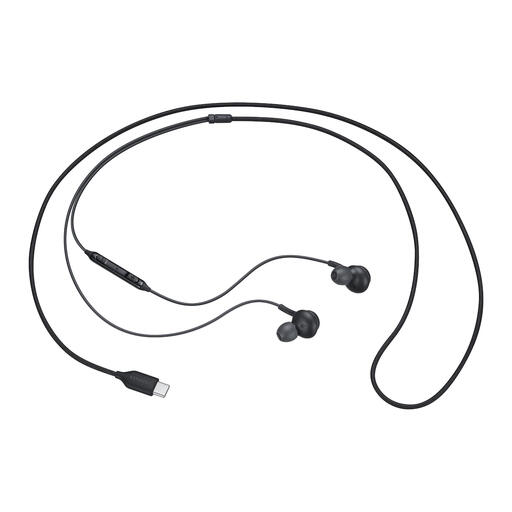
Why it suits this user: Handy if you don’t want to use Bluetooth and are looking for a wired USB-C connection for music and calls.
There’s no battery life to misinterpret: this is a wired model. Just check that your device supports audio via USB-C.
USB-C connection, built-in microphone, button controls, 32-ohm impedance and a choice of ear tip sizes.
We’ve put together a complete, up-to-date list of products that meet these strict selection criteria and current European safety regulations.
First, charge the earbuds, open the case and switch on Bluetooth on your smartphone. Select the model name from the Bluetooth list. You may need to confirm the pairing the first time. If it doesn’t work, remove the old pairing and try again with both earbuds in the case.
Battery life depends on battery capacity, volume, phone calls and features such as ANC. Check the playtime per charge, not just the total time with the charging case. Keep the earbuds in the case, avoid exposing them to heat and charge them with a suitable USB-C cable to limit unnecessary wear.
They don’t need to be charged separately or connected via Bluetooth. This makes them practical for a fixed work setup or longer listening sessions. Wireless models give you more freedom to move around, but you do need to charge the earbuds and case. The right choice therefore depends mainly on how you plan to use them.
