
Vandaag of morgen in huis

Kwaliteit gegarandeerd

Welkomstaanbiedingen ontgrendelen: GRATIS bezorging | Tot 80% korting | Gratis 30 dagen JoyPlus-proefperiode
Download de app
Wireless earbuds can look very similar at first glance. Yet there are big differences in comfort, battery life, connection and moisture protection. A low price might be tempting, but a pair that won't stay in place or runs out of power quickly won't give you much practical benefit.
A manufacturer sometimes lists the playback time including several recharges from the case. The battery life per earbud can then be much shorter. Always check both values:
A model with, for example, 40 hours of total playback may last less per charge when noise cancelling is active.
Active noise cancellation, often called ANC, uses microphones and electronics to reduce background noise. The result depends on the fit, the type of sound and your surroundings. Low, constant noises like train or aircraft rumble are a different scenario from voices or sudden sounds.
Also look out for a transparency mode. This lets ambient sound in and is practical on the street or when travelling. Do not use noise cancelling when you need to hear traffic sounds or other warnings.
The IP code indicates the conditions a product has been tested against. IPX4, for example, means protection against splashing water, while IP55 indicates protection against dust and water jets under certain conditions. That does not automatically make a product suitable for swimming.
Also check whether the charging case has the same protection as the earbuds. This is not always the case. Make sure a wet USB-C port is dry before you start charging.
Bluetooth 5.2, 5.3 or 5.4 mainly tells you about the connection standard used. The actual experience also depends on your phone, codec support, software and distance. For everyday use, stable pairing and multipoint are often more practical than just a higher Bluetooth number.
Are you using an iPhone, Samsung phone or another Android device? Then check whether features like quick pairing, an equaliser app and automatic switching between devices are supported. With true wireless earbuds, it's also important whether both earbuds can work independently.
In-ear earbuds seal the ear canal with silicone tips. A good fit helps to isolate sound better and stops you from turning the volume up unnecessarily. Look out for:
A heavy case or a slippery surface can be awkward on the go. For long train journeys, a compact case may be more important than extra touch controls.
If you make a lot of calls, it's worth looking at the number of microphones and features for wind or background noise. These are product specifications, not a guarantee of call quality. User experiences can vary depending on your phone and environment.
A USB-C port is handy if you already use a compatible cable. Wireless charging is an extra convenience, but not essential for everyone. Also check whether a charger is included; with several models, only a cable is supplied.
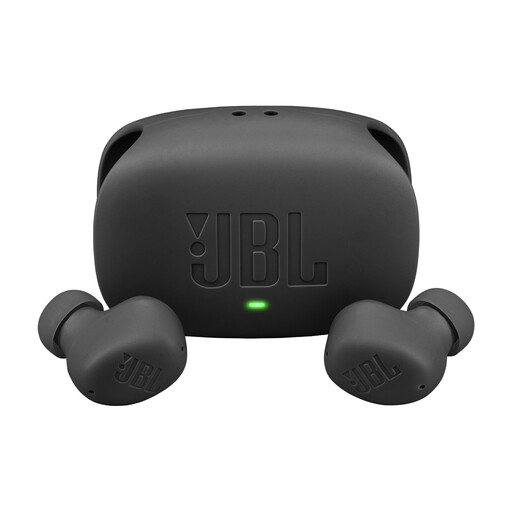
Why this fits the profile: These true wireless earbuds combine a compact design with ANC, a microphone and a USB-C charging case. The product specifications state up to 8 hours of playback per charge and up to 40 hours with the case when ANC is switched off.
The playback time is listed separately and with the charging case. The IP54 rating is more specific than a general promise about water resistance.
ANC, multipoint connection, USB-C and a stated total playback time of up to 40 hours with ANC off.
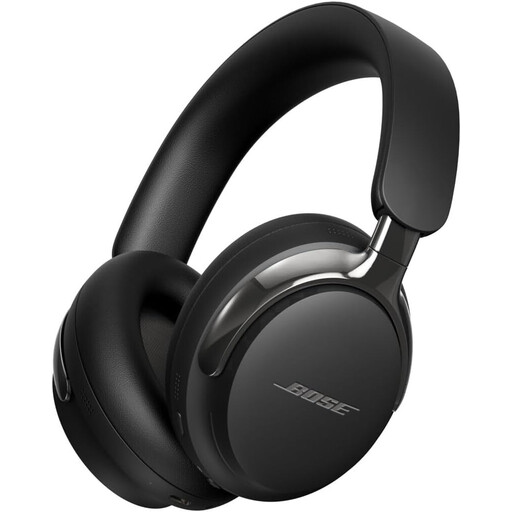
Why this fits the profile: This is a wireless headphone for anyone looking for an over-ear design, Bluetooth 5.4 and active noise cancellation for travel, work or watching films.
The product specifications list both wireless and wired connection options. This means you can use it via Bluetooth, USB-C or an audio cable.
ANC, spatial audio, Bluetooth 5.4 and a detachable cable with a 3.5mm connection.
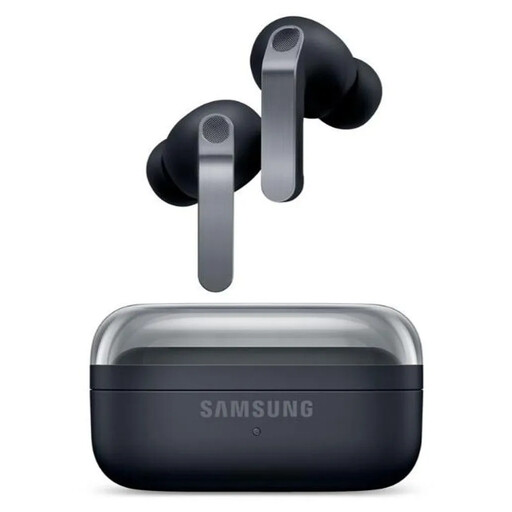
Why this fits the profile: These in-ear earbuds are ideal for users of Galaxy devices who want ANC, 360 Audio, customisable controls and wireless charging.
The battery life is split into usage with and without ANC: up to 6 and 7 hours per earbud respectively. The IP57 rating makes the level of protection verifiable.
Bluetooth 6.1, six microphones, USB-C, wireless charging and up to 30 hours total playback without ANC.

Why this fits the profile: If you mainly game and don't want to charge a battery, this wired headset with a 3.5mm connection and built-in microphone is a great choice.
A cable prevents connection issues caused by a flat battery. Compatibility with PC, Mac, PlayStation, Xbox, Switch and mobile devices is listed in the product information.
50mm drivers, a cardioid microphone, 3.5mm connection and a weight of 240 grams.
We've put together a full, up-to-date list of products that fully meet these strict selection criteria and comply with current European safety regulations.
First charge the earbuds and case. Then open your phone's Bluetooth settings, put the earbuds into pairing mode and select the product name. On some models, the first pairing is done through the brand's app. If the connection doesn't work, remove the old Bluetooth profile and try again.
The usage time per charge varies by model and settings. ANC, volume, phone calls and temperature all affect battery life. The built-in battery also ages with charging cycles. So store the earbuds in their case, avoid extreme heat and use a suitable USB-C charger.
That depends on the fit, IP rating and your environment. For fitness or running, sports earbuds with a secure fit and splash water protection are practical. When cycling or running on busy roads, a transparency mode or open-ear design can let in more ambient sound. Always check local traffic rules and stay alert.
