
Vandaag of morgen in huis

Kwaliteit gegarandeerd

Welkomstaanbiedingen ontgrendelen: GRATIS bezorging | Tot 80% korting | Gratis 30 dagen JoyPlus-proefperiode
Download de app
Wireless earbuds are handy for commuting, working out, online meetings and listening to music. But a long list of features means little if they don’t fit properly, the microphone disappoints or the battery life is only achievable in ideal conditions. Use this practical guide to focus on the specifications that really make a difference in everyday use.
Brands often quote the maximum combined playback time of the earbuds and charging case. That’s not the same as playback time per charge. ANC, high volume and phone calls can also reduce playback time.
So check:
For example, Baseus states that the Bass EP10 Pro offers up to 11 hours of listening at 50% volume and up to 55 hours with the case. JBL states that the Wave Buds 2 offer up to 40 hours in total, with ANC switched off.
An IP rating describes protection against dust and water under specific test conditions. IP55, IP54 and IPX5 don’t automatically mean a product is suitable for submersion. Also check that the charging port is dry before connecting a cable.
For running or cycling in light rain, splash resistance may be enough. Ordinary wireless earbuds are generally not suitable for swimming. It’s best to keep models without a clear IP rating, such as some wireless headphones designed for home use, away from rain and sweat.
A claim such as “up to -50 dB” isn’t a universal measure of performance. How well it works depends on factors including fit, background noise and the mode selected. According to the product description, the Baseus Bass EP10 Pro offers adaptive hybrid ANC up to -50 dB. This is a product specification from the brand, not a guarantee that every sound will disappear completely.
Also look for a transparency mode. When you’re in traffic, cycling or crossing the road, you need to be able to hear what’s going on around you.
Bluetooth 5.2, 5.3 and 5.4 can provide a stable connection, but the version alone doesn’t determine overall sound quality. Check which codecs are supported too. The Baseus Bass EP10 Pro, for example, supports SBC, AAC and LDAC. Your phone and streaming service must support your chosen codec as well.
For everyday listening, podcasts and calls, a stable connection and a good fit are often more important than a long list of codecs. Multipoint is handy if you regularly switch between a laptop and smartphone.
A good fit helps prevent your earbuds from coming loose while you’re walking and improves passive noise isolation. Check whether different sizes of ear tips are included, as well as the weight and shape of the earbuds.
For extended use, wireless headphones may be more comfortable than in-ear earbuds. On-ear models are lighter and more compact, while over-ear models generally block out more of your surroundings. Do check whether the model is suitable for outdoor use, though; not all headphones are water-resistant.
A built-in microphone is useful for phone calls, meetings and voice assistants. According to the product description, multiple microphones and software noise reduction can help with calls in noisy environments. How clearly you can be heard also depends on wind, positioning and your smartphone.
Choose a rating to suit how you’ll use your earbuds:
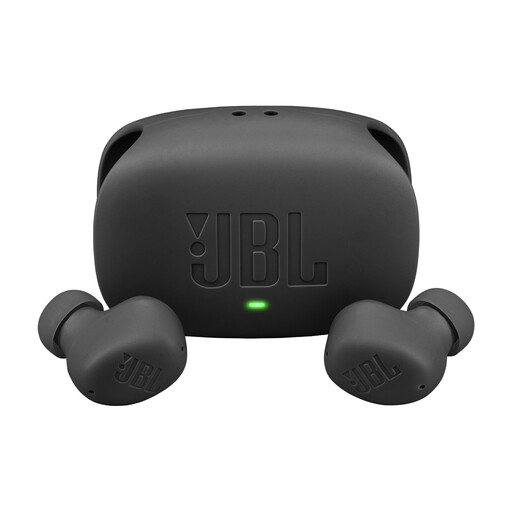
Why it suits this profile: These TWS earbuds combine ANC, multipoint and a charging case for everyday use at the office, on the go or at home.
The product information separately states up to 8 hours of playback and up to 40 hours in total with the case when ANC is off. The IP54 rating is also clearly stated.
ANC, Smart Ambient, multipoint and USB-C fast charging. Each earbud is stated to weigh 3.8 grams.
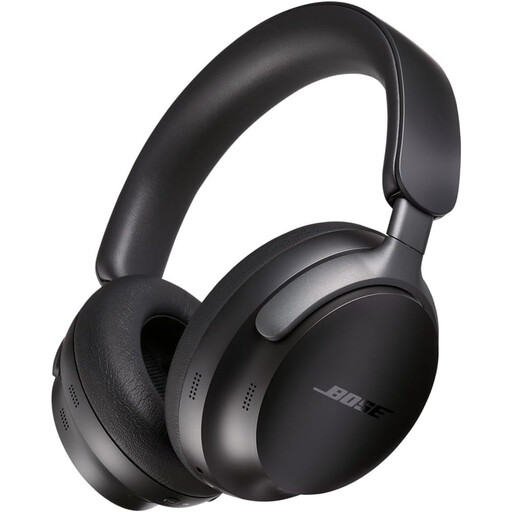
Why it suits this profile: These over-ear wireless headphones are designed for working from home, travelling and long listening sessions, with app controls and an audio cable.
The stated battery life is specific: up to 24 hours. You can also use a cable when you don’t want to use the battery.
Bluetooth 5.3, active noise cancellation, multipoint and an included 3.5mm cable.
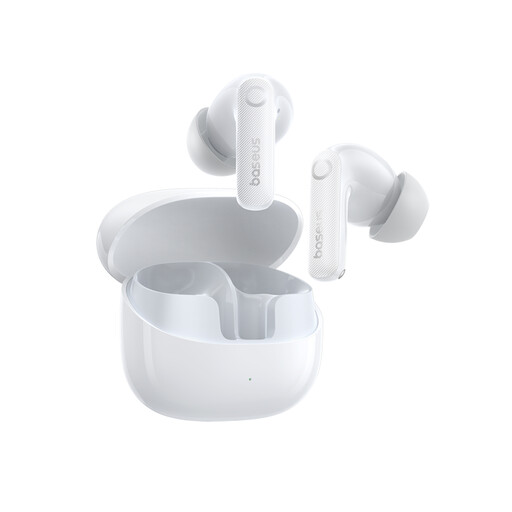
Why it suits this profile: Designed for commuting, travelling and working out, when ANC, long overall battery life and splash resistance matter.
The product specification states both 11 hours of listening per charge and 55 hours with the case. IP55 protection is specified, but submersion is expressly not recommended.
Bluetooth 5.4, LDAC support, six microphones according to the product description and USB-C charging.
We’ve put together a complete, up-to-date list of products that meet these strict selection criteria and the applicable European safety regulations.
First, charge the earbuds and the case. Then open the Bluetooth settings on your smartphone, open the case and select the product name from the list. If you have problems, it often helps to remove the previous pairing, restart Bluetooth and reset the earbuds according to the manual.
Battery life per charge varies by model and use. ANC, volume, phone calls and temperature all have an effect. The built-in lithium battery also deteriorates over time. Keep your earbuds in the case, avoid extreme heat and charge them with a suitable USB-C cable.
Don’t use ANC earbuds when you need to hear important traffic sounds. Noise cancellation can be useful in quiet places or when travelling by train. When you’re outdoors, consider using transparency mode and keep the volume low enough to hear what’s going on around you.
