
Vandaag of morgen in huis

Kwaliteit gegarandeerd

Welkomstaanbiedingen ontgrendelen: GRATIS bezorging | Tot 80% korting | Gratis 30 dagen JoyPlus-proefperiode
Download de app
Wireless earbuds are handy for on the go, at home, during exercise and for phone calls. Yet the difference between models is significant. A low price may look appealing, but a poor fit, limited microphones or a short battery life can quickly lead to disappointment.
As Joybuy Product Recommendation Officer, I filter the most important specifications and match them to different use cases. This way, you can better see which Bluetooth earbuds, true wireless earbuds or noise cancelling earbuds suit your daily routine.
A manufacturer often states the maximum playback time under specific conditions, for example at a certain volume and without active noise cancellation. With ANC, phone calls and higher volume, the actual usage time can be lower.
So pay attention to three values:
A model with 10 hours of playback per charge can, for instance, be more practical for long working days than a model with lots of extra features but a shorter battery life.
Active noise cancellation, or ANC, uses microphones and electronics to reduce ambient noise. The effect varies depending on the type of sound, fit and environment. Low, constant sounds like the hum of a train are generally different from voices or sudden noises.
Also check whether a transparency mode is available. This lets ambient sound in, which can be useful on the street or during a conversation. Do not use noise cancelling as a substitute for being alert in traffic.
Great sound is of little use if the in-ear headphones keep falling out or are uncomfortable to wear. Check whether multiple sizes of ear tips or stability wings are included.
Also look at the IP rating:
An IP rating does not automatically make a product suitable for swimming. Dry the earbuds and the USB-C connector before charging them.
Bluetooth 5.3, 5.4 or 6.1 mainly tells you about the connection standard used. The actual experience also depends on your smartphone, software, distance and the audio codecs used. For normal listening, a stable connection and easy pairing are often more important than just the highest version number.
Apple AirPods connect seamlessly to iPhone, iPad and other Apple devices. Samsung Galaxy Buds offer extra features within the Galaxy ecosystem. Other wireless earbuds generally work with devices that support Bluetooth audio, but certain app features may differ depending on the operating system.
For earbuds for music and calls, the number of microphones, their placement and the noise reduction software are relevant points. A specification like six microphones tells you about the hardware, but does not guarantee a perfect conversation in every situation.
If you often make calls from an office, station or busy street, it is wise to check user reviews, compatibility and return conditions.
An earbud with a charging case is practical because the case can recharge the earbuds on the go. Check whether a USB-C cable is included, whether wireless charging is supported and how long a full charge takes.
Also pay attention to the usage time with ANC switched on. The stated time is generally a maximum and can vary due to volume, codec, calls and settings.
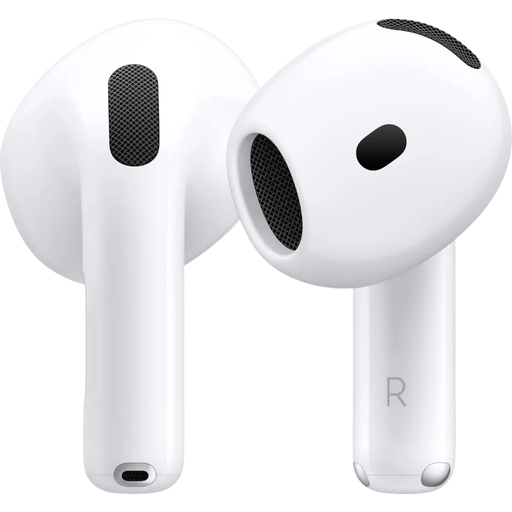
Why this fits the profile: This model is designed for everyday use and offers Bluetooth 5.3, over 30 hours of total battery life according to the product description and a USB-C charging case. The earbuds are suitable for Apple users who do not need extensive ANC features.
The specifications clearly state Bluetooth 5.3, a case and USB-C. There is no active noise cancellation, so you are not paying for a feature you might not use.
USB-C, Bluetooth 5.3, over 30 hours of total battery life according to the product description and support for voice control.
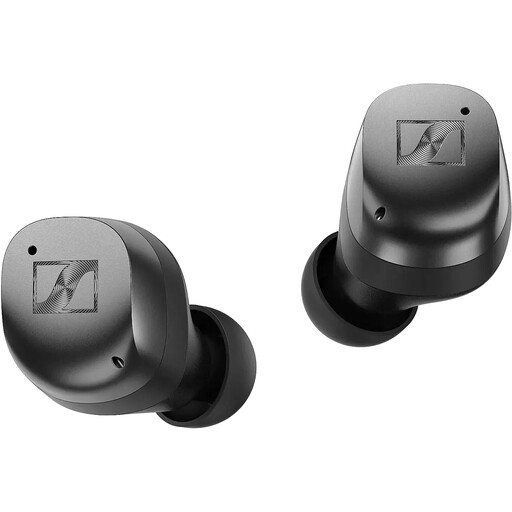
Why this fits the profile: The product specifications mention Bluetooth 5.4, Auracast support, adaptive ANC, Qi charging and up to 30 hours of playback time including the case. The Smart Control app offers, among other things, a five-band equaliser.
The battery life is described for both the earbuds and the case. In addition, multiple fit sizes and an IP54 rating for splash resistance are included.
Bluetooth 5.4, adaptive ANC, up to 30 hours with case and wireless Qi charging.
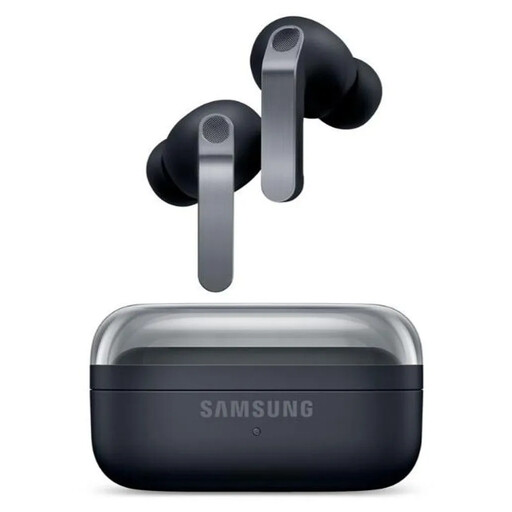
Why this fits the profile: According to the product specifications, this model is aimed at Galaxy users and active applications. It offers ANC, six microphones, IP57, Bluetooth 6.1 and automatic switching between Galaxy devices.
The IP57 rating and six microphones provide concrete information for sport and calls. Do check beforehand whether your phone gives you access to all Galaxy features.
IP57, 2-way speaker system, Bluetooth 6.1 and up to 30 hours total playback time without ANC according to the specifications.
Choose wireless earbuds if you do not want a cable, make calls regularly or are looking for a compact solution for travel and entertainment. For sport, fit, sweat resistance and controls are more important than just audio features. For train journeys and flights, ANC can offer more value, while an open design or transparency mode is better when you want to stay aware of your surroundings.
Use the earbuds at a moderate volume, clean the contact points regularly with a dry cloth and store them in the case. This will help reduce dirt, charging issues and unnecessary wear and tear.
We have put together a full, up-to-date list of products that fully meet these strict selection criteria and current European safety regulations.
First charge the earbuds and case. Then open your phone's Bluetooth settings, open the case or press and hold the pairing button, and select the product name. With Apple AirPods, an automatic pairing prompt often appears when you open the case near an Apple device.
The usage time per charge varies by model and settings. ANC, volume, phone calls and Bluetooth codec all affect the battery. The battery itself loses capacity over time. A case, USB-C charging and a clear charging indicator make daily use easier.
That depends on the IP rating and fit. Check whether the model is splash-resistant and do not use ANC in situations where you need to hear traffic or other warnings. For intensive exercise, a secure fit, physical or responsive touch controls and adequate protection against sweat are practical points to consider.
