
Vandaag of morgen in huis

Kwaliteit gegarandeerd

Welkomstaanbiedingen ontgrendelen: GRATIS bezorging | Tot 80% korting | Gratis 30 dagen JoyPlus-proefperiode
Download de app
Wireless earbuds are great for music, podcasts, phone calls, travel and sport. Yet an appealing product can quickly disappoint. A long battery life, for example, doesn’t always tell you how long you can listen with a single earbud, and a water-resistant rating doesn’t automatically mean you can swim with them.
So don’t just focus on the brand, a discount or eye-catching features. Instead, look at the wearing style, battery details, Bluetooth support, water resistance and how you’ll actually use the earbuds day to day.
Manufacturers and sellers often quote the total playtime including the charging case. That’s different from the usage time of the earbuds themselves. Noise cancelling, volume, codec and phone calls also affect battery life.
Always check:
An IP rating consists of numbers or letters that indicate what a product is protected against. IPX4, for example, means protection against splashes, but not against submersion. IPX5 is designed for water jets under specific conditions. Likewise, IP55 or IP57 shouldn’t automatically be read as suitable for swimming.
For rain, walking or light sport, water-resistant earbuds can be suitable. Just dry the earbuds and charging case before you charge them.
In-ear earbuds partially seal the ear canal, which can make them stable and reduce ambient noise. Not everyone finds this comfortable. Open-ear earbuds and clip-on models let in more ambient sound, but typically offer a different listening experience in busy spaces.
Look at the included ear tips, the weight per earbud and the shape of the housing. A lightweight model isn’t automatically comfortable if it doesn’t stay in place.
For cycling and traffic, it’s important to stay aware of your surroundings. Don’t use earbuds when you need to be alert to traffic conditions.
Bluetooth 5.3 or Bluetooth 5.4 tells you about the wireless connection, but doesn’t on its own say everything about range or stability. Also check whether the model supports your smartphone and operating system.
Multipoint connection is practical if you want to connect to, say, a laptop and smartphone at the same time. You can then switch more easily between a video call and a phone call. Also look at supported codecs such as AAC, SBC or LC3. The actual listening experience also depends on your phone, streaming service and settings.
Earbuds with noise cancelling use active technology to reduce ambient noise. This is especially useful on the train, in the office or during a flight. Performance can vary depending on the environment, fit and selected mode. A transparency mode, on the other hand, lets in more ambient sound.
For calls, check the number of microphones and features such as wind noise reduction. A high number of microphones isn’t a guarantee of perfect clarity, but it does give you an idea of the technical setup.
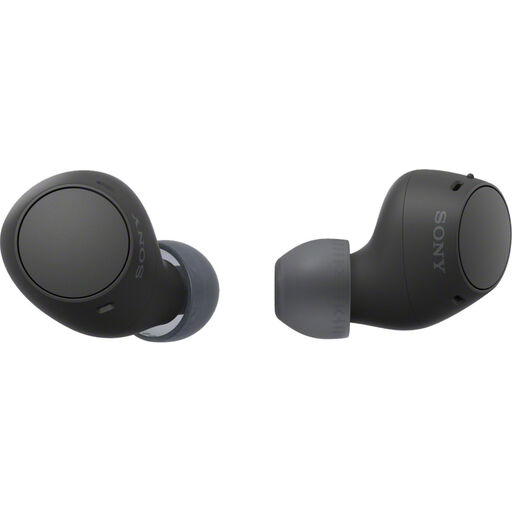
Why this fits the profile: A straightforward model for daily listening, podcasts and phone calls without a long list of extra features.
The product listing mentions individual earbuds at 4.6g, a total battery life of 22 hours and IPX4. This makes the key basic details clearly visible.
Bluetooth 5.3, multipoint connection, USB-C and Ambient Sound Mode according to the product specifications.
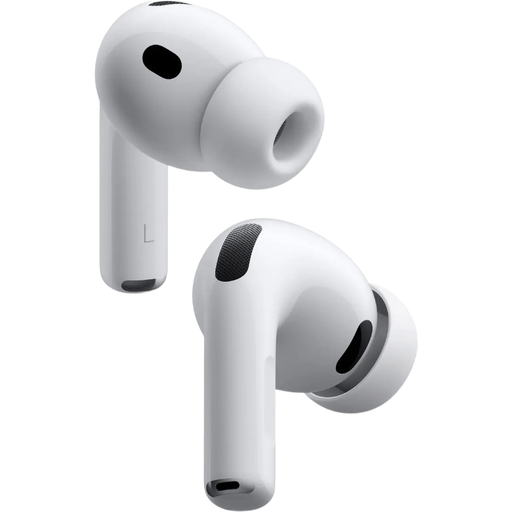
Why this fits the profile: Aimed at Apple users who value active noise cancellation, spatial audio and multiple fit options.
The listing mentions five sizes of silicone ear tips and a battery life of up to 8 hours with noise cancelling. This lets you assess fit and usage time side by side.
Active noise cancelling, spatial audio and IP57 according to the stated product specifications.
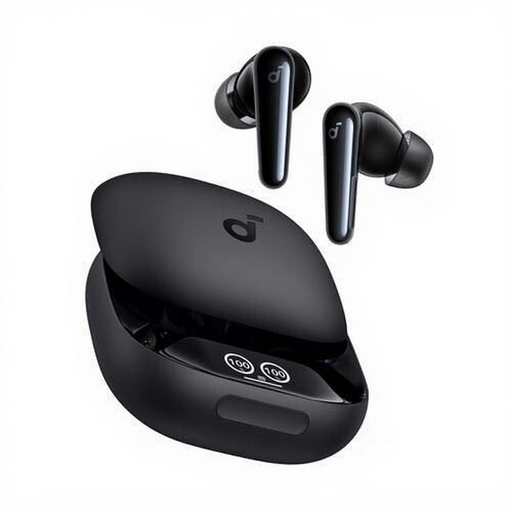
Why this fits the profile: A practical option for calls, music and sport where controls, microphones and splash resistance matter.
The listing makes the usage time of up to 10 hours, the charging case, six microphones and IPX5 explicit. Do check the usage time at your volume and settings.
True Wireless Stereo, touch controls, USB-C and extra ear tips according to the product specifications.
Choose open-ear earbuds if you want to stay in touch with your surroundings during a quiet walk, in the office or at home. The Sony LinkBuds Open and Sony LinkBuds Clip feature an open design, IPX4 and a battery life with case. Don’t expect the same seal as with closed in-ear models.
For train journeys, flights and noisy workplaces, earbuds with noise cancelling make more sense. Check whether the battery life with ANC is stated. The Sony LinkBuds Fit, for example, lists a usage time of 5.5 hours with noise cancelling. That’s more relevant than just the total playtime.
We’ve put together a full, up-to-date list of products that fully meet these strict selection criteria and comply with current European safety regulations.
Open the charging case, activate Bluetooth on your smartphone and select the name of the earbuds from the device list. On some models, you first need to press and hold a button on the case. Use the accompanying app if you want to adjust the equaliser, firmware or touch controls.
Battery capacity decreases over time. The practical usage time depends on volume, noise cancelling, phone calls and charging habits. Store the earbuds in the charging case and avoid heat. When buying, check both the playtime per charge and the total capacity of the case.
That depends on the fit and IP rating. Sport earbuds with IPX4 are suitable for sweat and light rain according to the product information, but not for submersion. For intense exercise, a secure fit, low weight and simple controls are at least as important as battery life.
