
Vandaag of morgen in huis

Kwaliteit gegarandeerd

Welkomstaanbiedingen ontgrendelen: GRATIS bezorging | Tot 80% korting | Gratis 30 dagen JoyPlus-proefperiode
Download de app
Wireless earbuds are handy when you’re out and about, exercising or making calls. But a long list of features doesn’t automatically mean a model is right for you. For example, a high battery-life claim might cover the charging case and earbuds combined. And “waterproof” doesn’t always mean you can swim with them.
Joybuy Product Recommendation Officer has rounded up the key things to check. This makes it easier to compare Bluetooth earbuds, true wireless earbuds and wireless headphones based on practical features rather than marketing terms.
Check whether the stated playback time refers to:
So, in practice, a model advertised as having “long battery life” might not last as long as you expect. Check the charging time and port, too, and whether fast charging is available.
ANC, or Active Noise Cancelling, uses microphones and electronic processing to reduce background noise. The results vary depending on the person, the fit and the type of sound. Low, constant noises, such as the hum of a train, are often easier to deal with than voices in an office.
Passive isolation depends mainly on the earbuds, headband and fit. Open-ear models let in surrounding sounds. That can be useful when walking or working, but they block out less noise than earbuds with snug silicone tips.
An IP rating tells you what a product has been tested to withstand. IPX5, for example, indicates protection against water jets under the specified test conditions; it doesn’t automatically mean the product is suitable for swimming. If a product has no clear IP rating, take care around rain, sweat and moisture.
Also check that the charging port is dry before connecting a USB-C cable. Always follow the manufacturer’s safety warnings.
Bluetooth 5.3, 5.4 or 6.0 tells you which wireless standard is used, but the final connection also depends on your smartphone, laptop or tablet. Check that the model supports your devices and that features such as multipoint or dual-device connectivity are actually available.
Latency matters when watching films or gaming. A low-latency mode can help, but a wired connection is often more predictable for competitive gaming. A wireless gaming headset is worth considering if freedom of movement matters more to you than a completely lag-free connection.
Look out for:
Battery life is usually more straightforward to check with wireless headphones. According to the product specifications, the JBL Tune 520BT2 offers up to 76 hours of music playback and up to 45 hours of talk time, for example. These are different usage scenarios, so don’t assume either figure represents general battery life.
If you make calls often, good microphones and a secure fit are more useful than large drivers alone. If you’re looking for earbuds with a microphone, check the number and placement of the microphones, and how background noise is handled. According to the product information, the Samsung Galaxy Buds4 Pro has six microphones and supports active noise cancelling.
For long listening sessions, weight, ear clips, silicone tips and pressure on your ears all matter. On-ear headphones may be more comfortable than in-ear models, while open-ear earbuds can be a good choice if you want to stay aware of your surroundings.
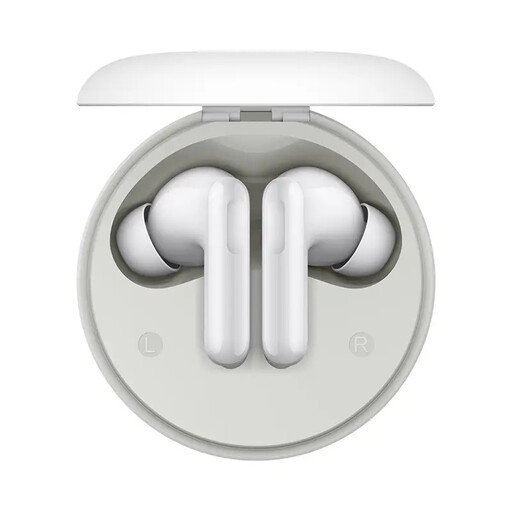
Why it suits this profile: This model combines true wireless controls with a charging case and app settings. That makes it suitable for everyday listening, calls and travel, without complicated controls.
The product information lists active noise cancellation of up to 49 dB and up to 42 hours with the case separately. When buying, check which playback time applies when using ANC.
12.4mm driver, ANC and transparency modes, USB-C charging case and controls via the Honor Headphones app.
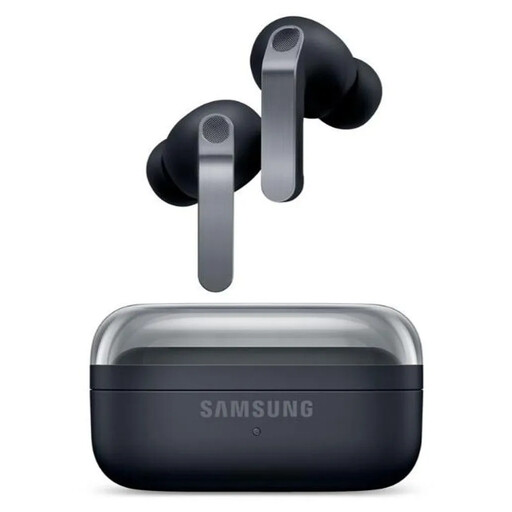
Why it suits this profile: This model is designed for users who value ANC, app features, high-quality audio technology and integration with Galaxy devices.
The specifications distinguish between 6 hours with ANC and 7 hours without ANC per charge. IP57 is also not intended for swimming or prolonged submersion.
Two-way speaker system, six microphones, Bluetooth 6.1, wireless charging and a stated total playback time of up to 30 hours without ANC.
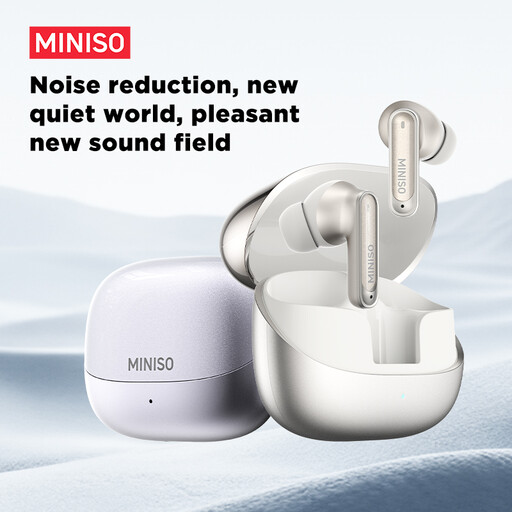
Why it suits this profile: According to the product information, its IP55 rating, touch controls and long total battery life make it a good fit for commuting and everyday exercise.
The stated IP55 rating does not mean the earbuds are suitable for swimming. Dry the charging port first and check the official manual for guidance on use around moisture.
Up to 55 hours of total battery life according to the product description, six microphones for calls, dual-device connectivity and fast charging.

Why it suits this profile: If you mainly game on a PC or console and don’t want to charge a battery, this wired headset gives you a direct 3.5mm connection and an integrated microphone.
The cable means you won’t run out of battery during a gaming session. Bear in mind, though, that this isn’t a wireless gaming headset and it doesn’t use active noise cancelling.
50mm drivers, 3.5mm compatibility with multiple platforms, a cardioid microphone and a stated weight of 240 grams.
We’ve put together a complete, up-to-date list of products that meet these strict selection criteria and the applicable European safety regulations.
Open the charging case, switch on Bluetooth on your smartphone and select the product name from the list of available devices. Some models require you to press a button on the case first or open the companion app. If pairing doesn’t work, remove the old Bluetooth connection and try again.
Playback time per charge depends on volume, codec, calls and ANC. The built-in lithium battery also gradually wears out. Don’t leave the earbuds in extreme heat for long periods, and use the supplied or compatible charging accessories.
That depends on the fit and the IP rating. Choose a model that stays securely in place and whose manufacturer states that it’s protected against sweat or rain. Don’t use earbuds with ANC in situations where you need to hear traffic or other warning signals clearly. Keep the volume moderate and take regular breaks.
