
Vandaag of morgen in huis

Kwaliteit gegarandeerd

Welkomstaanbiedingen ontgrendelen: GRATIS bezorging | Tot 80% korting | Gratis 30 dagen JoyPlus-proefperiode
Download de app
Wireless earbuds are handy for listening to music, making calls, travelling, studying and exercising. But a long list of features doesn’t always tell you how useful they’ll be day to day. A model might have active noise cancellation, for example, but feel less comfortable during long listening sessions. Battery life claims may also apply only when certain features are switched off.
So, pay particular attention to these three common pitfalls:
Most Bluetooth earbuds work with smartphones, tablets and laptops. A newer Bluetooth version may offer efficiency and connectivity features, but it doesn’t tell you on its own how stable the connection will be in your home or office. Also check for:
Wireless earbuds with a microphone and multipoint are handy for working from home. Check that the microphone is suitable for where you’ll be taking calls, though. A quiet room puts less demand on the microphone than a busy station or a windy cycle route.
Always compare the playback time of the earbuds themselves with the total listening time, including the charging case. A model offering 8 hours per charge may be enough for a daily commute, while heavier users may prefer to go several days between charges.
Also look out for:
An LED display, like the ones on the HTC NE20 and HTC NE40, shows the charge level at a glance. With other models, check the battery level on your smartphone or in the brand’s app.
A good fit means you won’t have to keep adjusting your earbuds while walking or exercising. In-ear earbuds with several sizes of silicone tips often give you more options to find the right fit. Open-ear models sit outside the ear canal and let more ambient sound through, but do less to block it out.
For water-resistant earbuds, check the official IP rating:
Always follow the product instructions. Some models’ product information explicitly warns against submerging the earbuds, even when they’re marketed for sports.
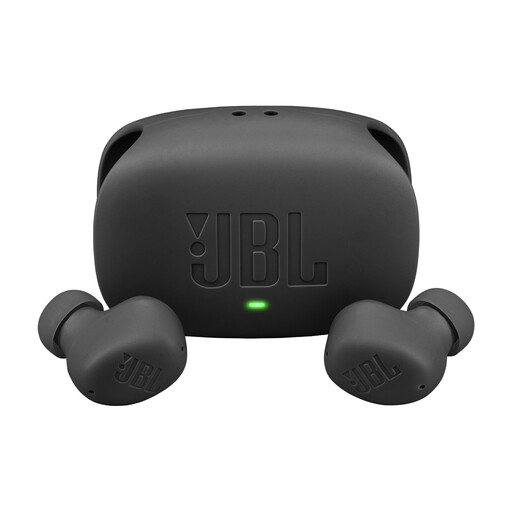
Why it suits this profile: This model combines Bluetooth, a microphone, ANC and a charging case for everyday use. According to the product description, it offers up to 40 hours of total playback with ANC switched off.
The specifications list playback time with Bluetooth and total playback time with the case separately. The IP54 rating for the earbuds is more specific than a general claim about suitability for sports.
ANC, Smart Ambient, USB-C fast charging and multipoint, according to the product information.
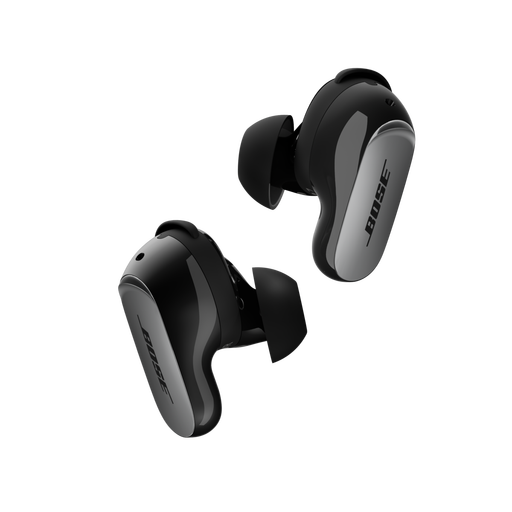
Why it suits this profile: The product description lists CustomTune, active noise cancellation, an Aware mode and Bluetooth 5.3. That makes these earbuds a good fit for travelling, working and listening for long periods.
The fit can be adjusted using three sizes of ear tips and stability bands. The stated IPX4 rating clearly indicates splash resistance, not protection against submersion.
Up to 6 hours of playback per charge, Bluetooth 5.3 and USB-C or wireless charging, according to the product specifications.
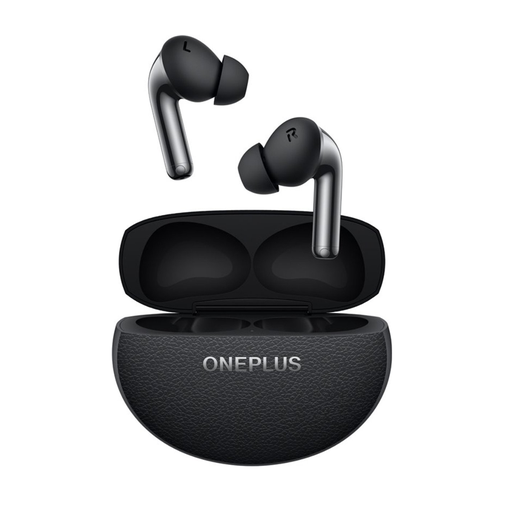
Why it suits this profile: This model is designed for sports, travel and calls, with active noise cancellation, three microphones and a VPU, according to the product description.
Battery life is listed separately for use with and without noise cancellation. The IP55 rating gives a clearer indication of protection against dust and splashes.
Bluetooth 5.4, multipoint, USB-C, ANC and up to 44 hours of total battery life with the case, as stated.
We’ve put together a complete, up-to-date list of products that meet these strict selection criteria and current European safety requirements.
First, charge the earbuds and charging case. Then open your smartphone’s Bluetooth settings, put the earbuds into pairing mode and select the product name. With some models, such as Google Pixel Buds or JBL earbuds, a brand app can help with the initial setup and additional settings.
Playback time per charge varies depending on the model and features. ANC, volume, phone calls and codec use all affect battery life. The charging case extends total playback time. Keep the earbuds in the case when you’re not using them, and use a suitable USB-C charger. The battery is built in and must not be opened or replaced by the user.
Active noise cancellation can reduce distracting background sounds, but it may also make traffic harder to hear. When cycling or in other traffic situations, use a transparency mode or open-ear design if you need to hear your surroundings. Always follow local traffic laws and the manufacturer’s safety instructions.
