
Vandaag of morgen in huis

Kwaliteit gegarandeerd

Welkomstaanbiedingen ontgrendelen: GRATIS bezorging | Tot 80% korting | Gratis 30 dagen JoyPlus-proefperiode
Download de app
Wireless earbuds are handy for listening to music, making calls, travelling and exercising. But a long list of features doesn’t automatically mean a model is right for you. A low price can be tempting, but the wrong fit, poor microphone quality or unclear battery claims can quickly become frustrating.
So, look out for these three common pitfalls:
True wireless earbuds consist of two separate Bluetooth earbuds with no cable connecting them. An in-ear model partially seals the ear canal, which can provide more powerful bass and better passive noise isolation. An open-ear or clip-on model lets in more surrounding sound and may be more comfortable for commuting or light exercise.
When choosing wireless in-ear earbuds, check whether they come with several sizes of ear tips. A good fit affects comfort, bass response and how well ANC works. Ear hooks or clips can be useful on sports earbuds, but may not be ideal if you’re looking for a very compact design.
Bluetooth 5.3 or Bluetooth 5.4 tells you about the connection standard, but not how good the sound will be on its own. Check which codecs are supported too. SBC and AAC are common; LDAC can support higher audio quality according to the product specifications, but your phone and the app you use must support it as well.
Low latency matters for gaming and video. The Edifier X1 Lite, for example, has a stated latency of 60 ms. This can help keep picture and sound in sync, although your actual experience also depends on your device and software.
Compare the playtime per charge with the total battery life provided by the case. Long battery life is handy when travelling, but check whether ANC was switched on or off when the figure was measured. Fast charging is useful when you’re short on time: some models provide extra listening time after just a few minutes of charging.
For calls, multiple microphones and some form of noise reduction are useful. According to product information from various brands, algorithms can help capture speech in busy environments. This is a manufacturer’s claim, not a guarantee in every situation. Wind, traffic and the distance from your phone can all affect call quality.
When looking at water-resistant earbuds, note the difference between IPX4, IP54, IP55 and IP57. The first digit relates to dust protection; the second relates to water protection. Never use a model underwater unless the manufacturer expressly says it is suitable.
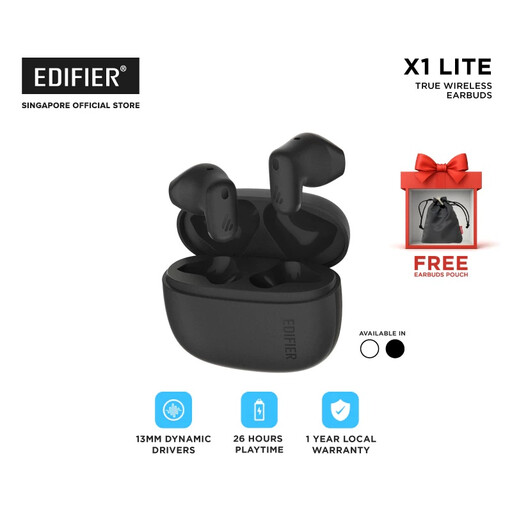
Why it suits this user: This model combines Bluetooth 5.4 and a compact design with up to 26 hours of stated total playtime with the case. It’s a good fit for everyday listening, online lessons and commuting.
The product information lists up to 7 hours per charge and a further 19 hours from the case. This makes it easier to understand the battery claim.
Bluetooth 5.4, 60 ms low latency, IP54 and, according to the product information, 15 minutes of fast charging for 1.5 hours of playback.
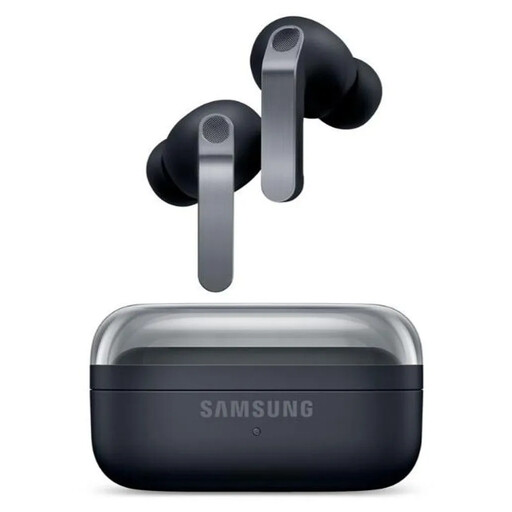
Why it suits this user: Designed for users who value advanced audio technology, ANC and features within the Galaxy ecosystem.
The specifications list playtime with ANC separately from playtime without it. IP57 is also described as protection against splashes and dust, not as making the earbuds suitable for swimming.
2-way speaker system, 6 microphones, Bluetooth 6.1, 24-bit/96 kHz according to the product information, and wireless charging.
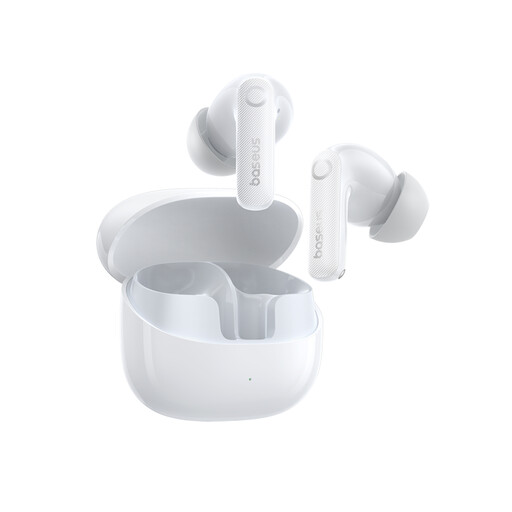
Why it suits this user: The combination of ANC, multiple microphones and long stated battery life makes these earbuds well suited to travelling, working in shared spaces and making frequent calls.
The specifications state 11 hours of listening per charge at 50% volume and a charging time of around 1.5 hours. IP55 means splash protection; submersion should be avoided.
Adaptive hybrid ANC, Bluetooth 5.4, support for SBC, AAC and LDAC, and 6 microphones according to the product information.
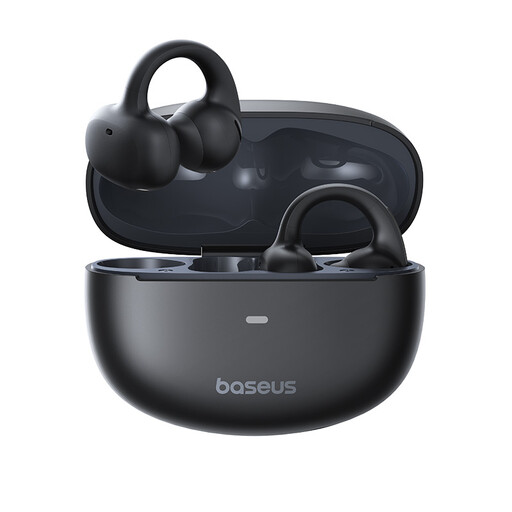
Why it suits this user: The open-ear clip-on design leaves the ear canal unobstructed. This can be practical for walking, working in an office or doing activities where you want to stay aware of surrounding sounds.
The open design avoids the feeling of having your ears completely sealed. However, according to the safety information, this model is not water-resistant, so you should avoid rain and moisture.
Bluetooth 5.4, a stated range of 10 metres in open areas and a charging case with USB-C.
We’ve put together a complete, up-to-date list of products that meet these strict selection criteria and the applicable European safety regulations.
First, charge the earbuds, open the case and switch on Bluetooth on your phone. Select the product name from the list of available devices. Some brands require their own app for equaliser settings, firmware updates or extra controls. Once paired, check that sound is coming from both earbuds.
Battery life per charge varies by model and settings. ANC, volume, codec and phone calls all affect battery life. The built-in lithium battery isn’t designed to be replaced by the user. Keep the earbuds in their case, avoid exposing them to heat and charge them with a suitable USB-C charger. If they become unusually hot, swell or give off an unusual smell, stop using the product.
ANC can reduce the sounds around you. Don’t use it in situations where you need to hear traffic, other road users or warning signals clearly. When cycling or out in traffic, it’s safer to stay aware of your surroundings and follow the rules of the road.
