
Players with a dedicated console or PC
Before you buy, check that the controller works with the device your arena game runs on and that the game supports local multiplayer. Check the manufacturer’s compatibility information and the game’s details.


First, choose a controller that works with your console or PC and the game’s local mode. If you’re sitting in different places, a wireless connection is practical, provided both the controller and gaming device support it. Nintendo says that up to eight wireless controllers can be connected at once to Switch, depending on the type of controllers and the features being used; PlayStation says that up to four controllers can be used with one PS5. The game’s local player limit may be lower, so check the game and device before buying controllers for the whole group.
Before you buy, check that the controller works with the device your arena game runs on and that the game supports local multiplayer. Check the manufacturer’s compatibility information and the game’s details.
You want to play from different spots around the same screen. Check which wireless connection your controller and gaming device support, and how many players the game can handle locally.
You’re weighing up how to power multiple controllers and which features the game needs. For example, Nintendo and PowerA describe different power options and features for specific controller ranges and variants.
Choose this option if: you play on Switch or are looking for a controller that Nintendo lists as supporting wireless pairing with Switch 2.
Bear in mind: the number of controllers you can use with Switch partly depends on their type and the features being used; the game may support fewer players.
Choose this option if: your Xbox console or Windows PC supports the Xbox controller.
Bear in mind: Windows compatibility doesn’t guarantee that every PC game supports multiple controllers or local multiplayer.
Choose this option if: you play on PS5; PlayStation lists USB-C and Bluetooth as connection options for other supported devices.
Bear in mind: PlayStation says that up to four controllers can be used with one PS5. On PC, haptic feedback and adaptive triggers depend on the game; PlayStation specifies USB for haptic feedback.
Choose this option if: a different connection, power source or control layout better suits your device and game. The 8BitDo Ultimate 2C Wireless and Ultimate 2C Bluetooth are variants for different platforms.
Bear in mind: check the full model name and specifications; platform support for one variant doesn’t automatically apply to another.
| What to consider | What to check before buying | Who should pay particular attention? |
|---|---|---|
| Compatibility | Check the exact console model or operating system, and whether the game supports the controller and local multiplayer. | I want to avoid buying an extra controller that doesn’t work with my device or game; around 36% of consumers prioritise compatibility. |
| Seating and connection | Check which wireless connection and any receiver are supported by your device and controller. Don’t assume a particular range based on the connection name. | I want to sit in different places around the screen without having to plan a cable route; around 29% of consumers pay most attention to seating and connection. |
| Number of players | Check the limits for the game, the device and the combination of controllers you’re using separately. | I want to make sure everyone in my group can play at once, not just that the controllers can be paired; around 21% of consumers prioritise the number of player positions. |
| Power and features | Check whether the variant uses a rechargeable battery or AA batteries, and whether the game needs features such as motion controls. | I want to know how to keep several controllers ready to use and which features my game actually needs; around 14% of consumers pay most attention to this. |
According to 8BitDo, the Ultimate 2C Wireless and Ultimate 2C Bluetooth have different platform listings.
Before ordering, check the full variant name, supported platform and listed connection.
The number of controllers a console can pair doesn’t automatically determine how many players the arena game supports locally.
Check the game’s player limit and the device’s controller limit separately before buying for the whole group.
The PowerA variants we looked at differ: the Wireless Controller doesn’t have motion controls, while the separate rechargeable variant does, but lacks HD rumble, IR and amiibo NFC.
Compare the features your game needs with the specifications of the exact variant you’re considering.
Nintendo makes controllers for Switch; according to Nintendo, the Switch Pro Controller can also pair wirelessly with Switch 2.
The Xbox Wireless Controller is designed for supported Xbox consoles and Windows PCs.
DualSense is the controller for PS5 and also works with certain other devices and compatible games.
The Ultimate 2C comes in variants with different platform support.
PowerA offers different controller designs for Nintendo Switch.
This selection includes controllers for the Switch family, Xbox and Windows setups, and PS5. Also check that your game’s local mode supports the controller.
 No image available
A wireless option for a compatible Switch setup.
Bluetooth; compatible with Nintendo Switch 2, Switch, Switch Lite and Switch OLED. TMR sticks, motion controls and two programmable buttons. Rechargeable battery with a stated battery life of up to 40 hours.
 No image available
A wireless option for the supported Xbox consoles and Windows PCs listed for this variant.
Xbox Wireless and Bluetooth; compatible with Xbox Series X|S, Xbox One and Windows 10/11 PCs. Hybrid D-pad and two included AA batteries. Stated battery life of up to 40 hours.
 No image available
A DualSense controller for a PS5 setup.
The product description lists Bluetooth for wireless use on PS5 and USB-C for wired use on PC. Haptic feedback, adaptive triggers and a rechargeable battery. The description specifies wired use for PC.
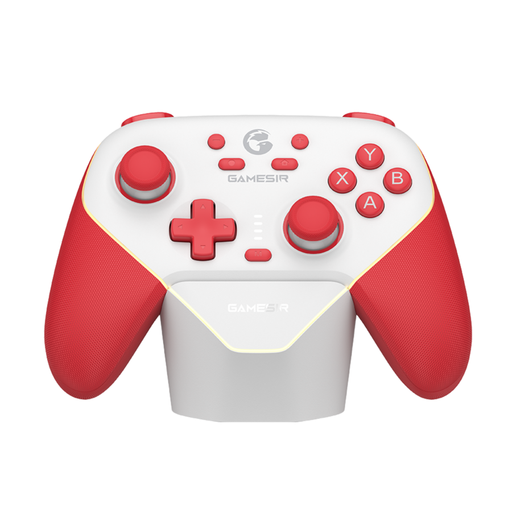 No image available
An option to compare if you want different connection methods for a supported device.
The product description lists PC, Switch, iOS and Android, with Bluetooth, a wired connection and a wireless dongle. It also lists Hall Effect sticks and triggers, programmable buttons and dual vibration motors.
 No image available
A controller for a Switch 2 setup.
The product description lists Bluetooth for wireless use and USB as a wired connection option. It also lists HD rumble, motion controls, amiibo functionality and a rechargeable battery.
First, check how many players your game supports locally. Nintendo says that up to eight wireless controllers can be connected at once to Switch, depending on the type of controllers and the features being used; PlayStation says that up to four controllers can be used with one PS5. The game may have a lower player limit.
Pair and test each controller in advance on the device running the game. Nintendo explains that the Switch Pro Controller can be paired wirelessly or via the charging grip, and says it takes around six hours to charge fully. For DualSense on supported other devices, PlayStation describes pairing via Bluetooth or USB-C.
No. According to the Dutch government, consumers have a legal guarantee and the seller must provide a solution if a product is faulty. The Netherlands does not have a fixed legal guarantee period of two years. So when comparing paid extended warranties, check what additional rights they offer.
For online purchases from a business, the Dutch government says that in many cases you have a 14-day cooling-off period. Check the terms of your purchase: there are exceptions to the rules on distance selling and cooling-off periods.