
Vandaag of morgen in huis

Kwaliteit gegarandeerd

Welkomstaanbiedingen ontgrendelen: GRATIS bezorging | Tot 80% korting | Gratis 30 dagen JoyPlus-proefperiode
Download de app
You don’t need to replace an older car stereo to enjoy modern navigation and hands-free features. A wireless CarPlay screen for your car lets you add Apple CarPlay or Android Auto using a portable display. However, not every system is suitable for every car. Compatibility, audio output and how the screen is mounted all affect how well it works day to day.
A wireless CarPlay adapter usually only works if your original car stereo already supports wired Apple CarPlay. An adapter won’t simply make CarPlay available in a car without the right software or a suitable USB port. Check whether Android Auto is supported too, and make sure your smartphone meets the required iOS or Android version.
A portable CarPlay screen works differently: it has its own display, so it can also be used in older cars. You’ll still need to check how the sound will come through your car speakers.
A 10.26- or 11.4-inch display is easy to read, but it also takes up more space on your dashboard. An unstable suction mount, cables in your line of sight or an awkward viewing angle can make it unpleasant to use. Choose a secure mount and position the screen outside the area you need to see clearly for safe driving.
Some systems support apps such as YouTube, Netflix or TikTok. According to the manufacturer’s product description, these features are intended for use during a break or by passengers. Don’t use video apps while driving. Also check whether an HDMI cable, memory card or reversing camera is actually included, as this varies by model.
Check these three connection points:
A wireless CarPlay adapter is compact and suitable if your existing infotainment system already has wired CarPlay or Android Auto. An Apple CarPlay display for your car with its own screen makes more sense if your original car stereo doesn’t have a suitable display.
On-screen navigation is only practical if you can hear the directions clearly. Possible options include:
Bluetooth or AUX usually connects more directly to your car speakers than an FM transmitter. Check that your car stereo supports Bluetooth audio and that the AUX input is easy to reach.
A larger display isn’t automatically clearer. Check the resolution, brightness controls and night mode too. A CarPlay screen with reversing camera requires extra cabling to the rear of the car. A system with a dash cam will also need storage for loop recording.
A model supplied with a TF card is ready to use straight away. With other screens, you’ll need to buy a camera or memory card separately. Also check the camera’s temperature and water resistance, especially if the cable runs along the outside of the boot.
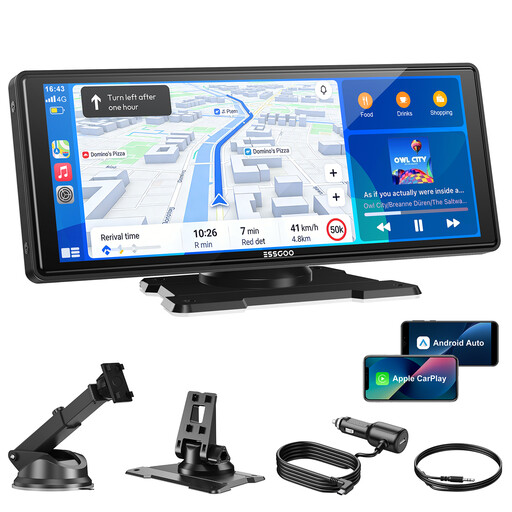
Why it suits this type of user: This portable screen uses a 12V-24V connection and, according to the product description, comes with a mount and audio cable. It’s suitable for drivers who want to get started without complicated modifications.
The four audio options make it less likely that you’ll have to rely on the built-in speaker alone. Check which option works with your car stereo before you buy.
10.26-inch display, wireless CarPlay and Android Auto, Bluetooth 5.3, AUX and OTA updates, according to the product information.
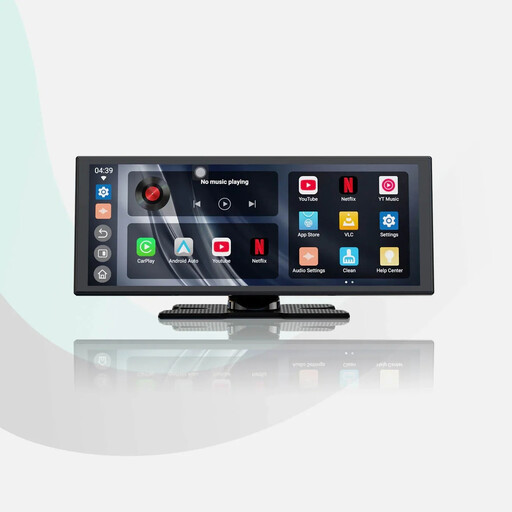
Why it suits this type of user: The 11.4-inch screen is designed for drivers who want a larger view for navigation and also need a reversing camera.
The product description says a 1080p camera is included, and the system mounts using its own display. This means you don’t necessarily have to replace your original car stereo.
1920×720 resolution, wireless CarPlay and Android Auto, built-in apps and audio mixing, according to the product description.
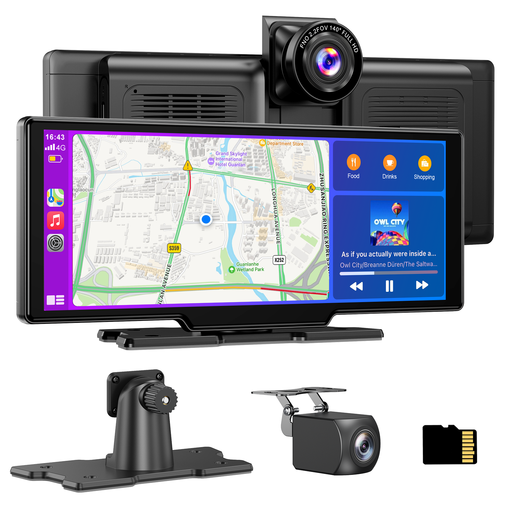
Why it suits this type of user: This car touchscreen with dash cam combines navigation, recording and a reversing camera in one system, for drivers looking for several features in a single device.
A 64GB TF card is included, according to the product description, so you won’t need to buy one separately to get started. The rear camera does need to be mounted and wired separately.
4K front camera, 1080p rear camera, loop recording, AirPlay, Miracast and four audio outputs, according to the product details.
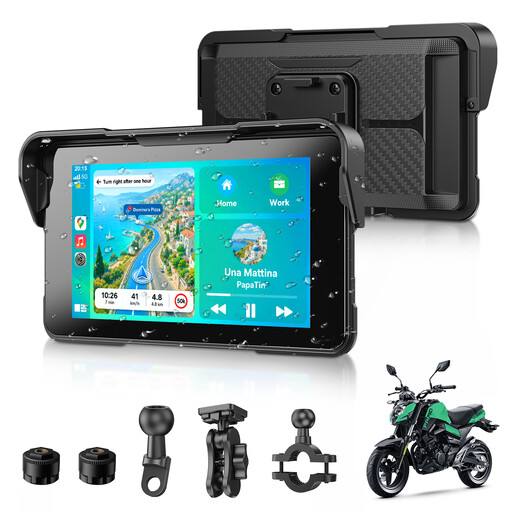
Why it suits this type of user: This compact CarPlay screen for motorbikes is designed for navigation, music and phone calls on the go.
According to the product information, the IP67 rating and removable keyed holder are designed for use beyond the car. Check the mount is secure before setting off.
5-inch display, wireless CarPlay and Android Auto, IP67 protection and Bluetooth 5.3, according to the product specifications.
We’ve put together a full, up-to-date list of products that meet these strict selection criteria and current European safety regulations.
No. A portable screen with its own power supply can be used in many cars, as long as there’s a suitable 12V or 24V socket. A wireless adapter or AI box usually requires original wired CarPlay. Always check the product’s vehicle compatibility list.
CarPlay and Android Auto usually use navigation apps on your phone. Costs therefore depend on the app you choose and your mobile data plan. You may need separate subscriptions for streaming services.
Some screens allow this. Check whether there’s a camera input and whether the screen supports the camera you have in mind. If the model includes a camera, you’ll still need to allow time for installation and routing the cable to the rear of the car.
