
Vandaag of morgen in huis

Kwaliteit gegarandeerd

Welkomstaanbiedingen ontgrendelen: GRATIS bezorging | Tot 80% korting | Gratis 30 dagen JoyPlus-proefperiode
Download de app
A wireless CarPlay screen for your car can bring modern navigation, hands-free calling and music streaming to an older vehicle without the need to install a complete built-in infotainment system. However, portable car screens vary considerably in their connections, camera features and compatibility.
Look out for these three common pitfalls:
A portable CarPlay display is particularly useful for cars, motorhomes, vans and lorries without a modern touchscreen system.
A screen with wireless Apple CarPlay is designed for compatible iPhones. For Android phones, you’ll need wireless Android Auto screen functionality. Before buying, check:
CarPlay and Android Auto typically use apps on your phone, so the screen itself doesn’t always need its own GPS maps. This can be useful, as you can continue using the navigation apps you know.
When choosing a car dash cam with CarPlay, there’s more to consider than resolution alone. Also check:
The terms 4K and 1080P are product specifications given in the product description. They don’t guarantee that number plates or road signs will be readable in every lighting and weather condition. According to ESSGOO product information, the front camera supports 4K and the rear camera 1080P. Always check the latest product specifications and user instructions.
A screen can send audio to your car stereo via:
An FM transmitter typically uses a clear channel within its supported frequency range. In busy urban areas, finding a frequency without interference can be more difficult.
A 10.26-inch car screen gives you plenty of space for maps, music and camera footage. Measure the available dashboard space beforehand. The screen shouldn’t unnecessarily obstruct your view and must be securely mounted.
Most portable models connect to a 12V or 24V socket. This makes them suitable for many cars, motorhomes, vans and lorries. Check that the cable is long enough for a neat installation.
Adjust settings, pair devices and change the FM frequency while the car is stationary. A reversing camera can help with parking, but it’s no substitute for checking your mirrors and surroundings.
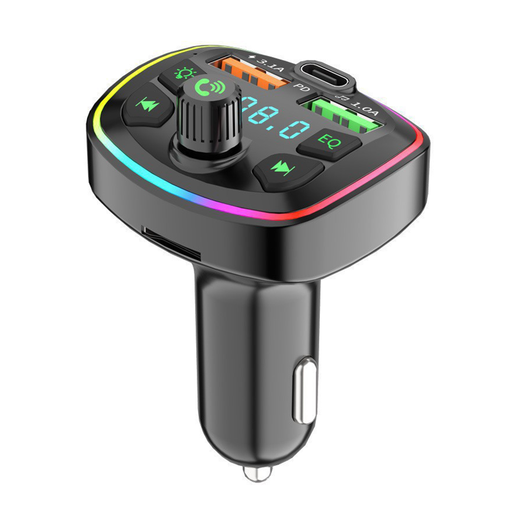
Why it suits this profile: An accessible option for anyone looking to add Bluetooth audio, hands-free calling and charging. This isn’t a CarPlay screen, but a compact audio upgrade for an older car.
The product information clearly lists FM, Bluetooth, USB and MicroSD. This makes it clear from the outset that on-screen GPS navigation and wireless CarPlay aren’t included.
Bluetooth 5.0, USB and MicroSD support up to 32 GB according to the product description, plus two USB ports and a USB-C port.
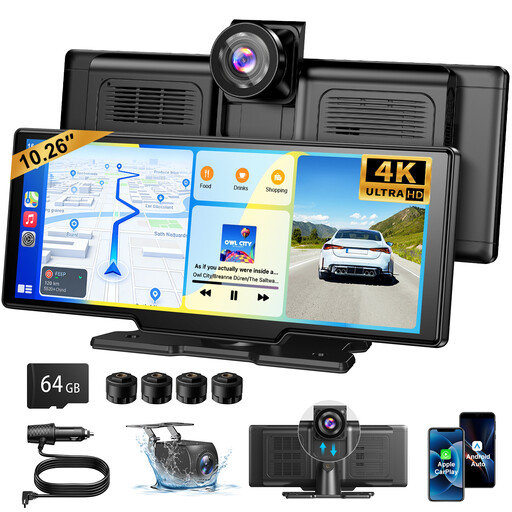
Why it suits this profile: A good fit for drivers looking for one portable system for navigation, camera recording and audio, with a large screen for everyday use.
The listed features separately specify wireless CarPlay, Android Auto, a 4K front camera, a 1080P rear camera, FM, AUX and Bluetooth. A 64GB TF card is also listed.
10.26-inch screen with 1600 × 600 resolution, 140° cameras according to the product information, and support for wireless CarPlay and Android Auto.
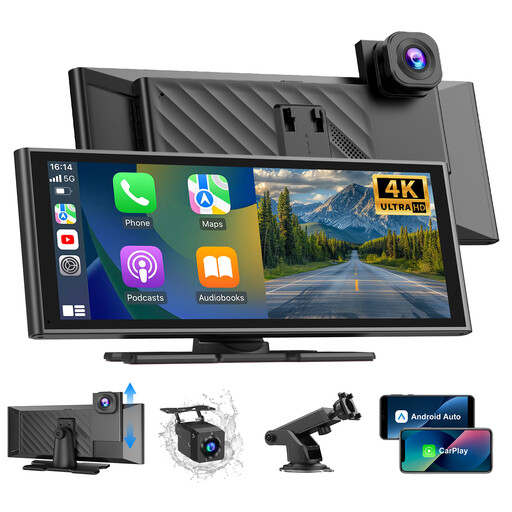
Why it suits this profile: Suitable for anyone looking for a permanent setup in a car, motorhome, van or lorry, with the option to add a reversing camera.
The specifications list a 12V–24V power supply, a waterproof 1080P camera and loop recording support. This means you can check key installation and storage details in advance.
4K/25fps front camera according to the product listing, 1080P rear camera, 10.26-inch touchscreen and Bluetooth 5.3.
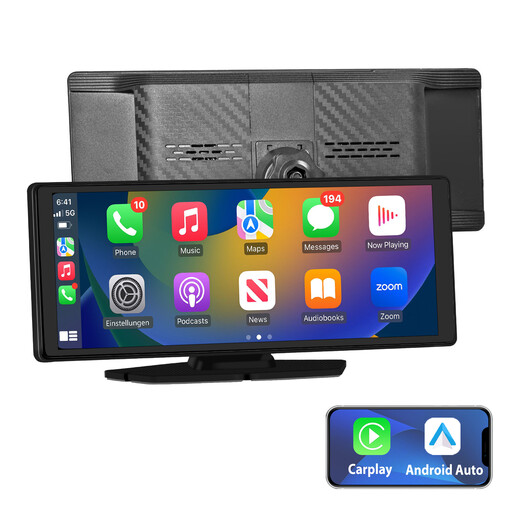
Why it suits this profile: A suitable option for combining wireless CarPlay, Android Auto, GPS navigation and multiple audio outputs without a complex built-in system.
The product information specifies AUX, FM, Bluetooth and built-in audio. This lets you decide in advance which connection will work with your car stereo.
10.26-inch IPS screen with 1024 × 600 resolution, wireless CarPlay and Android Auto, plus FM, AUX and Bluetooth audio according to the product description.
We’ve put together a complete, up-to-date list of products that fully meet these strict selection criteria and the applicable European safety regulations.
Not automatically. The screen needs power from the right socket, and the audio connection must be compatible with your car stereo. Also check the required iOS or Android version and whether your phone supports wireless CarPlay or Android Auto.
Usually not if the screen displays your phone’s navigation app through CarPlay or Android Auto. Your smartphone then provides the internet connection and location data. However, check your mobile data usage and phone settings.
Its lifespan depends on heat, direct sunlight, vibration, mounting and use of the 12V socket. If the manufacturer recommends it, remove the screen from the car when parking for extended periods. For a dash cam, it’s a good idea to check the memory card regularly and save important footage separately.
